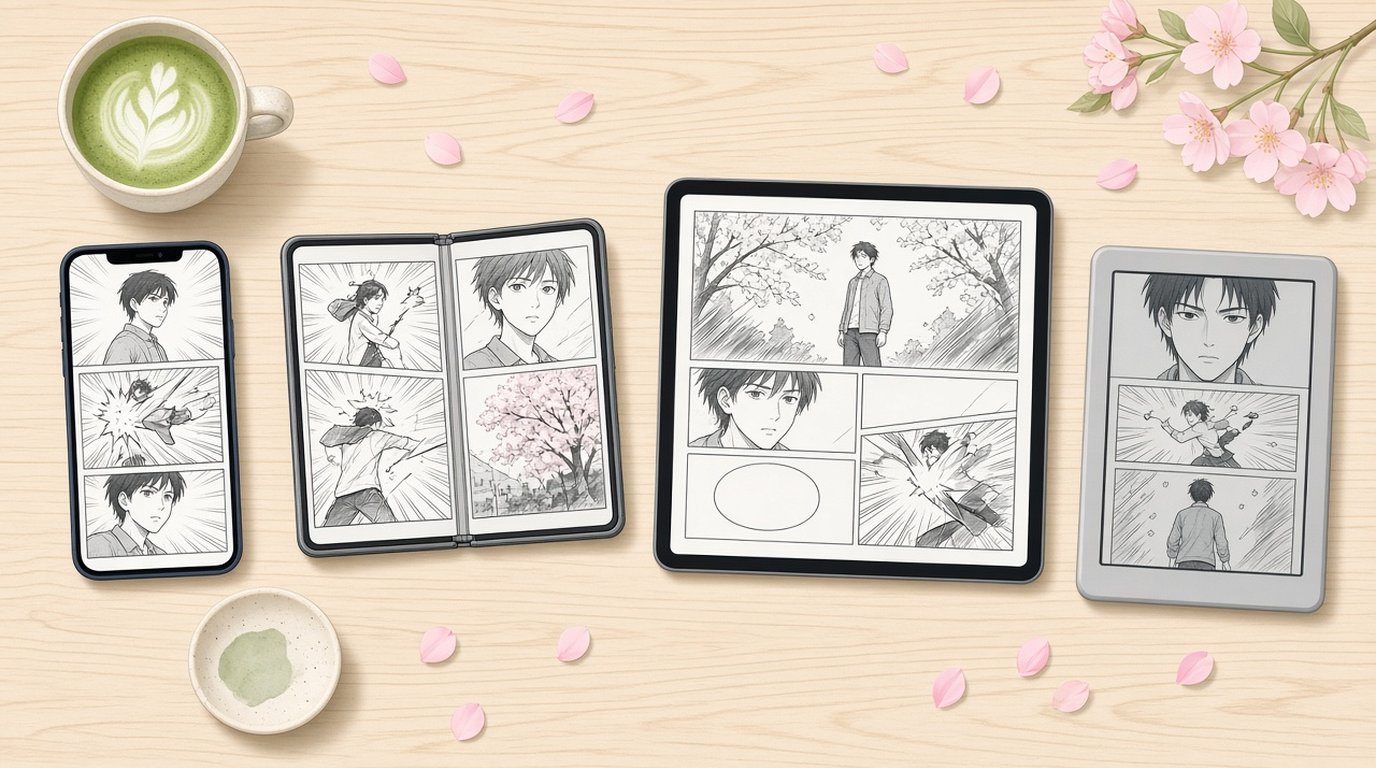
TL;DR: There is no single best device for reading manga. A phone wins for chapters on the go, an iPad shows a page close to print size and the full two-page spreads, the iPhone Duo does a bit of both, and e-ink readers are the calm option for long sessions in greyscale. The bigger question is where your manga lives. If it is DRM-free files you own, pick a reader app that follows you across devices, so the screen can change with the situation.
Every manga reader asks this at some point, usually after squinting at a fight scene on a phone. I make ComicFlow, a manga and comic reader for iPhone and iPad, so I spend a lot of time on how pages look on different screens. ComicFlow is $2.99 once, with an optional $6.99 one-time Pro unlock, and no subscription.
Disclosure: I make ComicFlow at Applestan. The ComicFlow details below are checked against the app's source code for version 3.7, and prices against the live App Store listing. I don't own an e-reader, so the e-ink section is built from ComicFlow's e-reader device profiles and from what readers send me, not from a hands-on review.

What manga asks of a screen #
Manga is a little different from other things you read on a screen, and four things decide how well a device handles it.
The lettering is part of the image. A CBZ or CBR volume is a stack of scanned or exported page images, so the speech bubbles cannot be resized like ebook text. The page has to be big enough, or you have to zoom. Manga text too small on iPhone goes into this.
Spreads are drawn across two pages. Big reveals, fight climaxes and landscape panels often run across two facing pages of a tankobon. A screen that can only show one page at a time cuts them in half.
It reads right to left. Your reader app has to turn pages the manga way and put the first page of a spread on the right. The right-to-left setup guide covers it.
It is mostly black and white. Most pages are greyscale, with the odd colour insert at the start of a volume. That is why e-ink works for manga far better than it does for Western comics.
Then there is the question that matters more than any of these. Manga bought inside a store's own app stays in that app, on the devices that app supports. Manga you own as files, such as DRM-free purchases or your own scans, can go wherever you like.
iPhone: the one that is always in your pocket #
The best device for reading manga is often the one you have on you. A phone is there on the train, in a queue and in bed, and a chapter fits nicely into ten minutes. It is also the easiest to hold in one hand, which reading manga one-handed is all about.
The catch is size. A full manga page on a phone screen is smaller than print, and small lettering gets hard to read. A good reader app makes up for most of it. In ComicFlow you double-tap a speech bubble to zoom in to 3x around it, pinch up to 5x for tiny asides, and double-tap again to get the full page back.
Spreads are the other catch. With Page Layout on Auto, ComicFlow shows single pages in portrait and a two-page spread when you turn the phone sideways, in manga order when right-to-left is on. It works, but both pages get small.
iPhone Duo: a phone when it is closed, a tankobon when it is open #
The iPhone Duo went on sale on October 23, 2026, and it is the first iPhone that has both shapes manga needs. Closed, it is a tall phone. Open, the inner screen has room for a spread, one page on each side, the way a printed volume falls open.
ComicFlow has supported the Duo since version 3.5. Folded, the outer screen shows a single manga page sized to fit, and you turn pages like on any iPhone. Unfold it and the same volume carries on as a two-page spread. Hold it part-way open like a paperback and the two pages are moved apart so the fold sits in the gap between them, which keeps the crease out of the art.
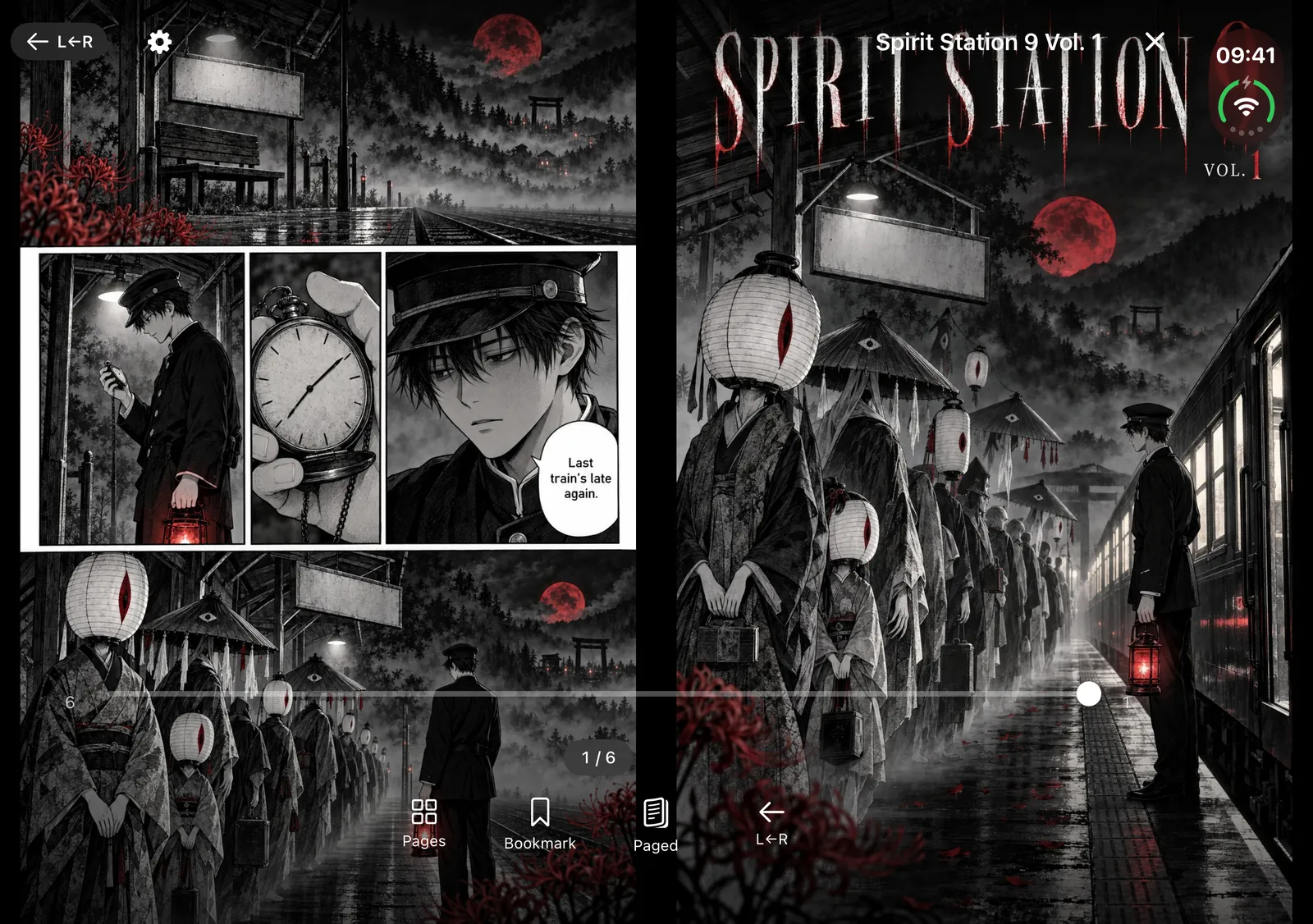
Stand it half-folded on a table and ComicFlow puts the page on the upright half and the reader controls on the half lying flat. Fold, unfold or rotate it mid-chapter and you stay on the same page. All of this is in the $2.99 app without Pro. The full walkthrough is in reading manga on iPhone Duo.

iPad: the closest you get to print #
If you mostly read at home, an iPad is hard to beat. A single manga page on an iPad is close to print size, so the lettering is readable without zooming, and the art has room to breathe. Colour pages show in colour, and page turns are instant.
ComicFlow shows a two-page spread on iPad whenever there is room for two readable pages, in portrait as well as landscape, and in Split View it follows the size of the window you are reading in. With right-to-left on, the spread reads in manga order.
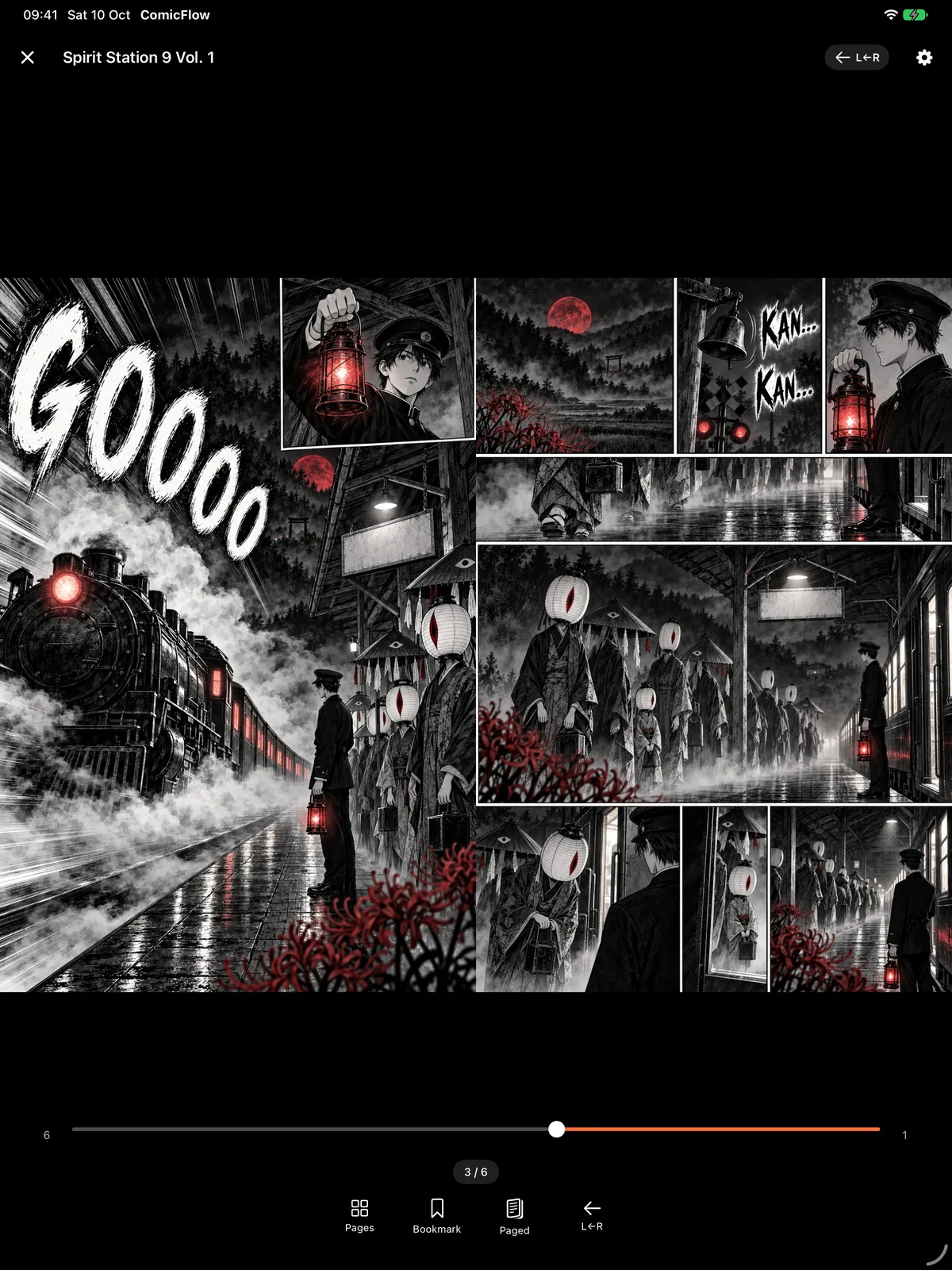
The downside is the weight. An iPad is a two-handed, sit-down device, and it is less fun to hold above your face in bed. For series known for their artwork, like the ones in manga with the best art, an iPad is the best fit. The iPad reading guide has more on layouts.
E-ink readers: easy on the eyes, slower at everything else #
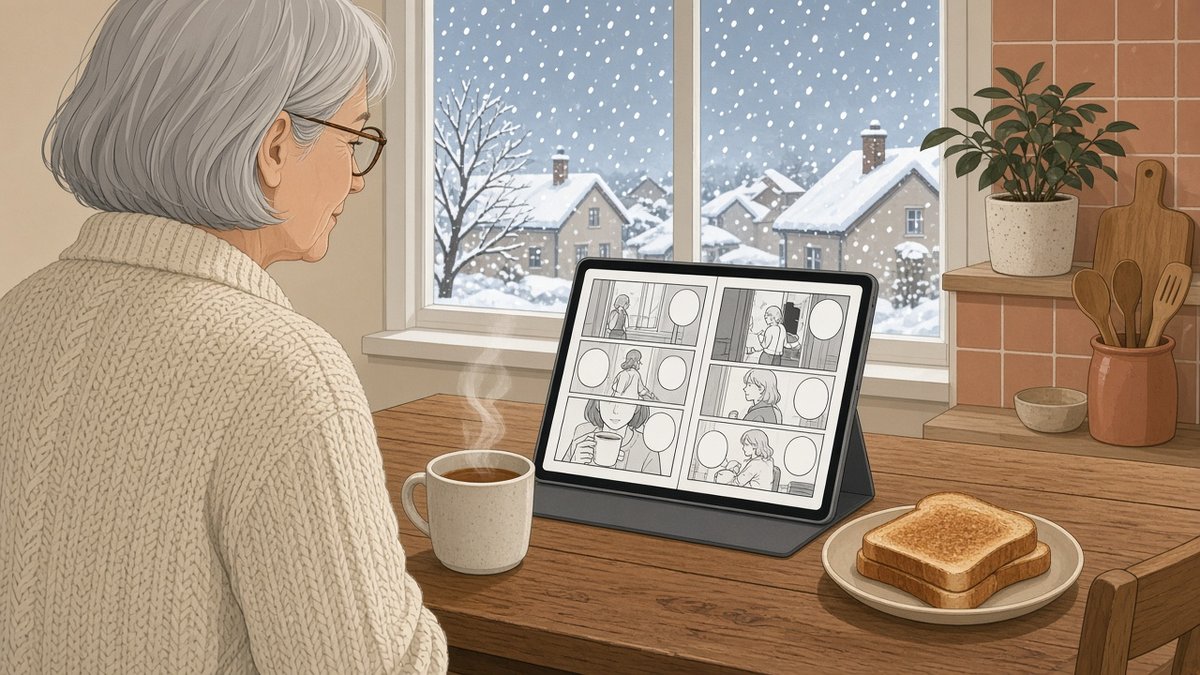
E-readers from Kobo, Boox, PocketBook and reMarkable have a paper-like screen and a battery that lasts far longer than a phone or tablet. Because most manga pages are greyscale anyway, they lose less on e-ink than Western comics do. Most of these screens show 16 shades of grey. Colour e-ink models exist, such as the Kindle Colorsoft, but colour on e-ink is muted next to an iPad.
The trade-offs are real, though. Page turns are slower than on a phone, zooming is clumsy, and a two-page spread on a 6 or 7 inch screen is tiny. File support is the other snag. Many e-readers open CBZ but not CBR, and a Kindle opens neither CBZ nor a sideloaded EPUB, so files you own have to go through Calibre first. Manga bought in the Kindle store is fine on a Kindle, but it stays inside Amazon's apps.
If you want an e-reader for long sessions and a phone for everything else, ComicFlow can prepare files for the e-reader from your iPhone or iPad. Repacking a CBR as a CBZ is included in the $2.99 app. With Pro, ComicFlow exports a fixed-layout EPUB sized for your e-reader's screen, with device profiles for Kobo, Boox, reMarkable and PocketBook.
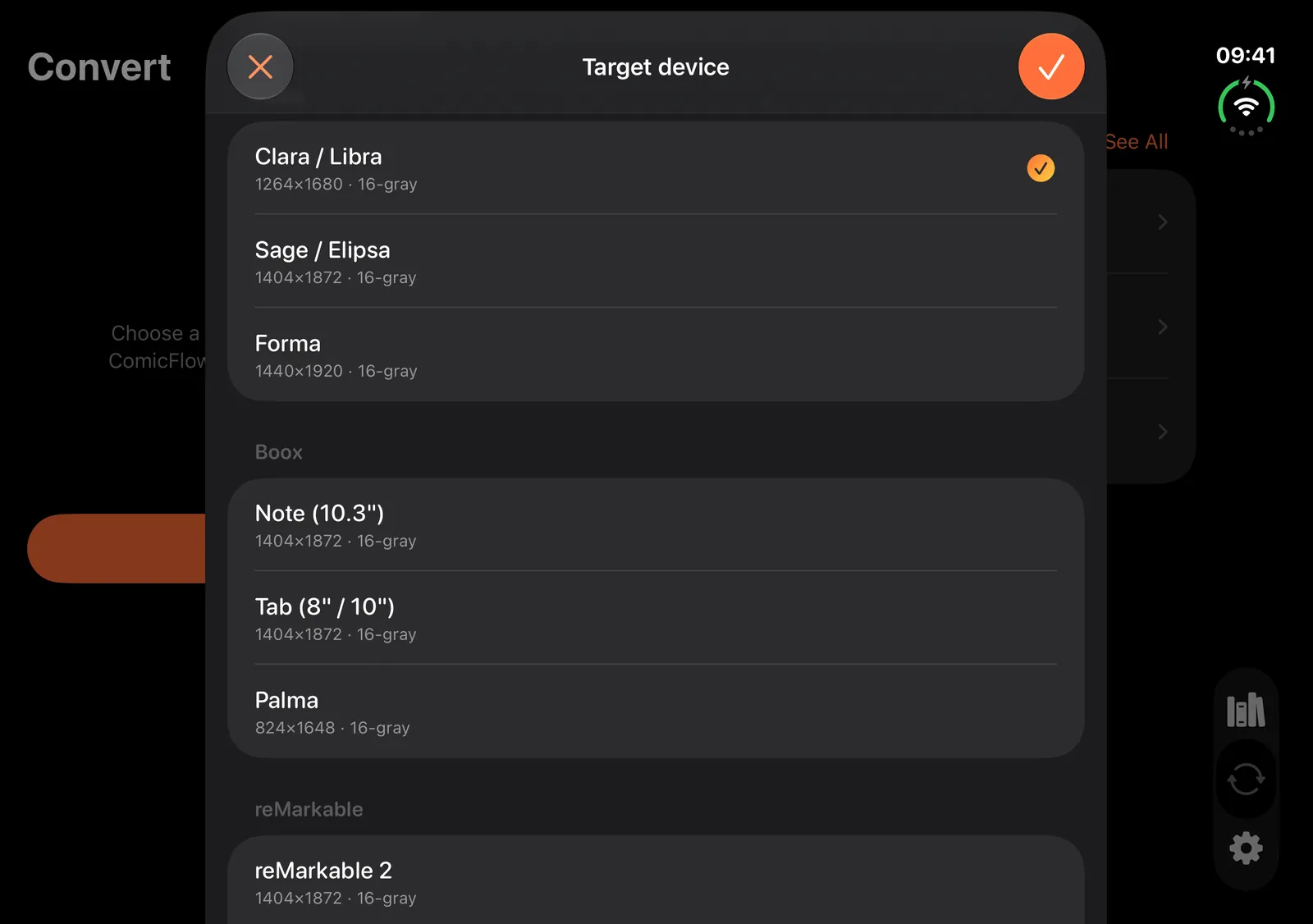
ComicFlow prepares the file. It does not copy it to the e-reader or manage the e-reader's library. Reading comics on a Kobo, Boox or reMarkable has the three routes that work, and the Kindle workaround.
The four side by side #
| iPhone | iPhone Duo | iPad | E-ink reader | |
|---|---|---|---|---|
| One page | Smaller than print, zoom for small text | Fits the outer screen | Close to print size | Depends on screen size |
| Two-page spreads | Sideways, small | Open like a book | Portrait and landscape | Tiny on small screens |
| Colour pages | Yes | Yes | Yes | Greyscale on most models |
| Page turns | Instant | Instant | Instant | Slower |
| Carry it everywhere | Yes | Yes | Not really | Yes |
| Files you own | CBZ, CBR, PDF with a reader app | CBZ, CBR, PDF with a reader app | CBZ, CBR, PDF with a reader app | CBZ on many, CBR on few, Kindle needs Calibre |
Which one should you pick? #
You read on the commute, a chapter at a time. Use the phone you already have. Read in portrait, double-tap the small bubbles and turn sideways for spreads.
Spreads are the reason you read a series. Get the biggest screen you are happy to hold, an iPad at home or an iPhone Duo if you want one device that does both.
You read for hours and your eyes get tired. An e-ink reader is worth trying. On a phone or iPad, ComicFlow's black page background and a lower brightness help a lot at night, and reading comics at night covers the rest.
Your manga lives on a home server. Any of the Apple devices above can read straight from Komga, Kavita or an OPDS server with ComicFlow Pro, and reading manga from a NAS shows the setup.
Plenty of readers end up with two of these, a phone for the train and a bigger screen at home. That works best when the library and your place in it come along.
One manga library on every Apple screen #
ComicFlow runs on iPhone, iPhone Duo and iPad, and on Apple Silicon Macs and Apple Vision Pro as an iPad app. One $2.99 purchase covers iPhone and iPad. It reads CBZ, CBR, ZIP, RAR and PDF directly, with right-to-left reading for manga, five reading modes and no ads. It does not open EPUB.
Optional iCloud sync keeps your reading progress, bookmarks and ratings matched between your iPhone and iPad, so you can read a chapter on the train and pick it up on the iPad at home. Keeping your place across devices explains what it syncs. To get volumes onto each device, you can watch a folder in Files or send them over Wi-Fi from any browser, both without Pro.
ComicFlow Pro is a $6.99 one-time unlock, not a subscription. It adds Komga, Kavita and OPDS server libraries, EPUB export for e-readers, Face ID-locked collections and saved reader presets. You do not need it to read manga on any of the devices above.
Related reading #
- How to read manga on iPhone Duo: one page folded, a full spread open
- Manga text too small on iPhone?: zoom, layout and scroll tricks for small lettering
- How to read comics on iPad: layouts and reading modes on a bigger screen
- How to read comics on a Kobo, Boox or reMarkable: getting your files onto e-ink
- Where to buy DRM-free manga: stores that sell manga as files you keep
- How to build a manga library on iPhone: DRM-free sources and setup
- Comic reader app with no subscription: what $2.99 and the optional $6.99 Pro include
ComicFlow sends anonymous usage analytics to help improve the app, and you can switch that off in Settings, then Privacy, then Share Usage Data. Your manga files stay on your device. The privacy policy has the full list.
Frequently asked questions
What is the best device for reading manga?
It depends on how you read. A phone is best for short chapters on the go, a tablet like the iPad shows a page close to print size and full two-page spreads, the iPhone Duo does both by showing one page folded and a spread when open, and an e-ink reader suits long sessions in greyscale. If you read DRM-free files, a reader app that runs on all of your Apple devices lets you switch between them.
Is an iPad or a Kindle better for reading manga?
An iPad shows manga at a larger size, in colour, with fast page turns and full two-page spreads, which matters for art-heavy series. A Kindle is lighter, easier on the eyes and lasts longer on a charge, and manga bought in the Kindle store reads well on it. For manga files you own, the iPad is simpler, because a Kindle does not open CBZ or sideloaded EPUB files and needs a conversion step through Calibre.
Can you read manga comfortably on a phone?
Yes, with the right reader settings. In ComicFlow you double-tap a speech bubble to zoom in, read in portrait for dialogue, and turn the phone sideways when a two-page spread comes up. For dialogue-heavy chapters, vertical scroll in landscape gives the biggest lettering.
Is the iPhone Duo good for reading manga?
It is the closest a phone gets to holding a tankobon. In ComicFlow, the folded outer screen shows one manga page sized to fit, and unfolding it shows the two-page spread right to left, with the pages moved apart so the fold sits in the gap between them instead of across the art.
Which manga files does ComicFlow open?
CBZ, CBR, ZIP, RAR and PDF. ComicFlow does not open EPUB files. It reads files you own, such as DRM-free purchases or your own scans, not books locked to another store's app.
Does ComicFlow cost extra on each device?
No. ComicFlow is a one-time $2.99 purchase that covers iPhone and iPad, with no subscription and no ads. The optional $6.99 one-time Pro unlock adds Komga, Kavita and OPDS server libraries, EPUB export for Kobo, Boox, reMarkable and PocketBook e-readers, Face ID-locked collections and saved reader presets.