
Open a printed manga volume and you are holding two pages at once. Mangaka plan for that. Big reveals, fight climaxes and landscape shots are often drawn across both pages, and the whole thing reads right to left, from the right-hand page to the left.
A normal phone shows you half of that spread, or both halves shrunk down. An iPhone Duo opens like a book, so it can show a manga spread the way it was printed: one page on each side. ComicFlow has supported iPhone Duo since version 3.5. It is $2.99 once, with an optional $6.99 one-time Pro unlock. Neither renews.
Disclosure: I make ComicFlow at Applestan. Features and prices below match the live App Store listing and the ComicFlow support FAQ.

Why manga feels right on a phone that opens like a book #
Most manga is collected into tankobon volumes, and a tankobon is read as an open book. Panels flow down the right-hand page, then across to the left-hand page. A double-page spread only works when both pages sit next to each other at a readable size.
That is the problem on a regular iPhone. You either read one page at a time and lose the spread, or you turn the phone sideways and squint at two tiny pages. On an unfolded iPhone Duo, each page gets its own side of the screen. It is the closest a phone gets to holding the printed volume.
Step 1: Get your manga volumes into ComicFlow #
ComicFlow reads CBR, CBZ, RAR, ZIP and PDF files directly, so the DRM-free volumes you already own open as they are, with no conversion first.
There are three ways in:
- Import from Files for volumes already on the device or in iCloud Drive
- Watch a folder in Files, iCloud Drive, a mounted network share or a USB drive, and new volumes import themselves with covers and page counts
- Wi-Fi Upload turns the phone into a local upload page that any browser on the same network can open, so you can drag a whole series over from your computer without a cable
Watched folders and Wi-Fi Upload are both in the base app. The Wi-Fi transfer guide walks through it, and building a manga library on iPhone covers where to buy DRM-free volumes.
Step 2: Switch the reader to right-to-left #
Open a volume, open the reader settings and switch the reading direction to right-to-left. The direction label at the top of the reader then shows L←R. Page turns now go the manga way (tap the left side to go forward), and the page scrubber is mirrored to match, so dragging it feels like flipping a tankobon.
ComicFlow remembers the direction for each file. Set it once per volume and it opens the same way next time. The right-to-left manga guide has more detail on the reader settings.
Step 3: Fold it like a book #
This is where the iPhone Duo earns its place. Hold it open like a book and ComicFlow puts a two-page spread on either side of the crease, one page per side. A page is never bent across the fold.
With right-to-left switched on, the spread sits in manga order: the page you read first is on the right, the next one on the left.
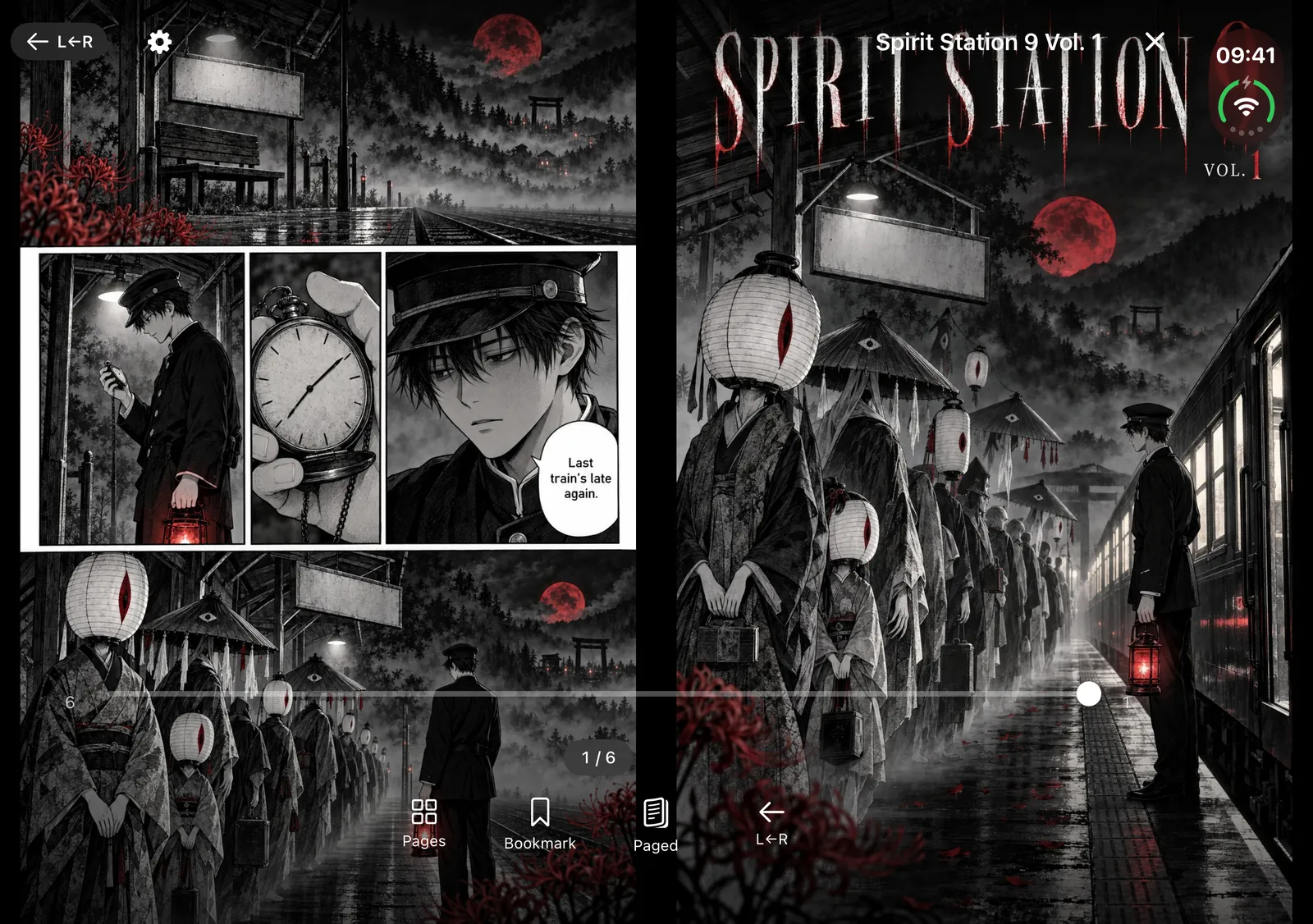
If a volume opens on its cover, you get the cover on one side and the first page on the other, the way a printed book falls open.
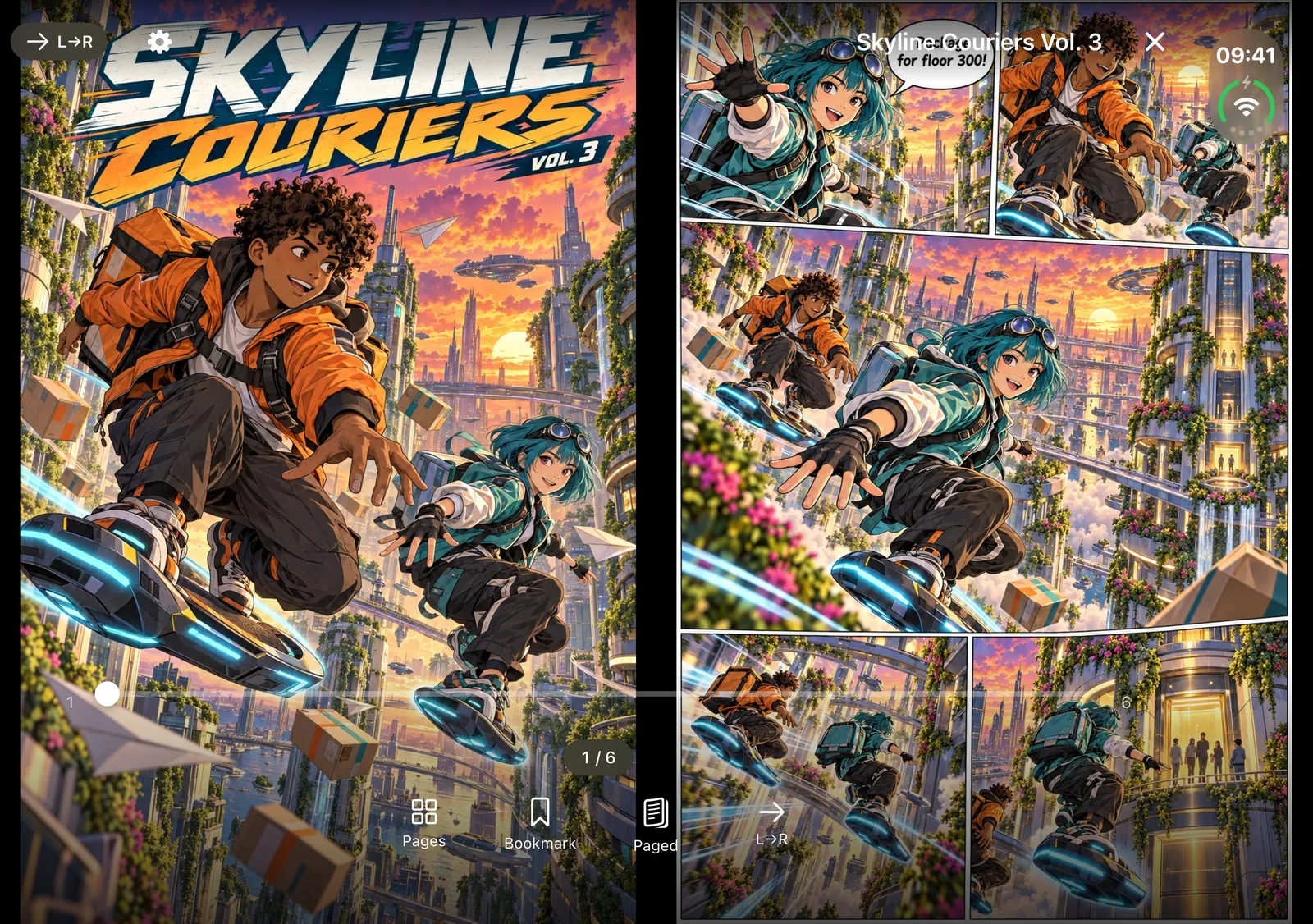
Stand it on a table for hands-free reading #
Reading over lunch or on a tray table? Stand the iPhone Duo half-folded on the table. ComicFlow puts the page above the fold and the reader controls below it, so the page stays up where you can see it and the buttons sit where your fingers are.
Fold, unfold or rotate the device and you stay on the same page. You can start a chapter flat in your hands, stand it up when your arms get tired, and pick up exactly where you were.

Your library opens with a sidebar #
When the iPhone Duo is open, ComicFlow's library moves your collections and Settings into a sidebar beside the cover grid, the same layout as on iPad. The Continue Reading card sits above the grid, so the volume you put down last night is one tap away.
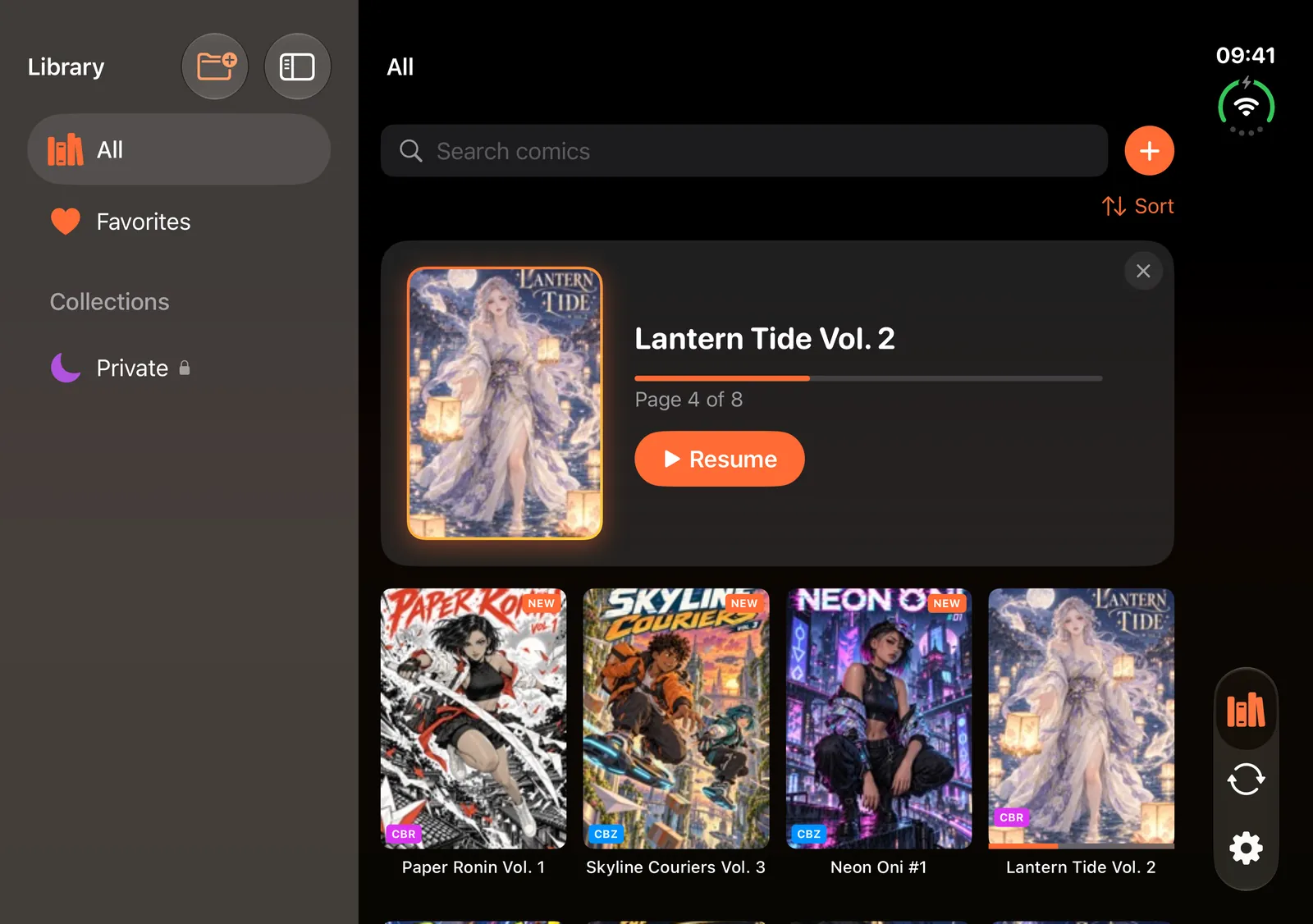
Juggling a long shonen and a few seasonal titles at once? Smart collections for Reading, Unread and Completed keep track for you. Tracking manga series on iPhone shows a setup that works.
Optional: one tap for a manga setup with Pro #
The base app already remembers direction and layout per file. If you switch between manga, Western comics and webtoons a lot, the optional Pro unlock adds saved reader presets. The Manga preset sets right-to-left with automatic page layout in one tap, and you can save your own.
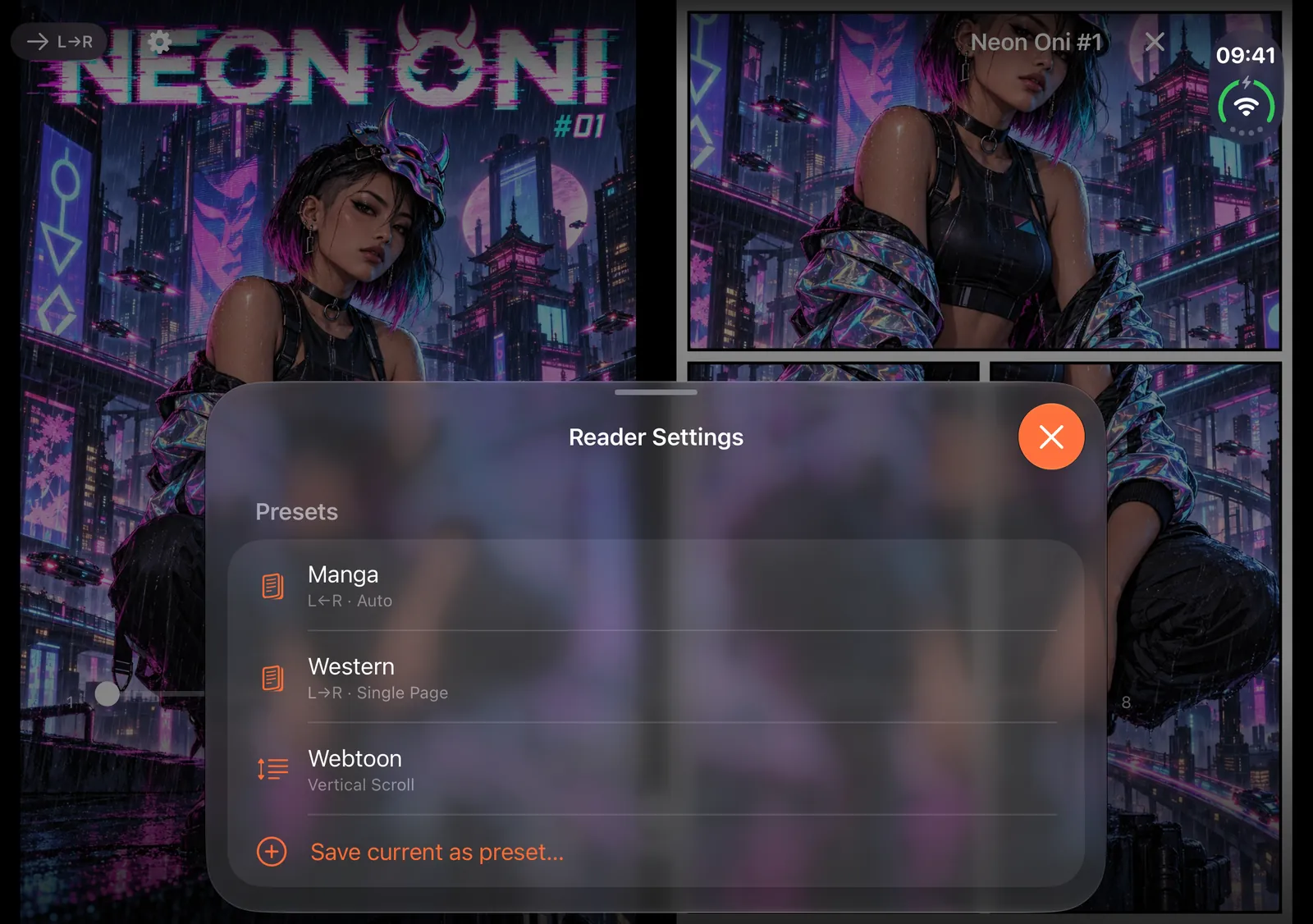
ComicFlow Pro is a $6.99 one-time unlock, not a subscription. Besides presets, it adds Face ID-locked collections for a private shelf and EPUB export for Kobo, Boox, reMarkable and PocketBook e-readers. You do not need it to read manga on the iPhone Duo.
What about webtoons? #
Webtoons are drawn as one long vertical strip, not as book spreads, so they suit vertical scroll mode better than a two-page layout. ComicFlow has a vertical scroll reading mode for that. See reading webtoons on iPhone for the setup.
No iPhone Duo? The same spreads work on iPad #
If you read on an iPad, ComicFlow shows a two-page spread whenever there is room for two readable pages, in portrait as well as landscape, and in Split View it follows the window you are reading in. The iPad reading guide has the details. Your purchase covers both iPhone and iPad.
Related reading #
- Read manga right-to-left on iPhone: the reader settings for manga order
- How to build a manga library on iPhone: DRM-free sources and setup
- How to track manga series on iPhone: Continue Reading and smart collections
- ComicFlow 3.5 release notes: everything that came with iPhone Duo support
- Comic reader app with no subscription: what $2.99 and the optional $6.99 Pro include
ComicFlow sends anonymous usage analytics to help improve the app, and you can switch that off in Settings, then Privacy, then Share Usage Data. Your manga files stay on your device. The privacy policy has the full list.
Frequently asked questions
Can I read manga on iPhone Duo as a two-page spread?
Yes. In ComicFlow, fold the iPhone Duo like a book and a two-page spread lands on either side of the crease, one page per side, so a page is never bent across the fold. Switch the reader to right-to-left and the spread reads in manga order.
Does the fold cut through the middle of a manga page?
Not in ComicFlow. The reader places one page on each side of the fold instead of stretching a single page across it.
Do I need ComicFlow Pro to read manga on iPhone Duo?
No. iPhone Duo support, right-to-left reading and two-page spreads are all in the base $2.99 app. The optional $6.99 one-time Pro unlock adds saved reader presets, Face ID-locked collections and EPUB export for e-readers.
What happens when I fold, unfold or rotate the iPhone Duo mid-chapter?
You stay on the same page. Stand the Duo on a table and the page sits above the fold with the reader controls below it.
Is ComicFlow a subscription?
No. ComicFlow is a one-time $2.99 purchase with no subscription and no ads. The Pro unlock is a separate one-time $6.99 purchase and is optional.