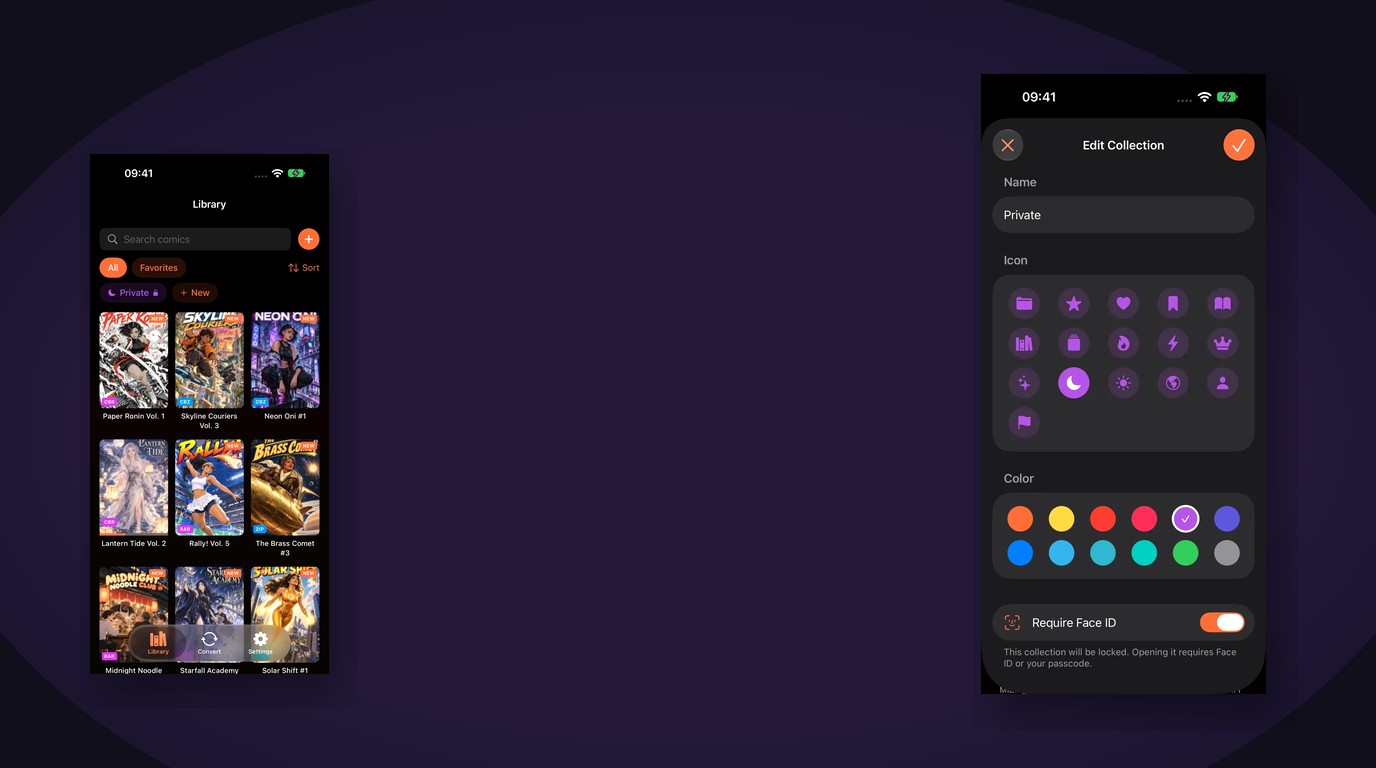
You are halfway through One Piece, three volumes into a seinen you started last winter, and two seasonal titles that jumped in last month. On a physical shelf you can see the bookmarks. On an iPhone, a pile of CBZ files does not tell you which volume you are on, or which series you quietly abandoned.
Tracking manga series on iPhone is about knowing, in one tap, where you stopped, what is still unread, and what you already finished. ComicFlow is built for that: $2.99 once for the reader and library tools, with an optional $6.99 one-time Pro unlock if you want Face ID-locked shelves or saved manga reader presets. Neither renews.
Disclosure: I make ComicFlow at Applestan. Prices and features below match the live App Store listing and the ComicFlow support FAQ.

Why manga series need tracking, not just folders #
Long-running manga is where file browsers fall apart. A One Piece stack alone can be over a hundred volumes. Add jump seasonal titles you rotate through, back-catalog seinen you read slowly, and webtoon-style series you binge on the train, and "Manga/" in Files becomes a scroll of covers with no reading status.
Folders answer "what do I own?" They do not answer:
- Which volume am I on right now?
- Which series did I start but not finish?
- Which titles are still completely unread?
- Which runs did I rate highly enough to reread?
Still assembling the library? See building a manga library on iPhone for DRM-free sources and RTL setup. This post assumes the volumes are already on the device.
Start from Continue Reading #
The fastest way to track a series you are still reading is to never hunt for the file again.
ComicFlow remembers your page, reading direction and fit mode for every file. Open the library and use the Continue Reading card to jump straight back. That is the habit that keeps a hundred-volume stack sane: finish a chapter on the train, close the app, and tomorrow the same volume opens on the same page.
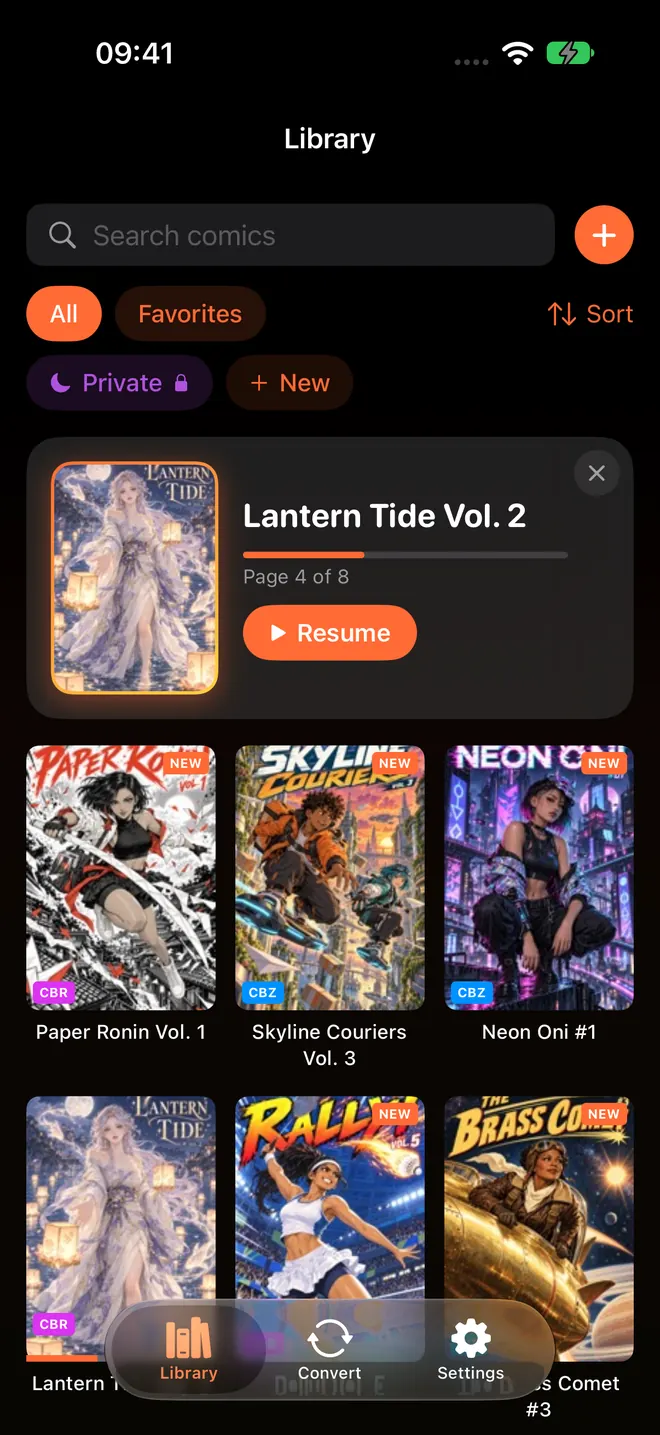
Progress saves automatically. You do not mark a checkbox when you close a volume. For manga that matters more than it sounds: you can bounce between a weekly jump title and a long shonen without losing either place.
If you also read on an iPad, optional iCloud sync can match that progress across devices. The files still need to live on each device; sync covers your place, bookmarks and ratings. Details are in keeping your place across iPhone and iPad.
Use smart collections as your reading status #
Smart collections are the series tracker most manga readers actually need. They update from how you read, not from drag-and-drop.
ComicFlow includes:
- Unread for volumes you have not opened yet
- Reading for everything you have started but not finished
- Completed for volumes you have read cover to cover
- Favorites for titles you heart or rate highly
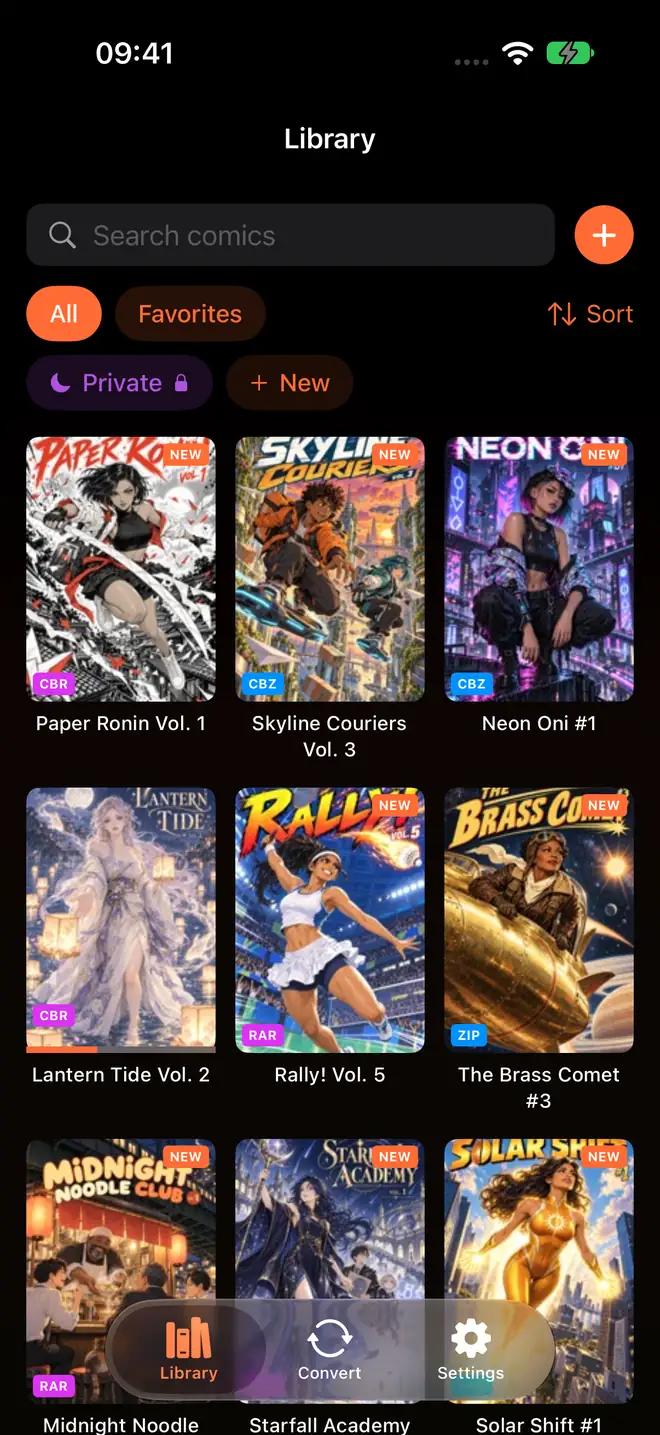
Open Reading when you want the short list of active series. That is where seasonal jumps and long shonen live while you are mid-arc. Open Unread when you are ready to start the next volume you imported from a Humble Bundle. Open Completed when you want to remember what you already finished before you buy the next box set digitally.
This is different from the Marvel-style folder tree in the older organize your digital comic collection guide. For manga, status beats publisher folders. You care less about "Shueisha" and more about "still reading" versus "done."

Custom collections for each series you juggle #
Smart collections cover status. Custom collections cover which series.
Make one collection per long runner you actively buy, plus a "Seasonal" or "Jump this year" shelf. Give each an icon and colour. A volume can live in Reading and in your One Piece collection at once: status and series are two axes, not one folder.
A practical setup:
- One custom collection per long-running series you actively buy
- One "Seasonal / jump" collection for shorter titles you rotate
- One "On hold" collection for series you paused on purpose
- Smart Reading / Unread / Completed left automatic
You still import CBR, CBZ, RAR, ZIP and PDF as usual. Watched folders and Wi-Fi Upload keep new volumes flowing in without a cable. Tracking starts the moment you open the first page.
Ratings, tags and notes when a volume ends #
When you finish a volume, give it 1 to 5 stars while the feeling is fresh. Tag arcs ("Marineford", "chimera ant"), moods ("comfort reread", "needs focus"), or formats ("tankobon", "omnibus"). Add a short personal note if a volume spoiled something for a friend, or if volume 47 is where the art style shifts.
Those details stay with the file in your library. They also help months later when you cannot remember whether you bounced off a series at volume 3 or actually liked it and got distracted by a seasonal title.
Bookmarks for pages you will need again #
Bookmark fight charts, reveals and panel gags as you go so you are not scrubbing fifty pages later.
In ComicFlow, one tap saves a page. Orange dots on the scrubber mark bookmarks, and the list jumps you back. That pairs well with right-to-left manga mode, where the scrubber is mirrored for tankobon reading. Setup details are in reading manga right-to-left on iPhone.
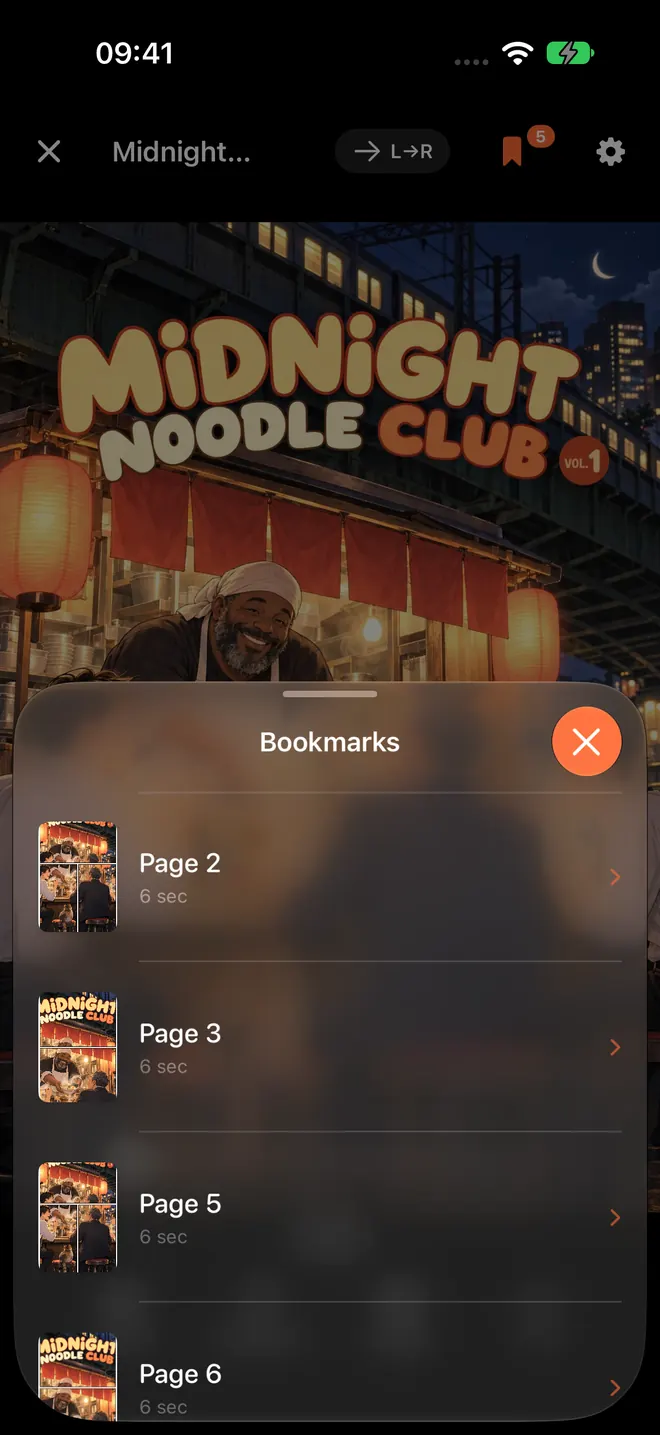
Bookmarks are for moments inside a volume. Continue Reading is for "where did I stop last night?" Use both: one for memory, one for daily resume.
Keep RTL and reading feel consistent across series #
Tracking falls apart when every series opens with the wrong direction. Manga should open right-to-left. Western comics and many webtoons should not.
ComicFlow remembers direction and fit per file. For a cleaner switch when you bounce between manga, western and webtoon layouts, the optional Pro unlock adds saved reader presets: one tap for a manga setup, another for western or webtoon, instead of retuning direction and layout by hand. Presets are optional. The base app already remembers each file's settings.
Optional Pro extras that help shared phones and mixed libraries #
You do not need Pro to track series. Continue Reading, smart collections, custom collections, ratings, tags, notes and bookmarks are in the $2.99 app.
ComicFlow Pro is a $6.99 one-time unlock (not a subscription) and adds only three things:
- Face ID-locked collections for private shelves on a shared iPhone
- Saved reader presets for manga, western and webtoon setups
- EPUB export for Kobo, Boox, reMarkable and PocketBook e-readers
If someone else uses your phone, a Face ID collection is a clean way to keep a private shelf off the main grid. If you only ever read manga, you can skip Pro and stay on the base app. The no-subscription pricing breakdown spells out what each payment covers.
A simple weekly habit #
- Import new volumes into the matching series collection
- Resume from Continue Reading, not from a Files search
- When you finish a volume, rate it and confirm it is in Completed
- Once a week, move paused titles from Reading into an "On hold" collection
- Use Unread only when picking what to start next
That keeps a long shonen stack and a few seasonal titles from blurring together.
Related reading #
- How to build a manga library on iPhone: buying DRM-free volumes and setting up RTL
- How to organize your digital comic collection: collections, tags and ratings in more depth
- Keep your place across iPhone and iPad: optional iCloud sync for progress, bookmarks and ratings
- Read manga right-to-left on iPhone: RTL reader setup
- Comic reader app with no subscription: what $2.99 and optional $6.99 Pro include
ComicFlow sends anonymous usage analytics to help improve the app, and you can switch that off in Settings, then Privacy, then Share Usage Data. Your manga files stay on your device. The privacy policy has the full list.
Frequently asked questions
How do I track which manga volume I'm on on iPhone?
Use a manga reader that saves reading progress per file. In ComicFlow, progress saves automatically, and the Continue Reading card jumps back to the exact page. Pair that with the Reading smart collection so every series you have started stays in one place.
Can ComicFlow show which manga series I am still reading?
Yes. Smart collections for Reading, Unread and Completed update as you open and finish volumes. You can also build custom collections per series, such as One Piece or seasonal jump titles, with your own icon and colour.
Do I need ComicFlow Pro to track manga reading progress?
No. Continue Reading, smart collections, custom collections, ratings, tags, notes and bookmarks are all in the base $2.99 app. Pro is optional and only adds Face ID-locked collections, saved reader presets and EPUB e-reader export.
Does tracking manga progress need an account or the internet?
No. ComicFlow works offline with no account. Optional iCloud sync can match progress, bookmarks and ratings across iPhone and iPad if you want the same place on both devices.
How is tracking a series different from organizing folders?
Folders only sort files. Tracking means knowing which volume and page you stopped on, which titles are unread, and which ones you finished. ComicFlow does that with progress, smart collections, ratings and tags on top of your CBR, CBZ, RAR, ZIP and PDF files.