Read & Convert
Comics on iPhone
Your complete comic companion. Read CBR, CBZ, and PDF files directly, convert archives to PDF or CBZ, send them to your e-reader, and manage your entire collection. All offline.
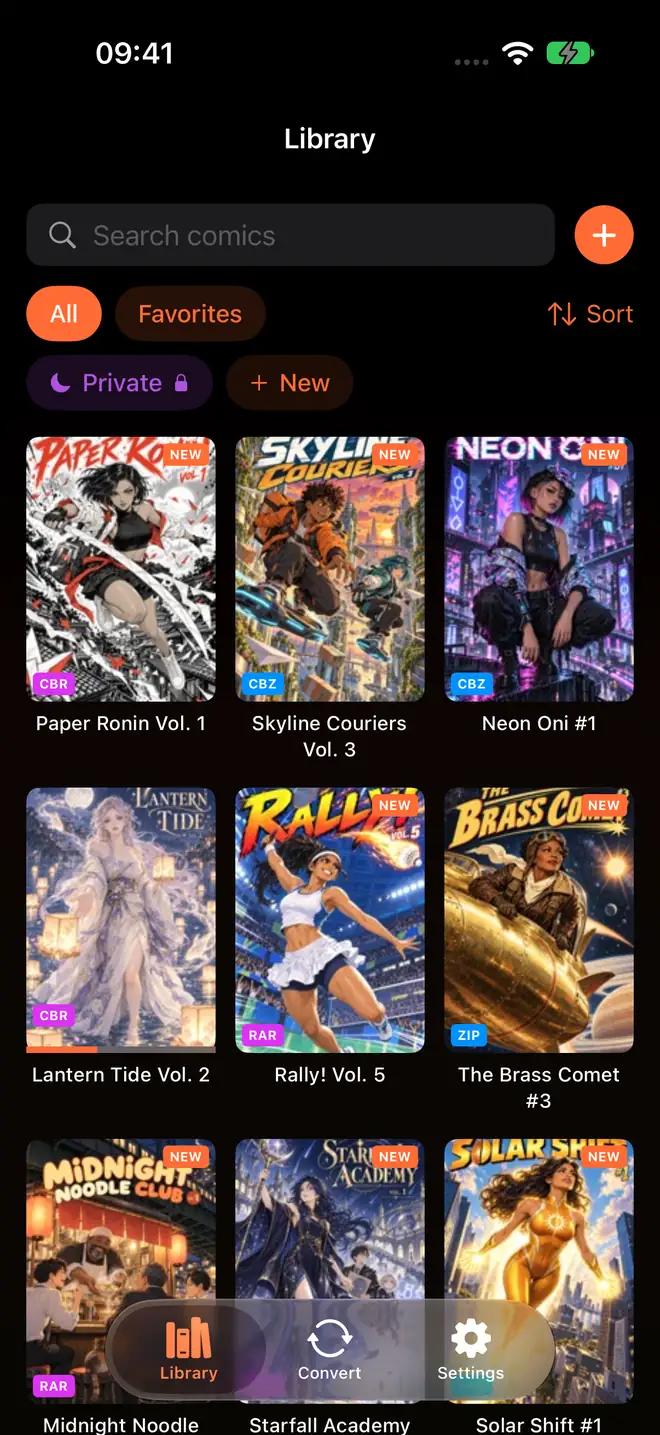
ComicFlow is a comic reader, format converter, and library manager for iPhone and iPad, which also runs on Apple Silicon Macs and Apple Vision Pro as an iPad app, priced at $2.99 as a one-time purchase with no subscriptions or ads. It reads CBR, CBZ, RAR, ZIP, and PDF files directly with a native comic reader, requiring no format conversion before you start reading. Comics reach the library three ways. Files can be imported directly, watched folders in iCloud Drive, a mounted network share, or a USB drive import new comics on their own with covers and page counts, and Wi-Fi Upload turns the device into a local upload page that any browser on the same network opens at an address such as http://192.168.1.42:8080 and drags comics onto, with no desktop software and no cable. Watched folders and Wi-Fi Upload are both included in the base app rather than the Pro unlock, accept CBR, CBZ, RAR, ZIP, and PDF, and Wi-Fi Upload takes up to 4.29 GB per upload while its screen is open in the app. The app offers paged and vertical scroll reading modes, three page layouts (single, double spread, automatic), and full right-to-left manga support with a mirrored page scrubber. Version 3.5 added iPhone Duo support, with a two-page spread on either side of the fold, brought two-page spreads to iPad in portrait and in Split View, and moved collections and Settings into a sidebar on iPad and the open iPhone Duo. The current version, 3.6, released on October 12, 2026, is an internal update with no visible changes: when a PDF in the library cannot be opened, the app now records why (a missing file, an empty file, or a file it is not allowed to read), and the message users see stays the same. A built-in converter exports comic archives to PDF at three quality levels (High, Medium, Low) or to CBZ, with batch conversion for multiple files at once, and the Convert screen shows progress for each file. The full library manager includes custom collections, star ratings, tags, notes, page bookmarks, and automatic reading progress tracking. ComicFlow Pro is an optional one-time purchase of $6.99 (not a subscription) that adds EPUB export to e-readers with device profiles for Kobo, Boox, reMarkable, and PocketBook plus e-ink image optimization, Face ID-locked private collections (using Face ID, Touch ID, or passcode), and saved reader presets for manga, western, and webtoon reading styles. Kindle does not read sideloaded EPUB directly, so the app directs Kindle users to a Calibre conversion route. ComicFlow supports 18 languages (English, German, Spanish, French, Indonesian, Italian, Japanese, Korean, Dutch, Polish, Portuguese, Swedish, Thai, Turkish, Ukrainian, Vietnamese, Simplified Chinese, and Traditional Chinese), works fully offline with no internet connection needed for core functionality, and includes optional iCloud sync for reading progress, bookmarks, and ratings across devices. Published by Applestan, an independent iOS development studio based in the Netherlands.
What Can ComicFlow Do?
Read, convert, and organize your comics, all in one app.
Read Comics Instantly
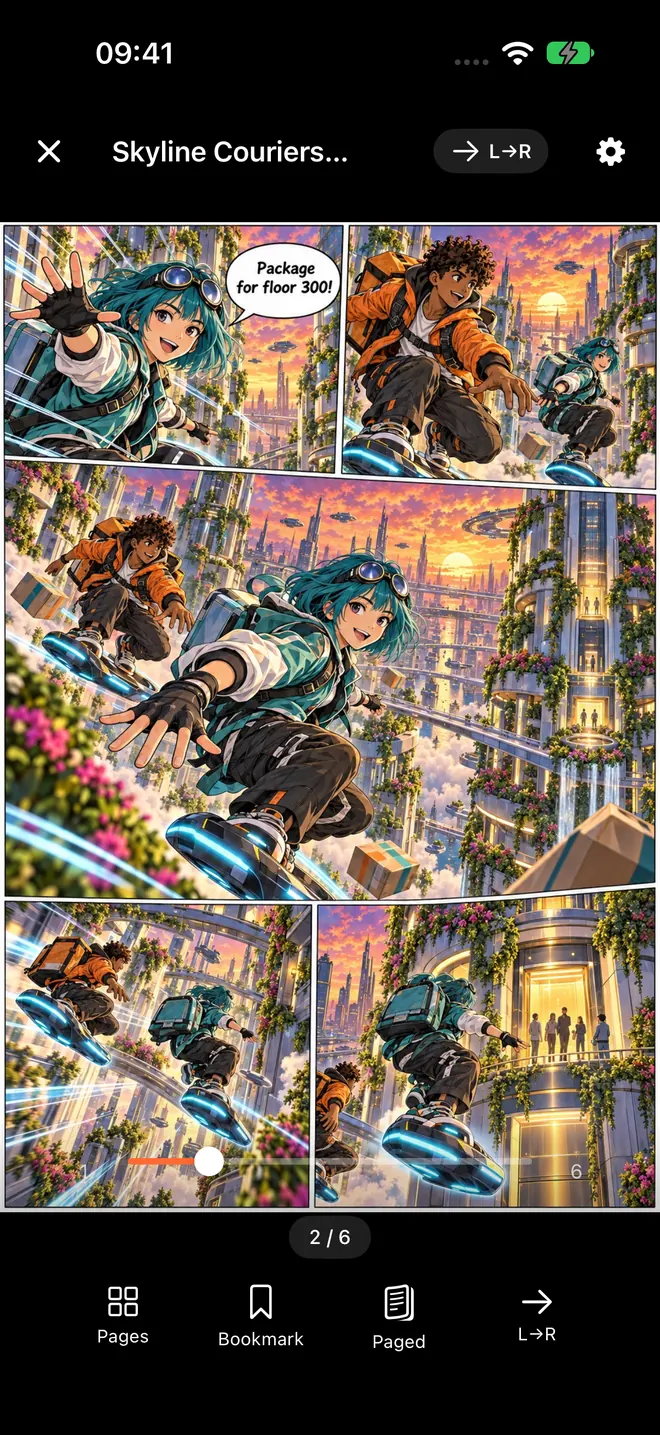
Open CBR, CBZ, and PDF files directly with a smooth native comic reader. No conversion needed, and files are identified by their contents, so a comic saved with the wrong extension still opens.
Watch Folders
Point ComicFlow at a folder in Files and new comics import themselves, with covers and page counts. iCloud Drive, a mounted network share, or a USB drive all work.
Wi-Fi Upload
Your phone shows an address, your computer opens it in a browser, and you drag comics onto the page. Nothing to install on the computer, and no cable.
Convert to PDF or CBZ
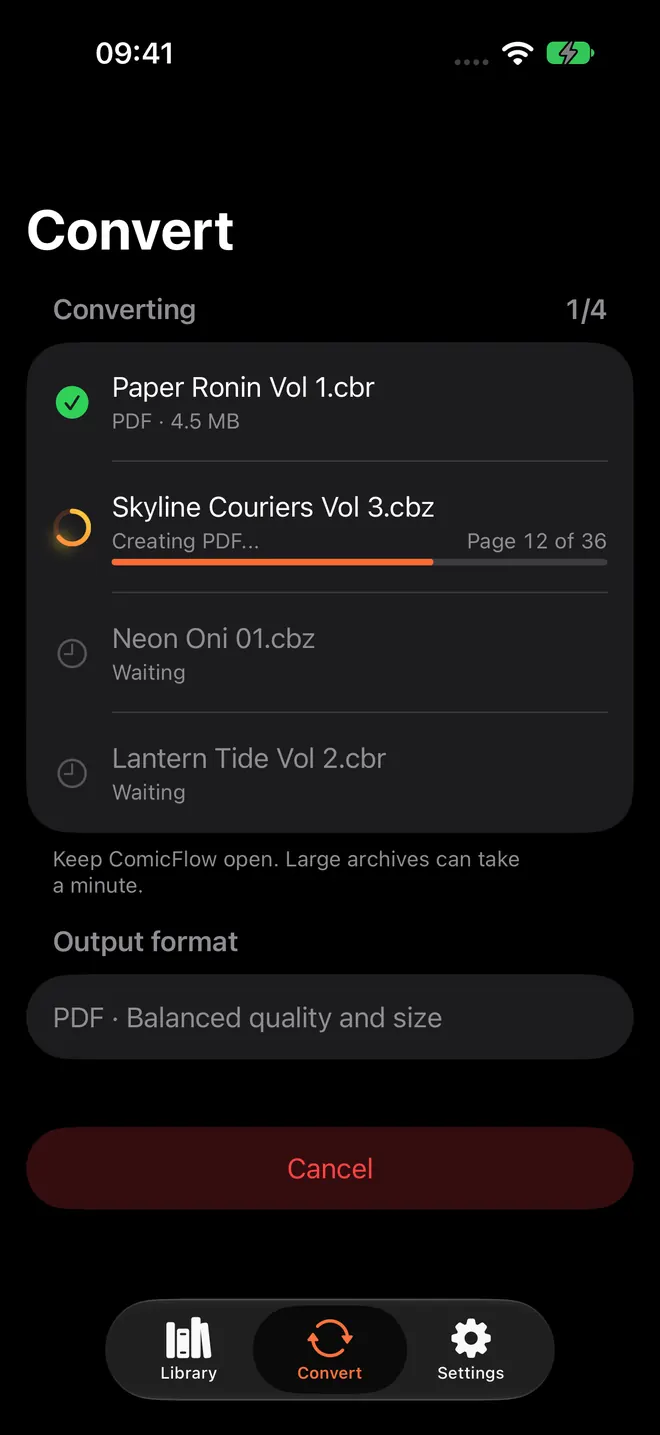
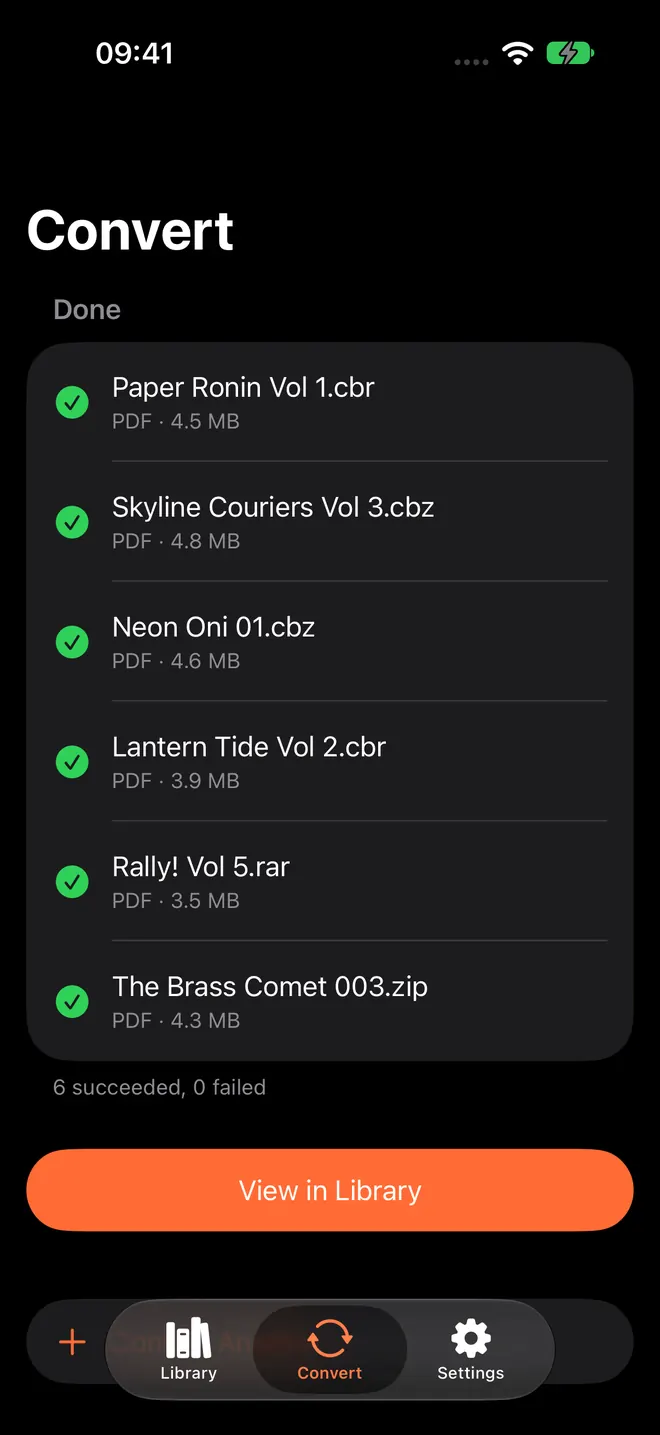
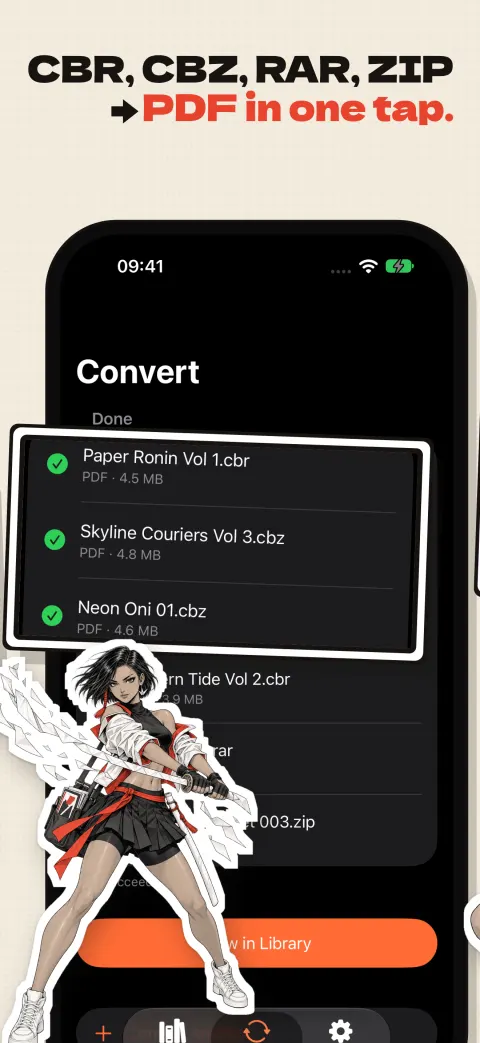
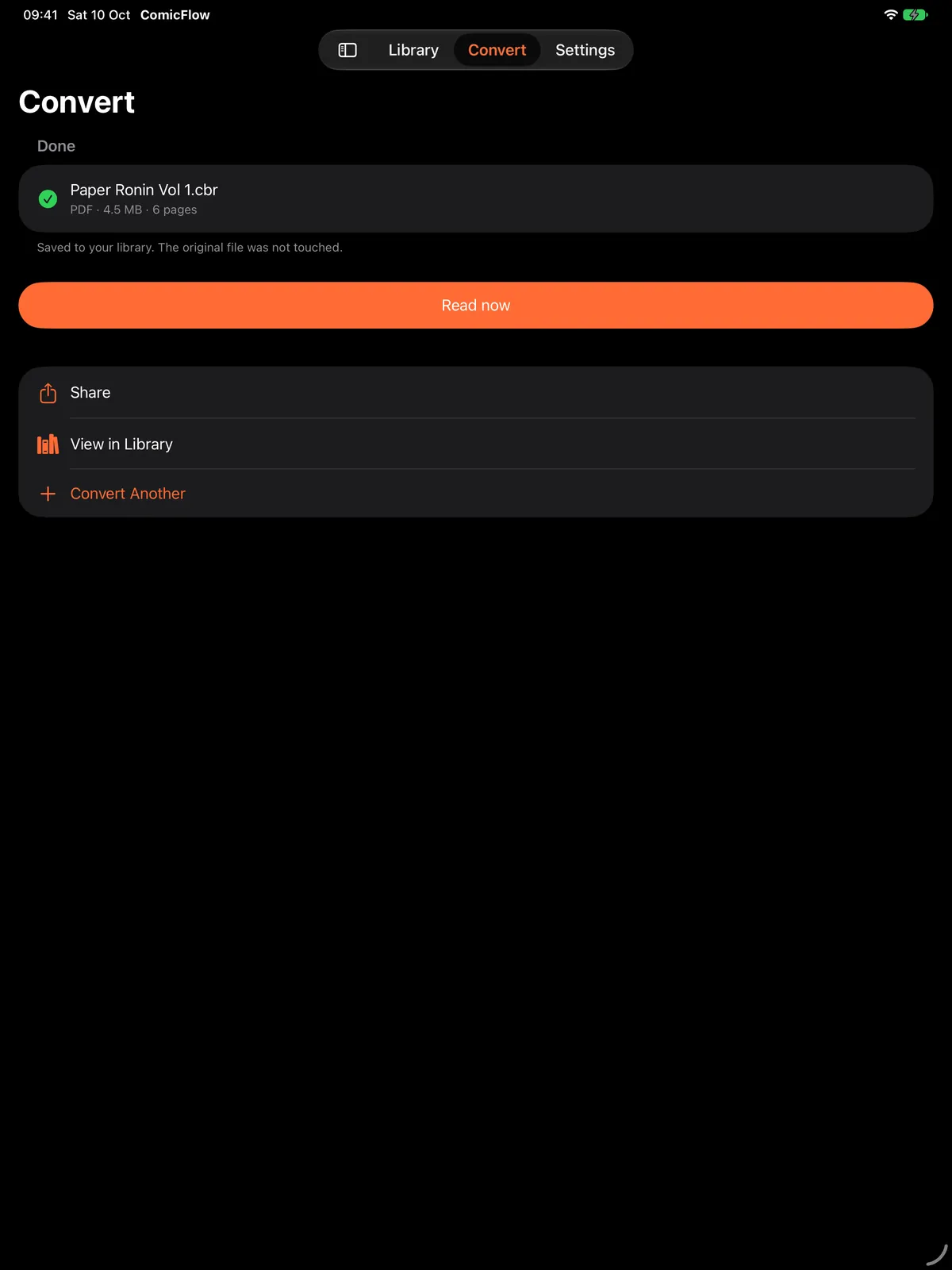
Transform CBR and CBZ archives into high-quality PDFs, or repack them as clean CBZ files. Single or batch, both free. Each file shows its own progress, and a file that fails says why.
Send to Your E-Reader Pro
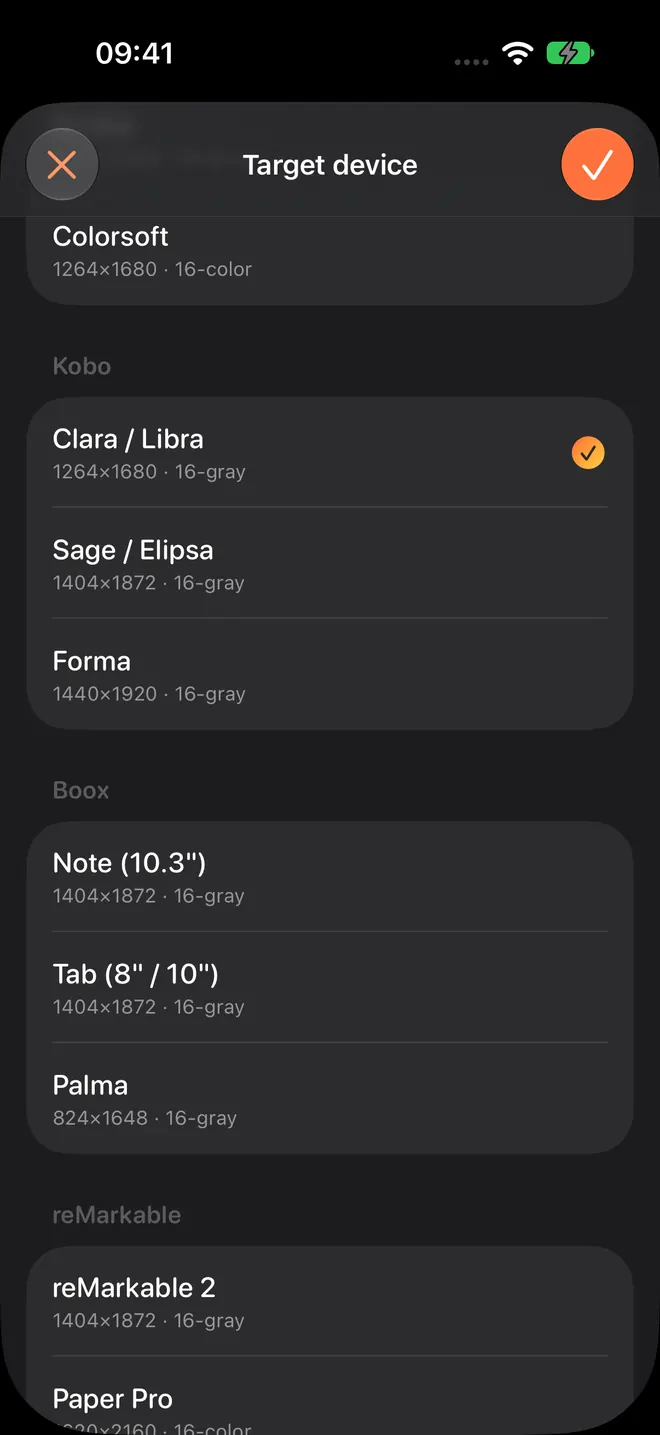
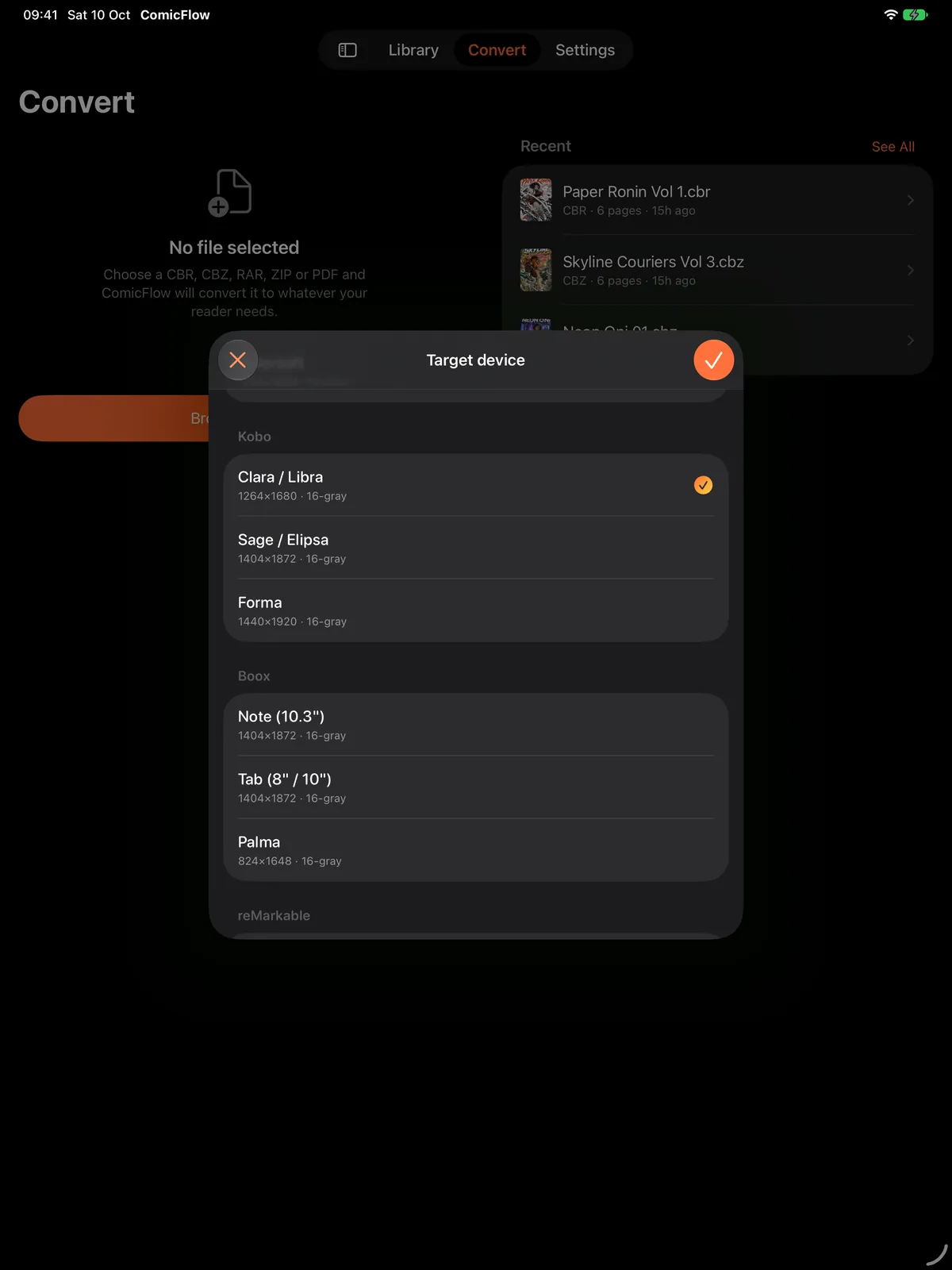
Export to EPUB tuned for Kobo, Boox, reMarkable, and PocketBook, with e-ink image optimization per device. Configure it free; Pro unlocks the export.
Lock Private Collections Pro
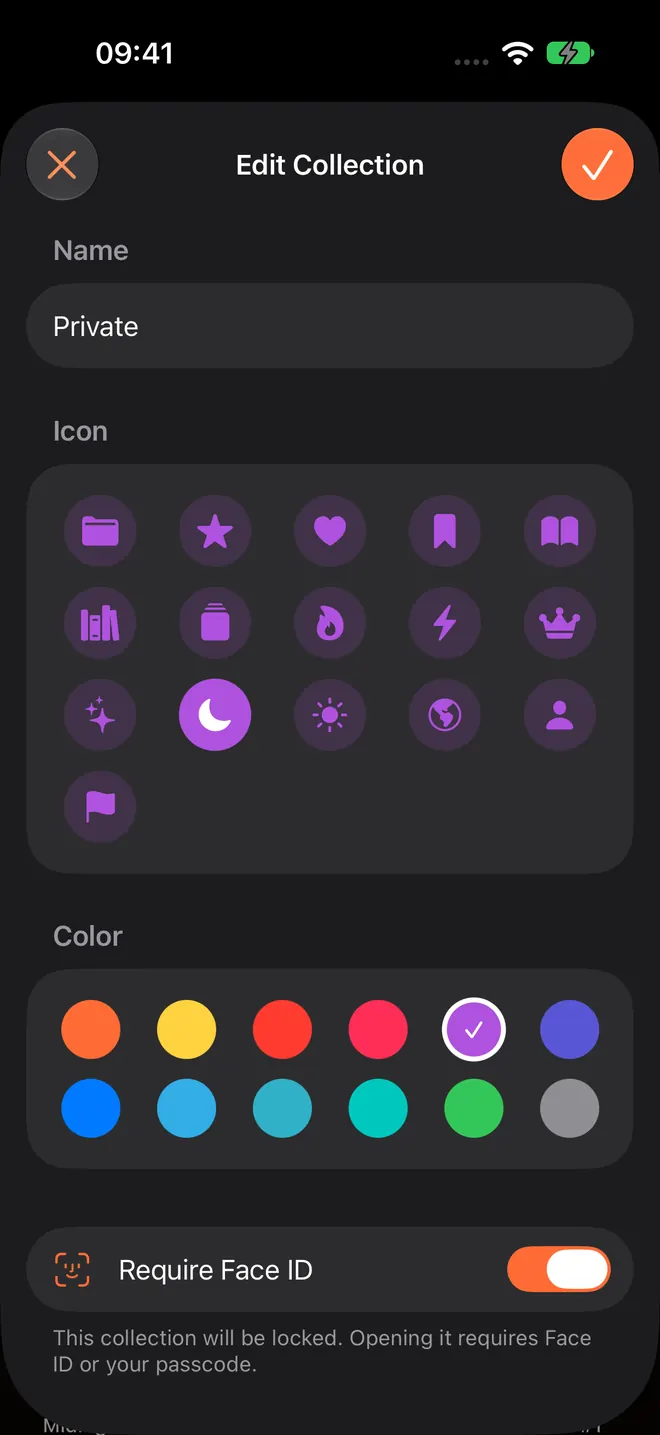
Keep private comics behind Face ID, Touch ID, or your passcode. The app uses the device's own authentication and never sees your biometrics.
Reader Presets Pro
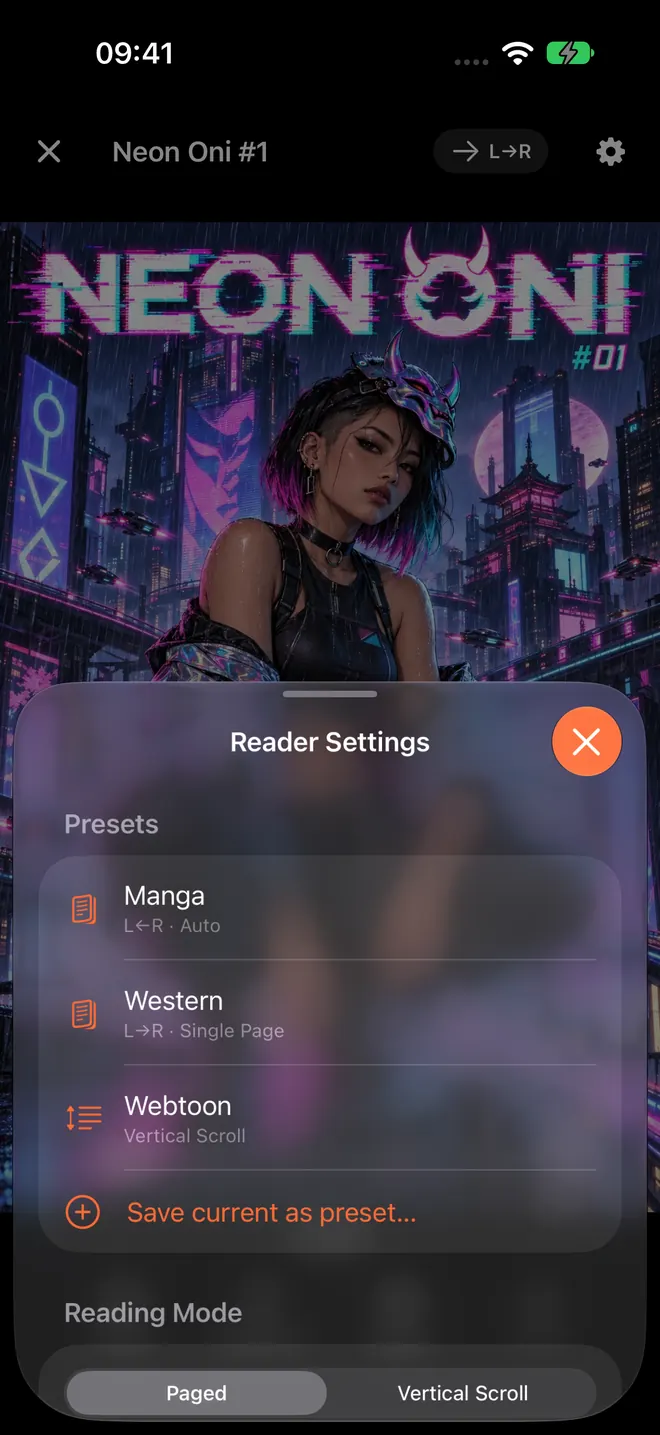
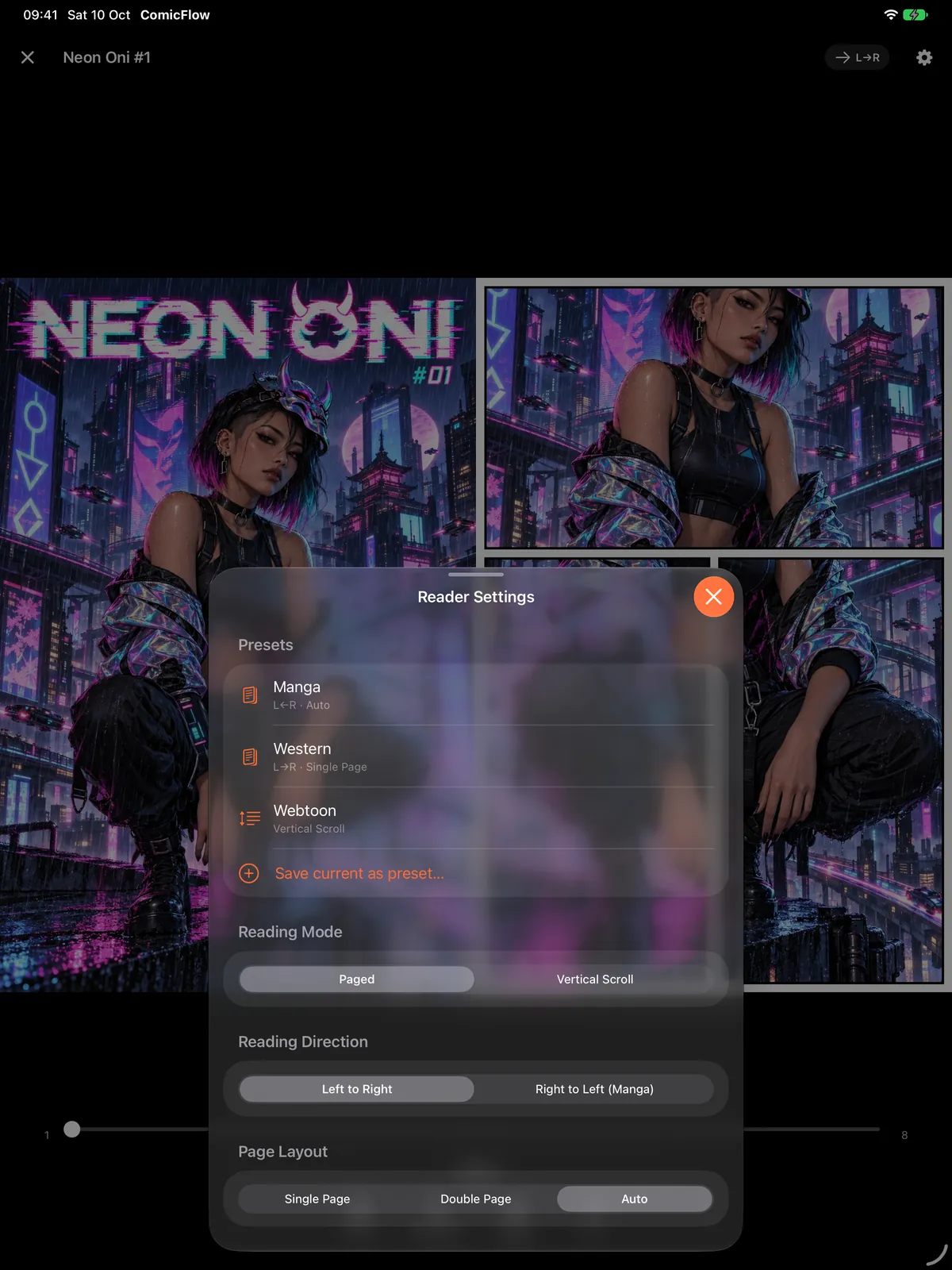
Save your manga, western, and webtoon reading setups and switch between them in one tap. Reading direction, layout, and fit, all remembered.
Organize Your Collection
Build your comic library with custom collections, 5-star ratings, tags, and personal notes.
Two-Page Spreads, Wherever There's Room
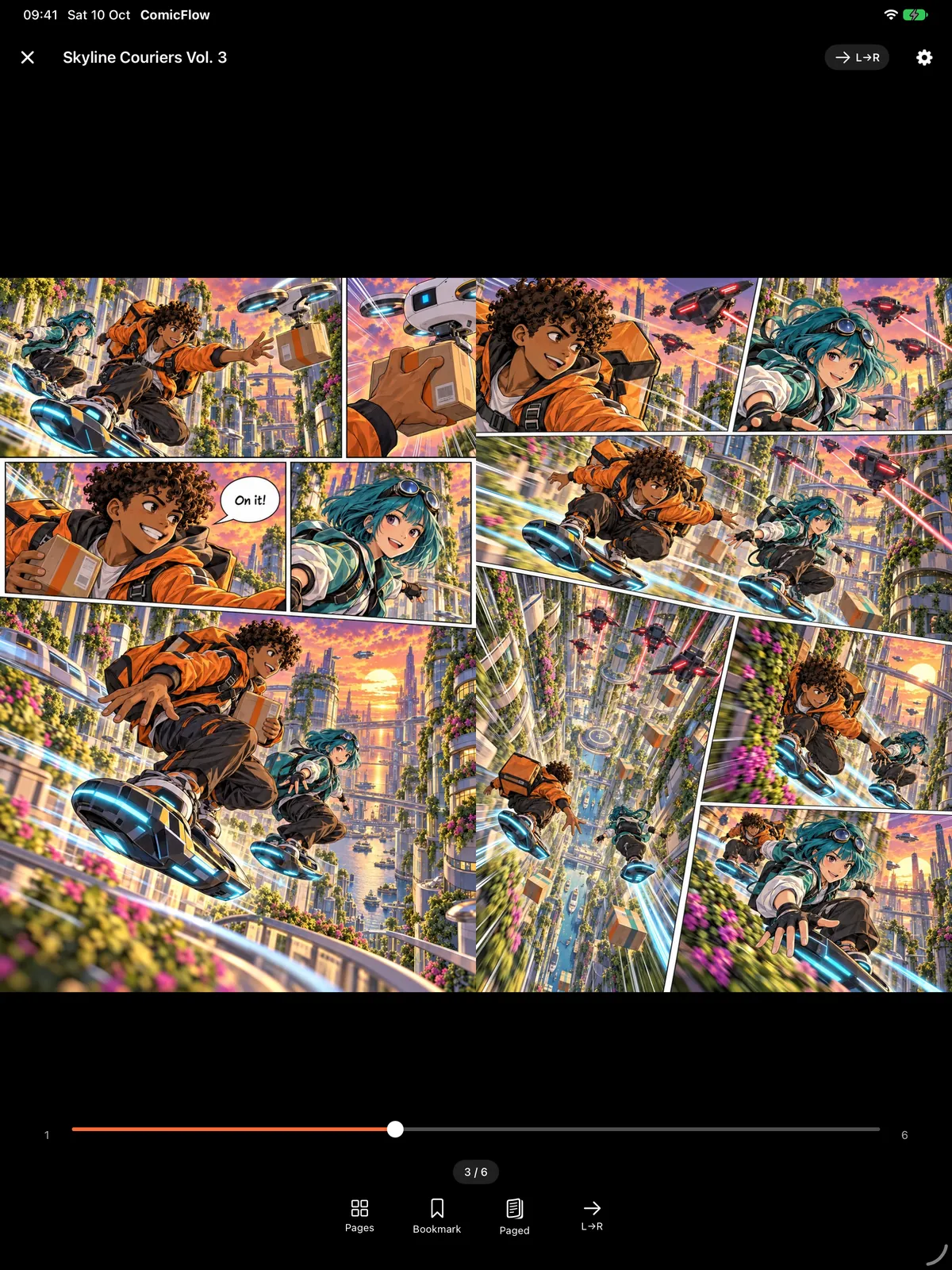
Since 3.5: iPhone Duo support, with a two-page spread on either side of the fold. On iPad the reader shows a spread in portrait and in Split View whenever there is room for two readable pages, and collections and Settings move into a sidebar.
Read Your Way
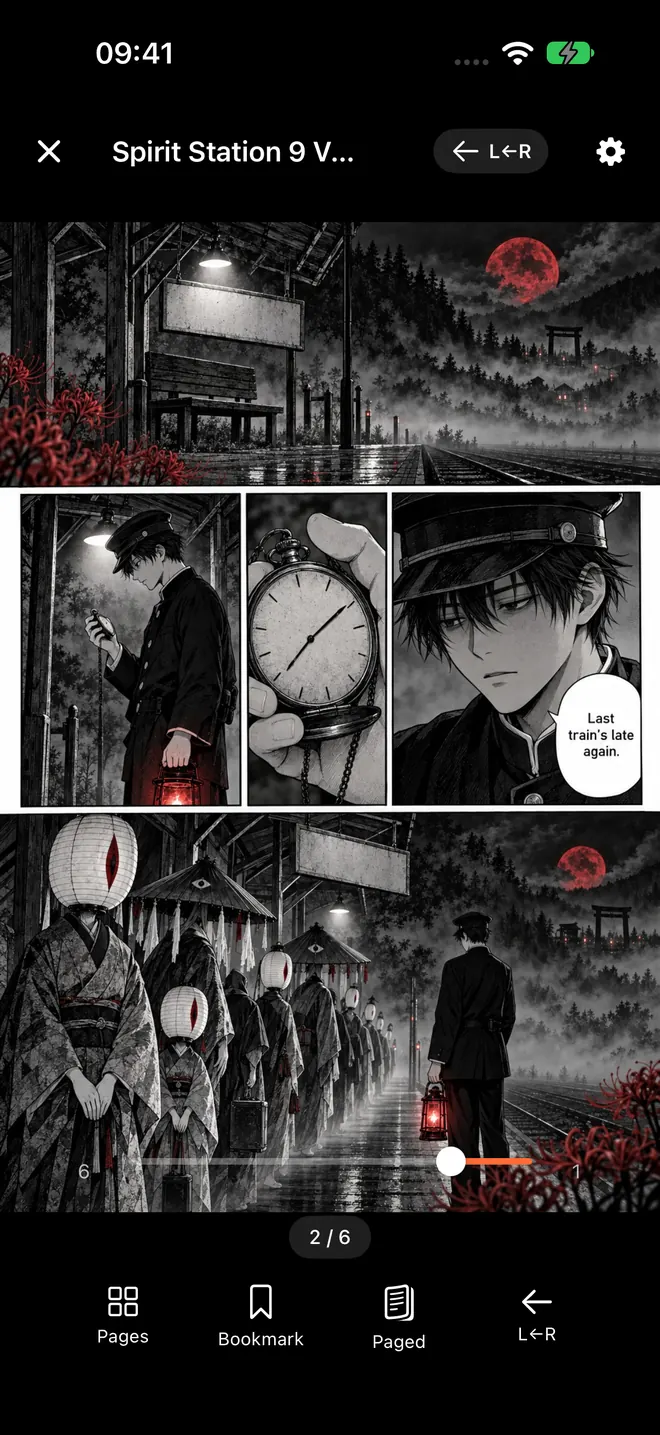
Paged or vertical scroll, single or double page layouts, right-to-left manga support, plus night mode and custom brightness.
Bookmark Favorite Pages
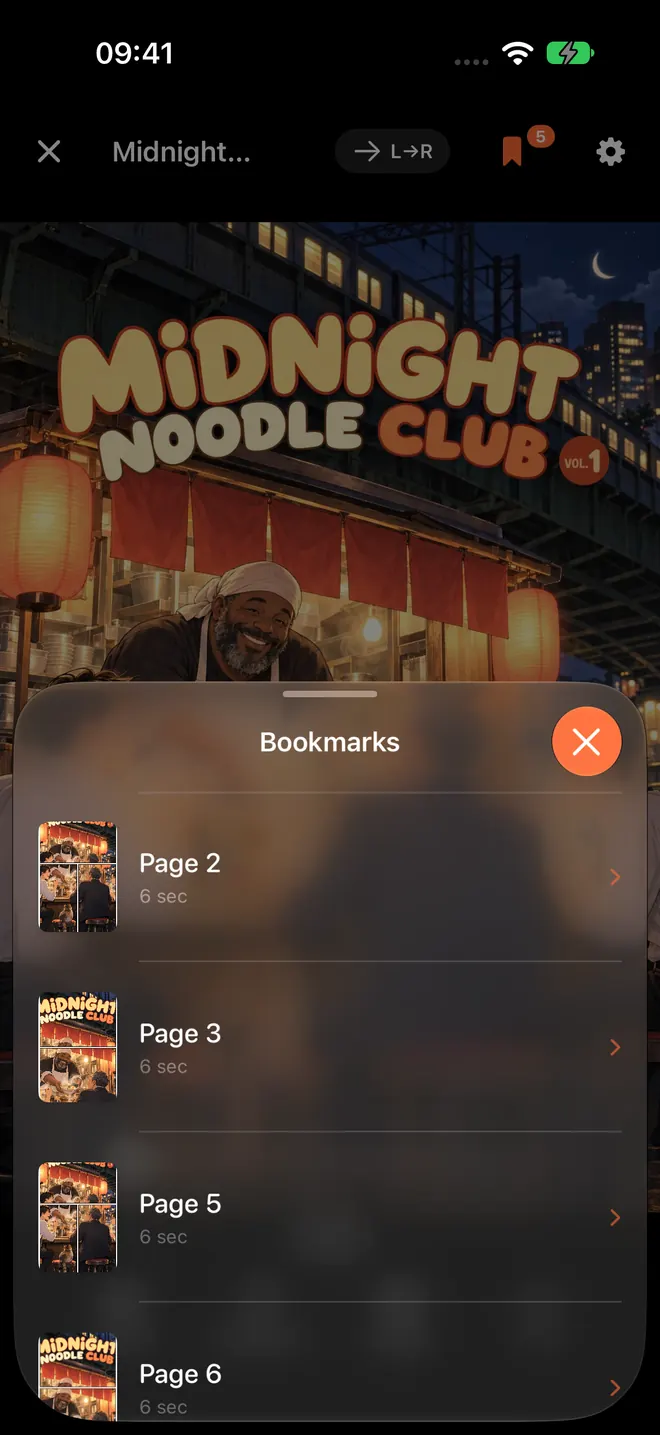
Save your favorite pages with one tap. Orange dots on the scrubber show bookmarked pages, and a bookmark list lets you jump back instantly.
Pick Up Where You Left Off
Reading progress saves automatically, and optional iCloud sync keeps your place, bookmarks, and ratings matched across iPhone and iPad.
How Do Comics Get Onto Your Device?
Two ways that need no cable. Neither one is behind the Pro unlock.
Watch Folders
FreePoint ComicFlow at a folder in Files and it keeps an eye on it. iCloud Drive, a network share you have mounted in Files, or a USB drive all work the same way. New comics import themselves with covers and page counts, not just a filename stub.
Watched folders are rescanned when the app opens and on pull-to-refresh in the Library, so dropping a comic into a synced folder on your desktop is enough to have it waiting on your phone. Set them up in Settings → Sources.
- iCloud Drive, an SMB network share, or a USB drive
- Rescanned on launch and on pull-to-refresh
- CBR, CBZ, RAR, ZIP, and PDF
- Managed in Settings → Sources
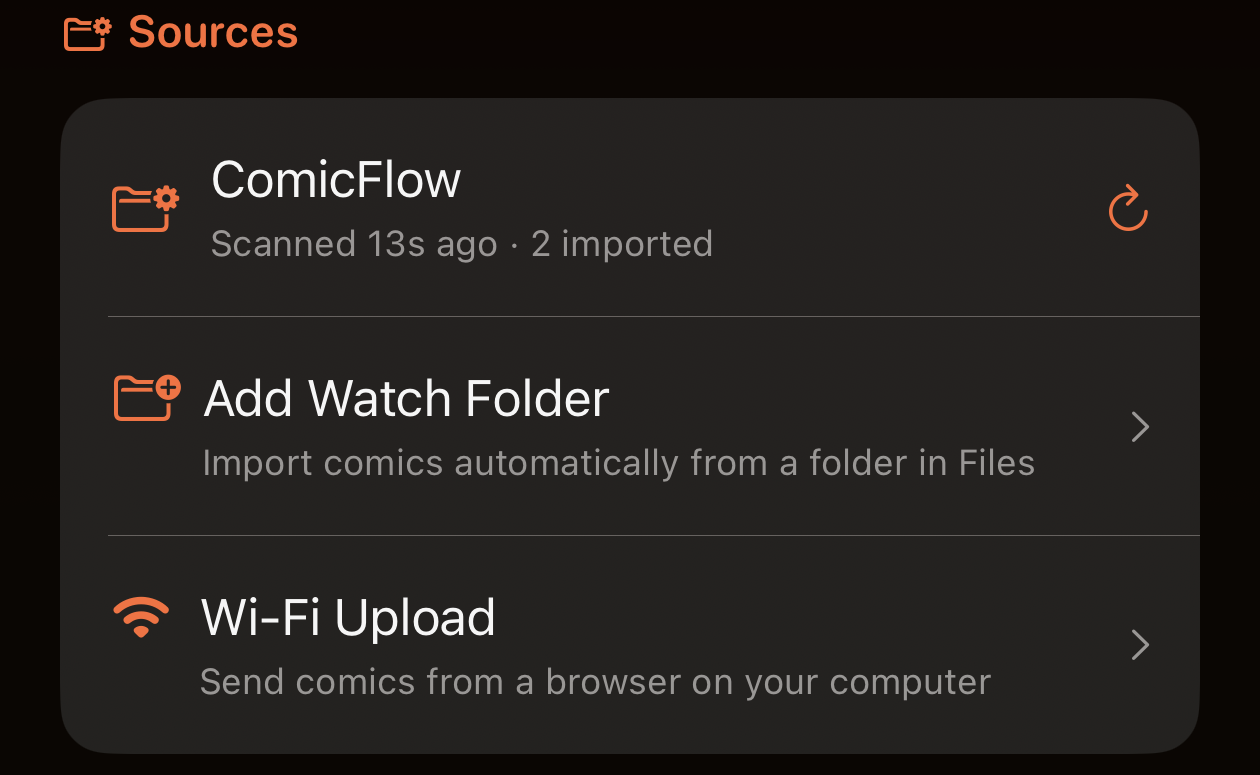
Sources, where folders are added and each one reports its last scan.
Wi-Fi Upload
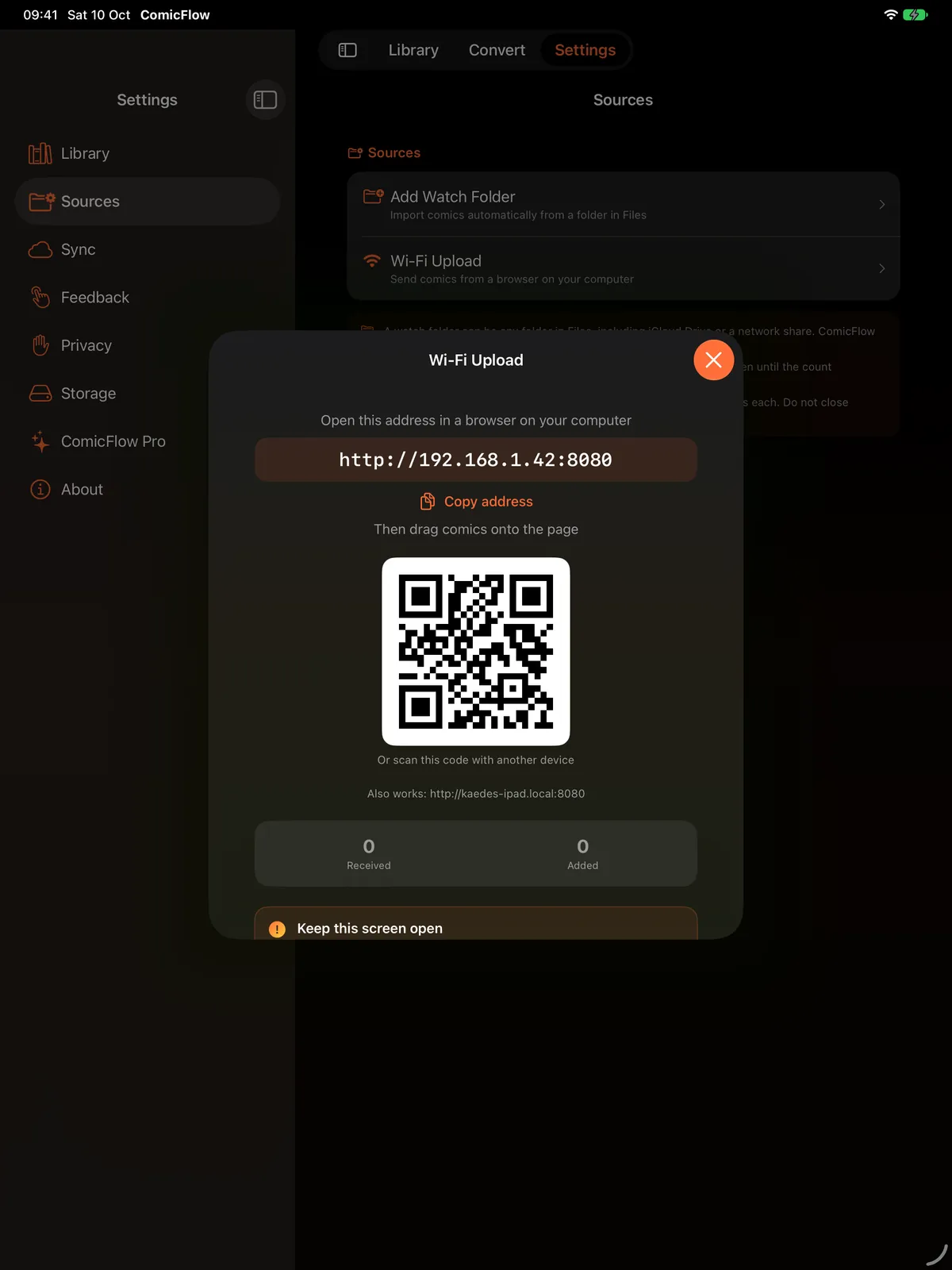
FreeYour phone is the server and your computer is just a browser. Open Settings → Wi-Fi Upload and ComicFlow shows an address like http://192.168.1.42:8080 and a QR code to scan from another device.
Type that address into any browser on Mac, Windows, or Linux and drag comics onto the page. Nothing to install on the computer, no account, and no cable or Finder sync.
The upload page only answers while that screen is open in the app. Leave the screen and the server stops, so it never runs in the background.
- Any browser on Mac, Windows, or Linux
- Up to 4.29 GB per upload
- CBR, CBZ, PDF, RAR, and ZIP
- Both devices on the same Wi-Fi network
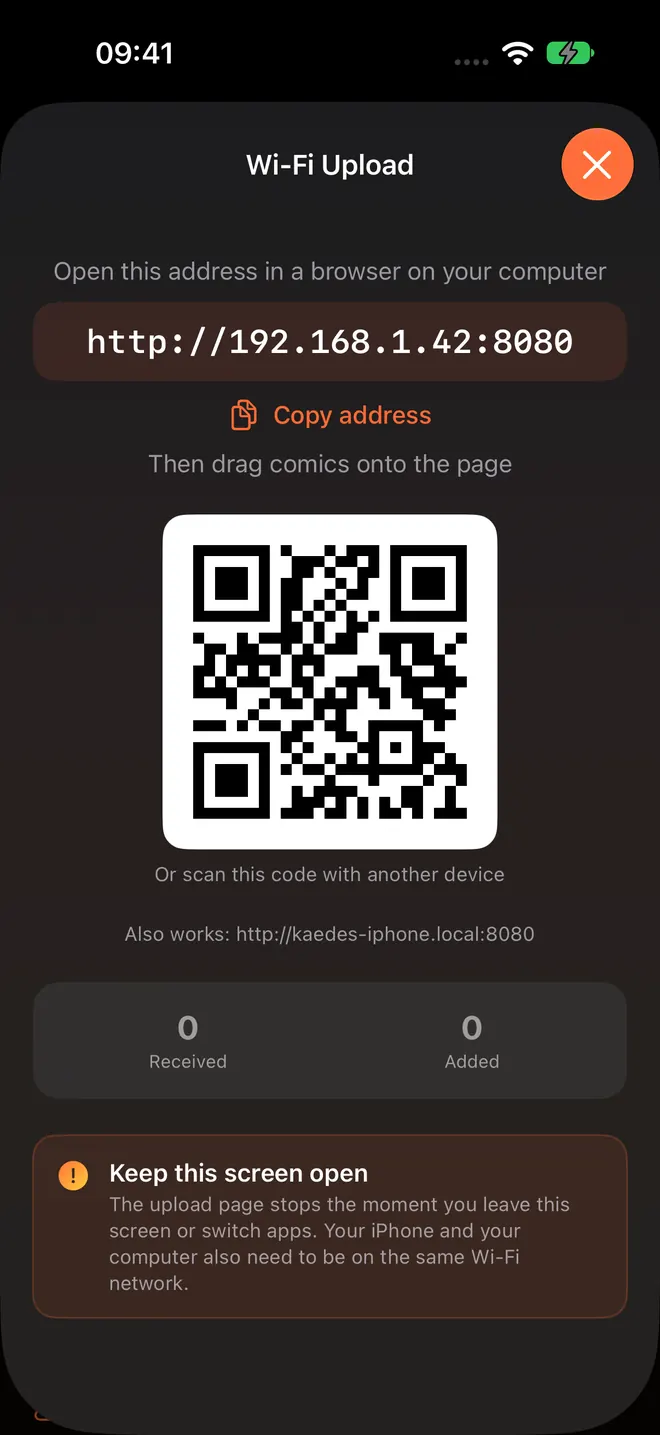
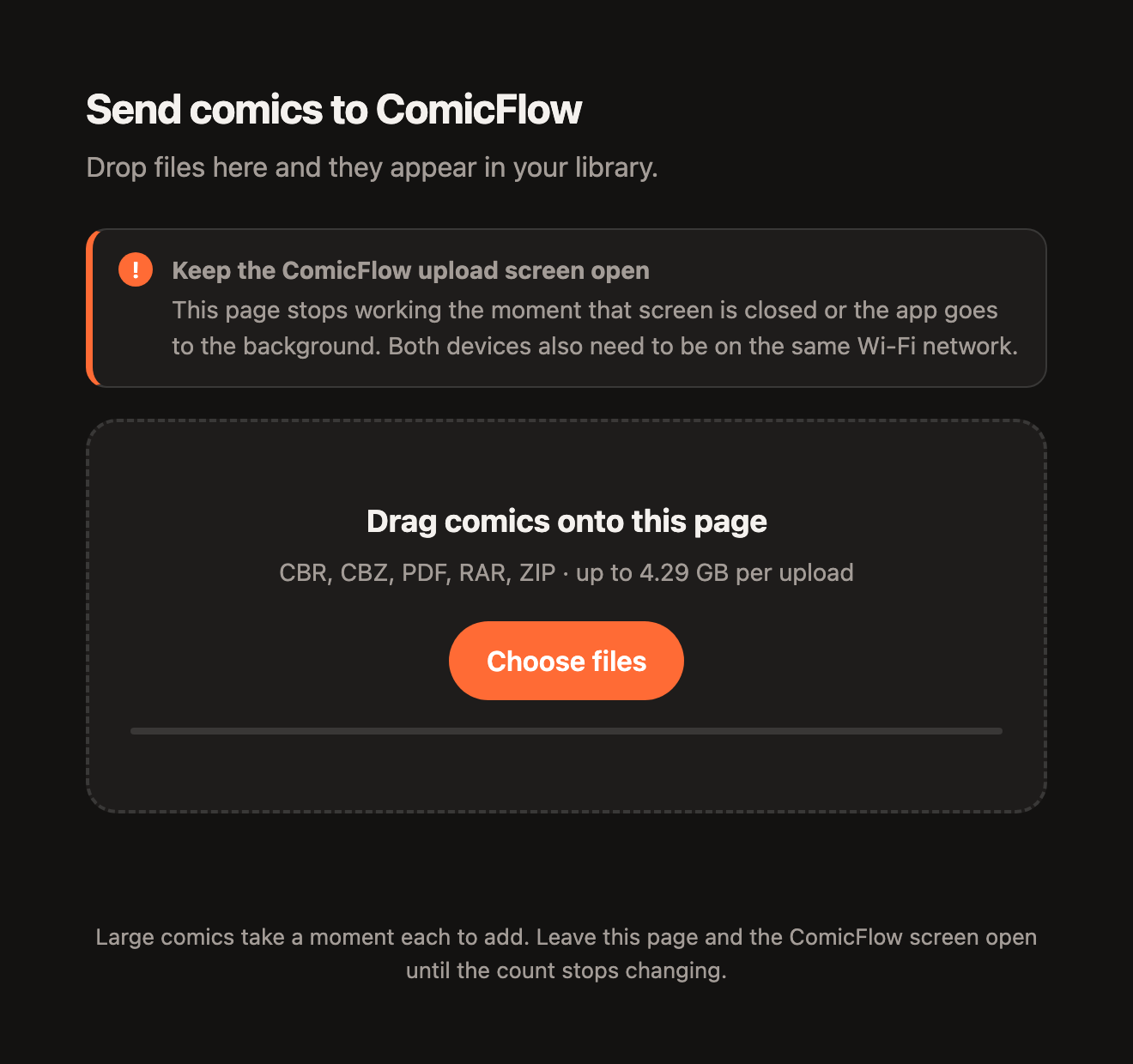
The address on your phone, the drop zone on your computer.
How Does ComicFlow Work?
Import, read, and organize. No account required.
Import
Add comics from Files, from a watched folder, or over Wi-Fi from your computer.
Read
Open and read instantly with the native comic reader. No conversion needed.
Organize
Create collections, add ratings and tags, and track your reading progress.
See It In Action
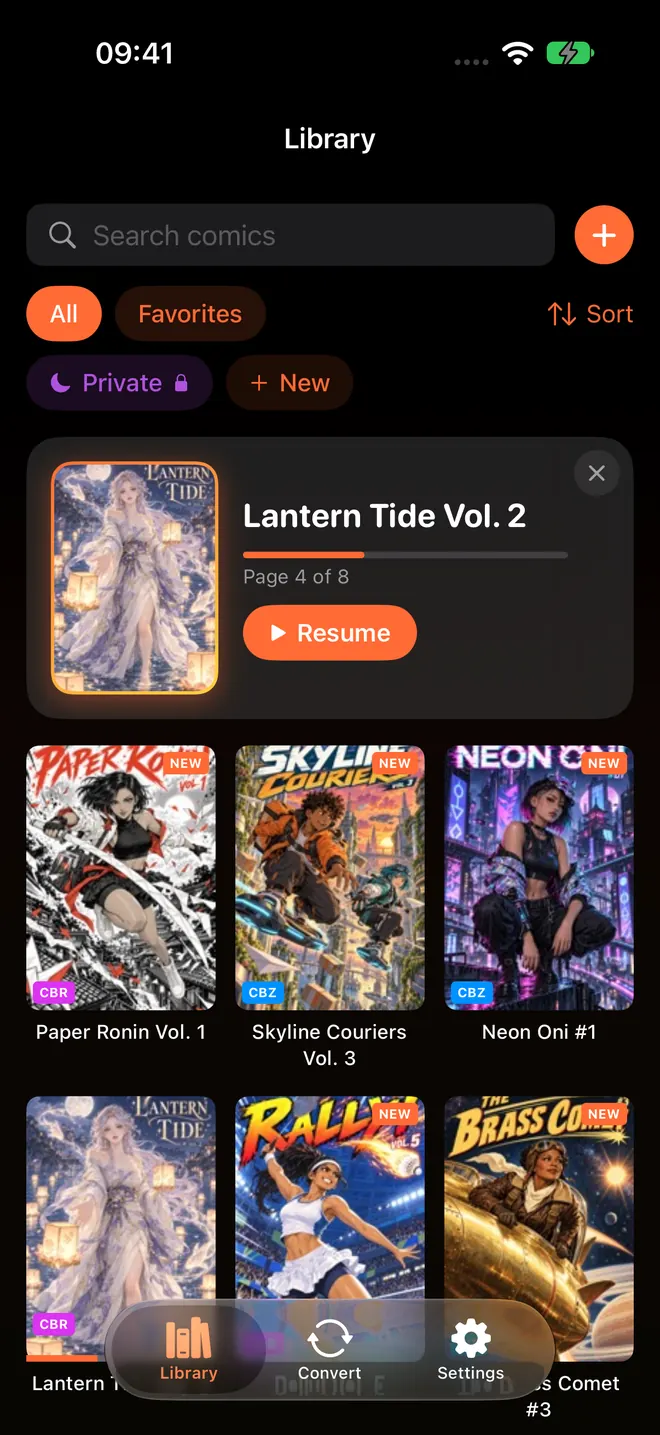
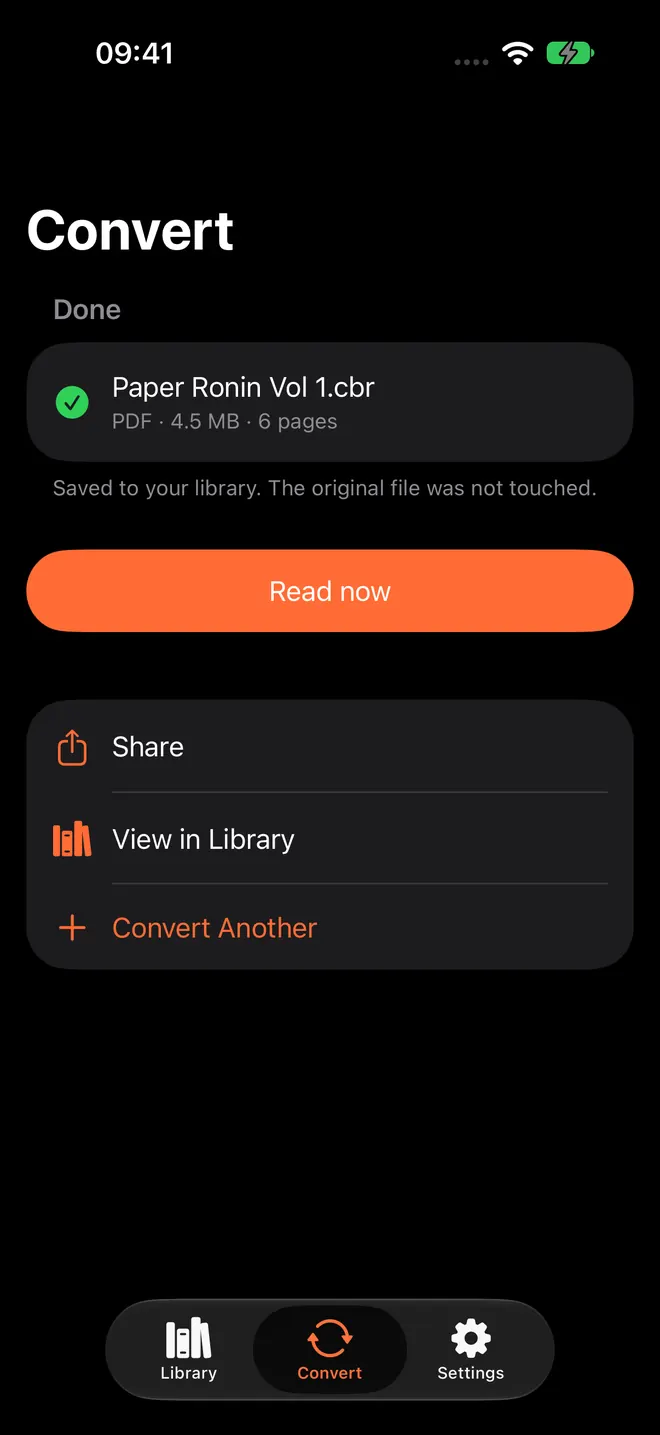
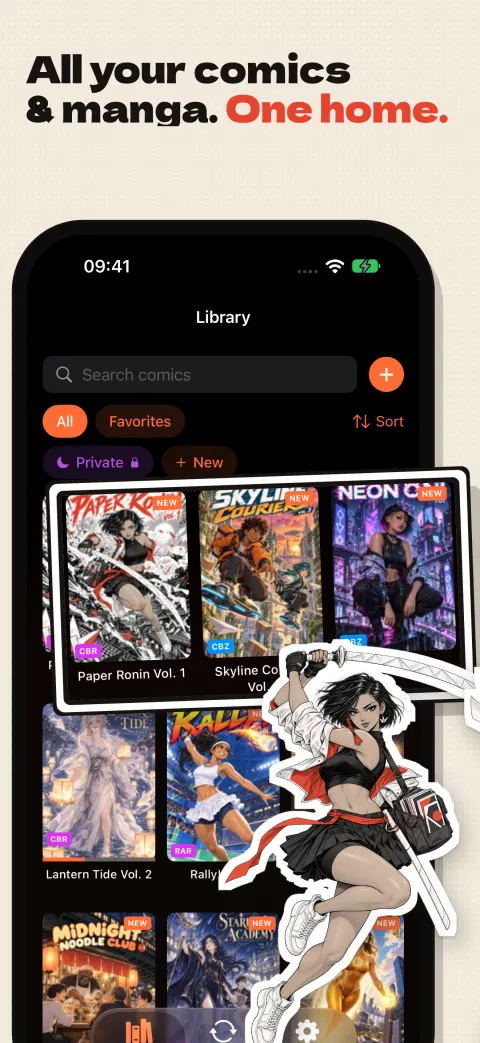
Real screenshots from ComicFlow on iPhone: reading, converting, and organizing comics.

The Guide in Our App Store Screenshots
Kaede is the heroine of Paper Ronin, a manga made for ComicFlow's App Store screenshots. She carries a katana with a blade of folded white paper, and she walks you through the app in ten frames that tell one story.
Every cover and page in them is original art made for ComicFlow, not someone else's comic. Paper Ronin and the other titles are there for the screenshots only. Your own library starts with your own files.
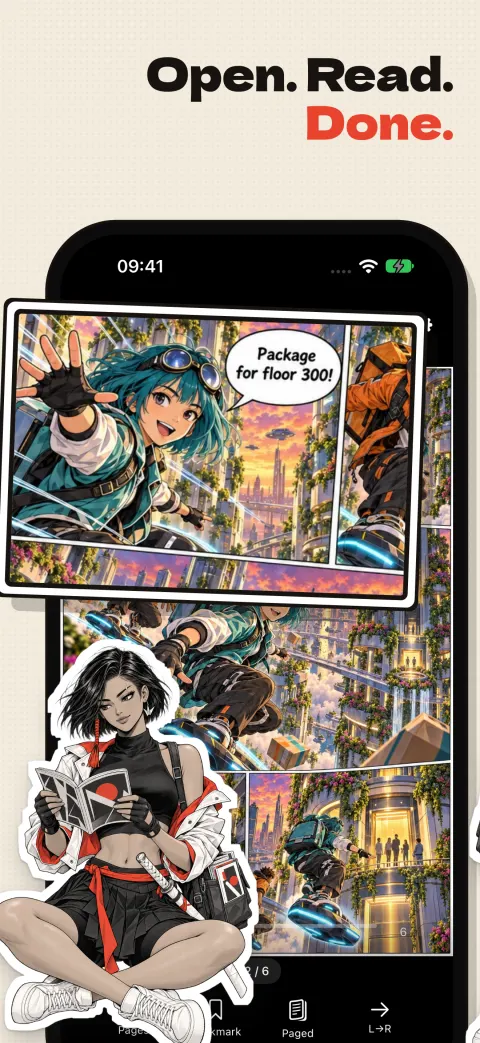
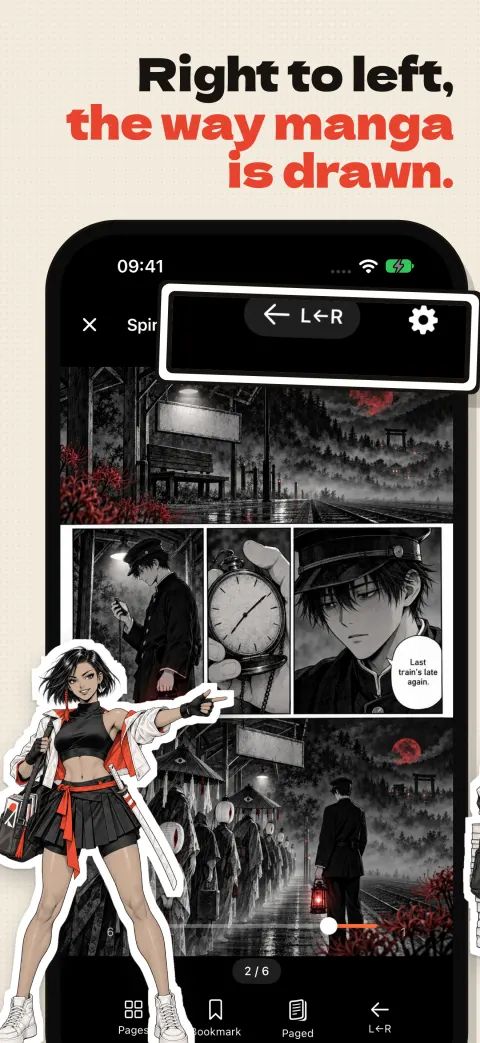
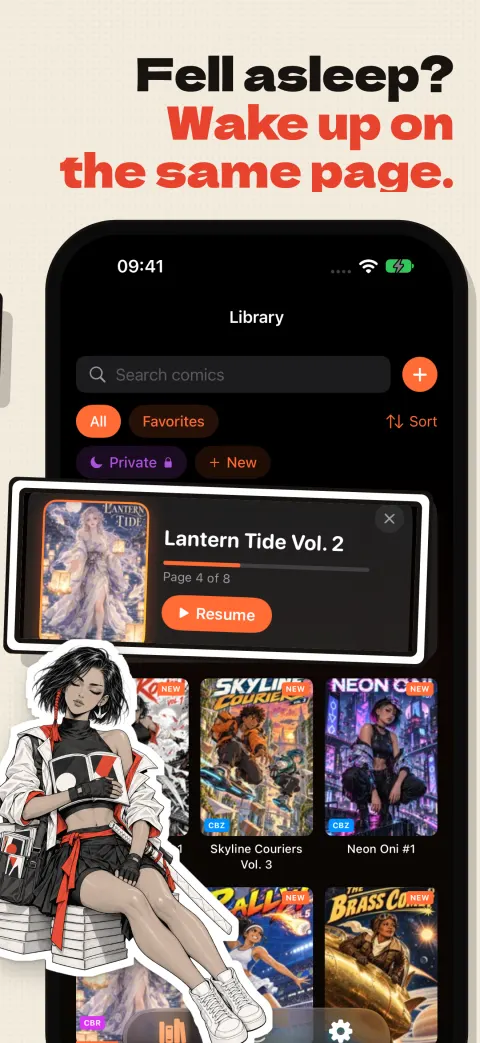
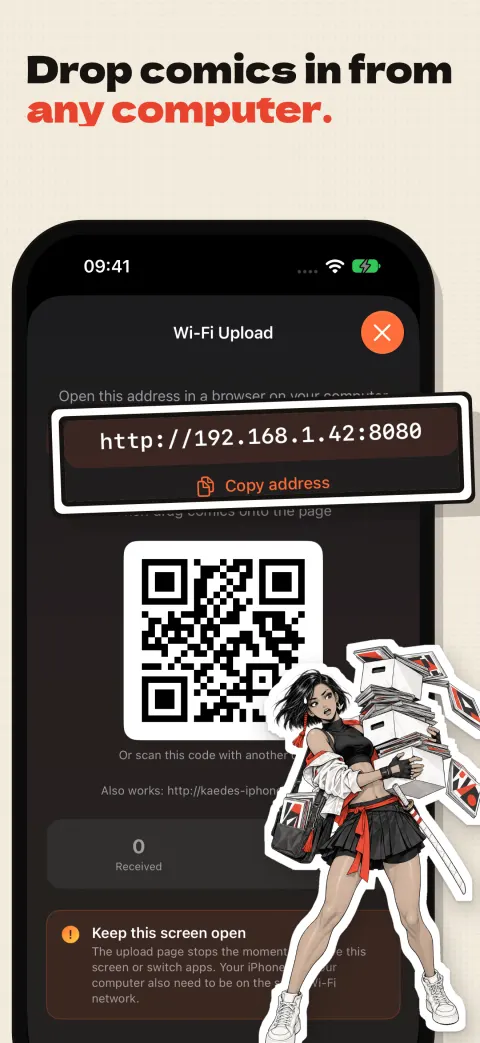
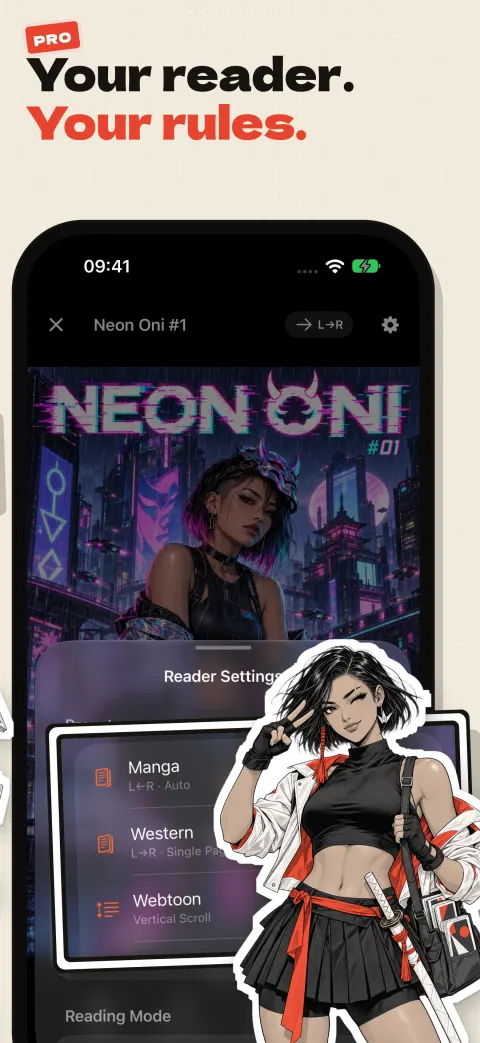
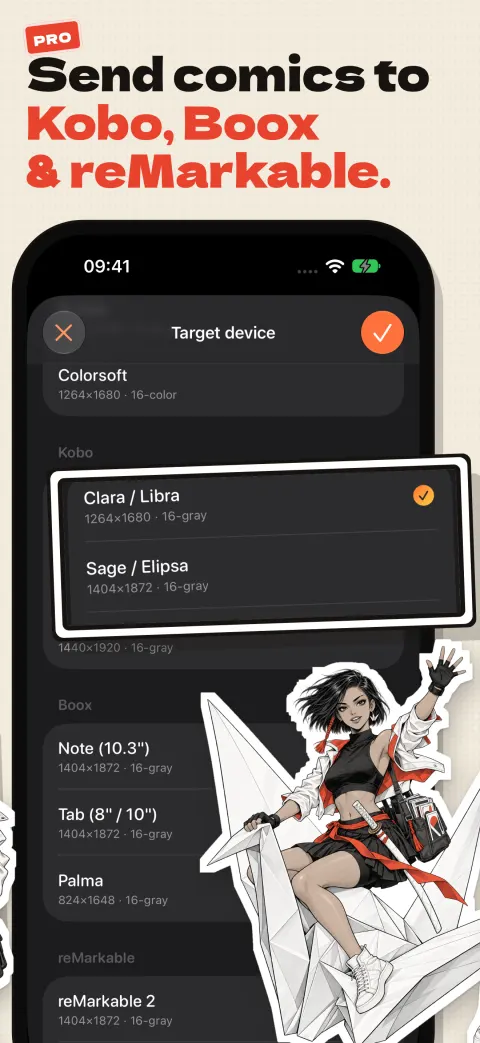
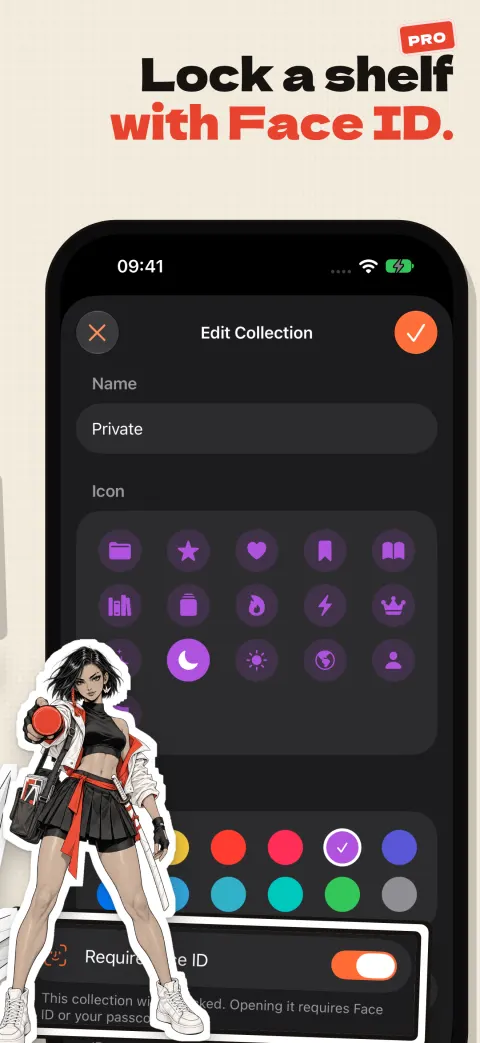
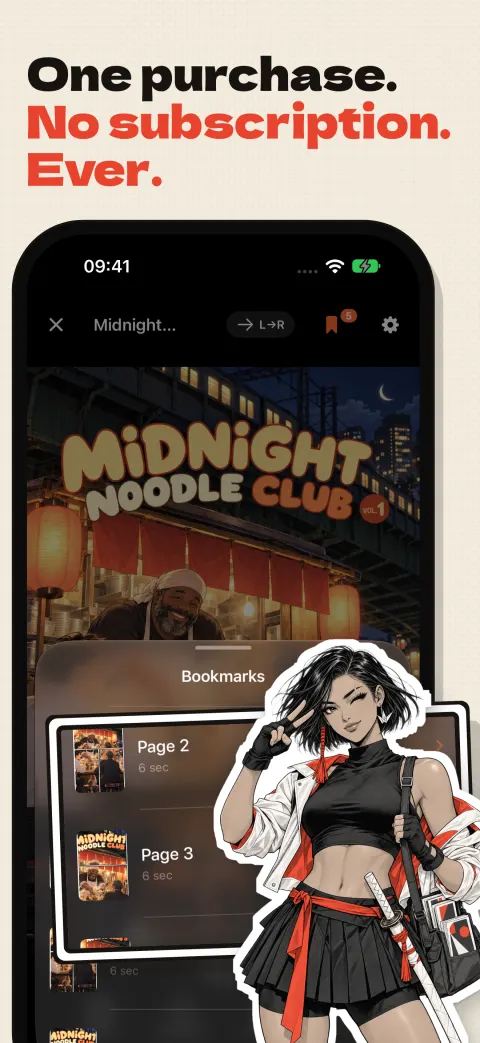
Scroll sideways to follow the story. Frames marked Pro need the optional one-time Pro unlock. See them on the App Store
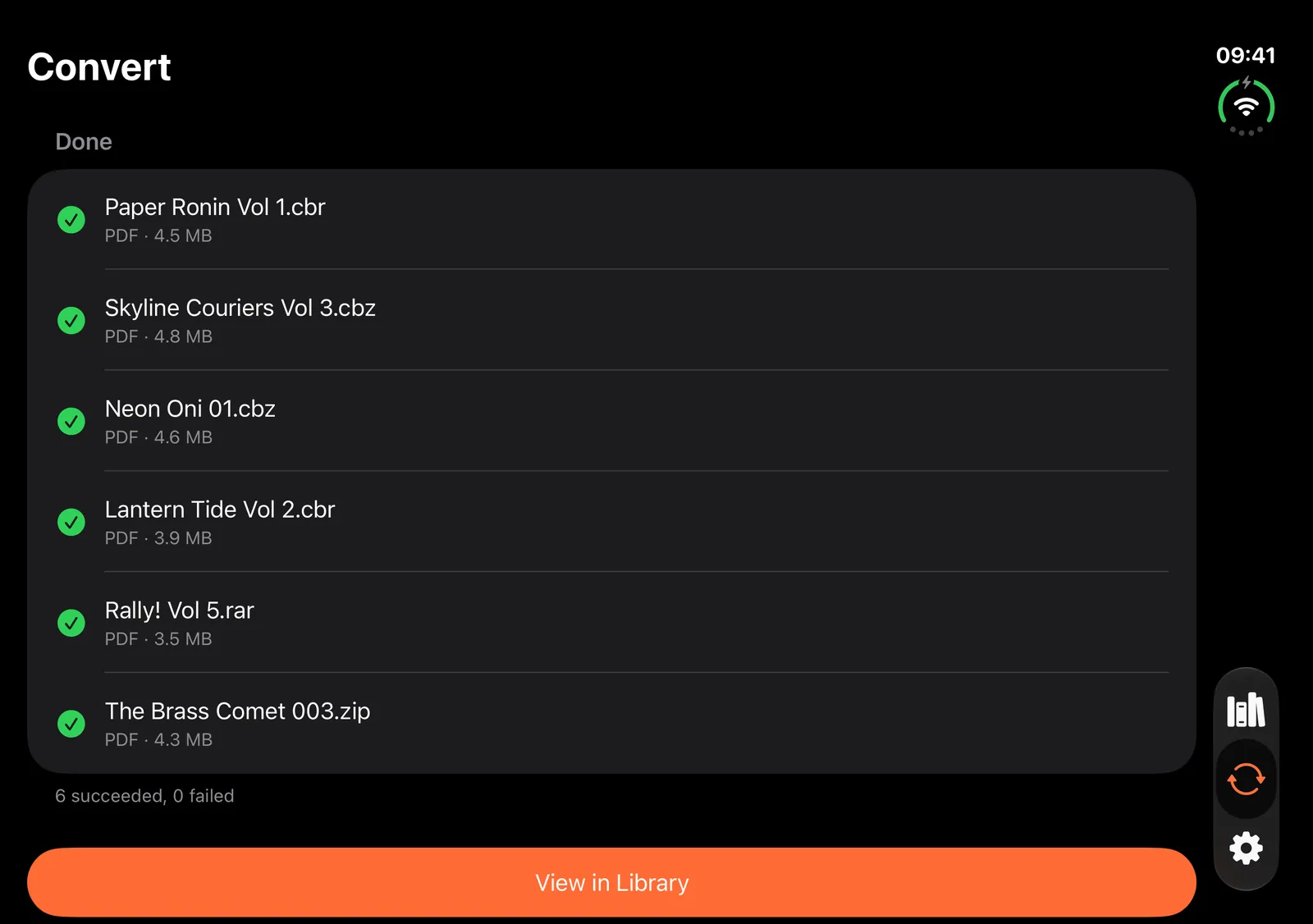
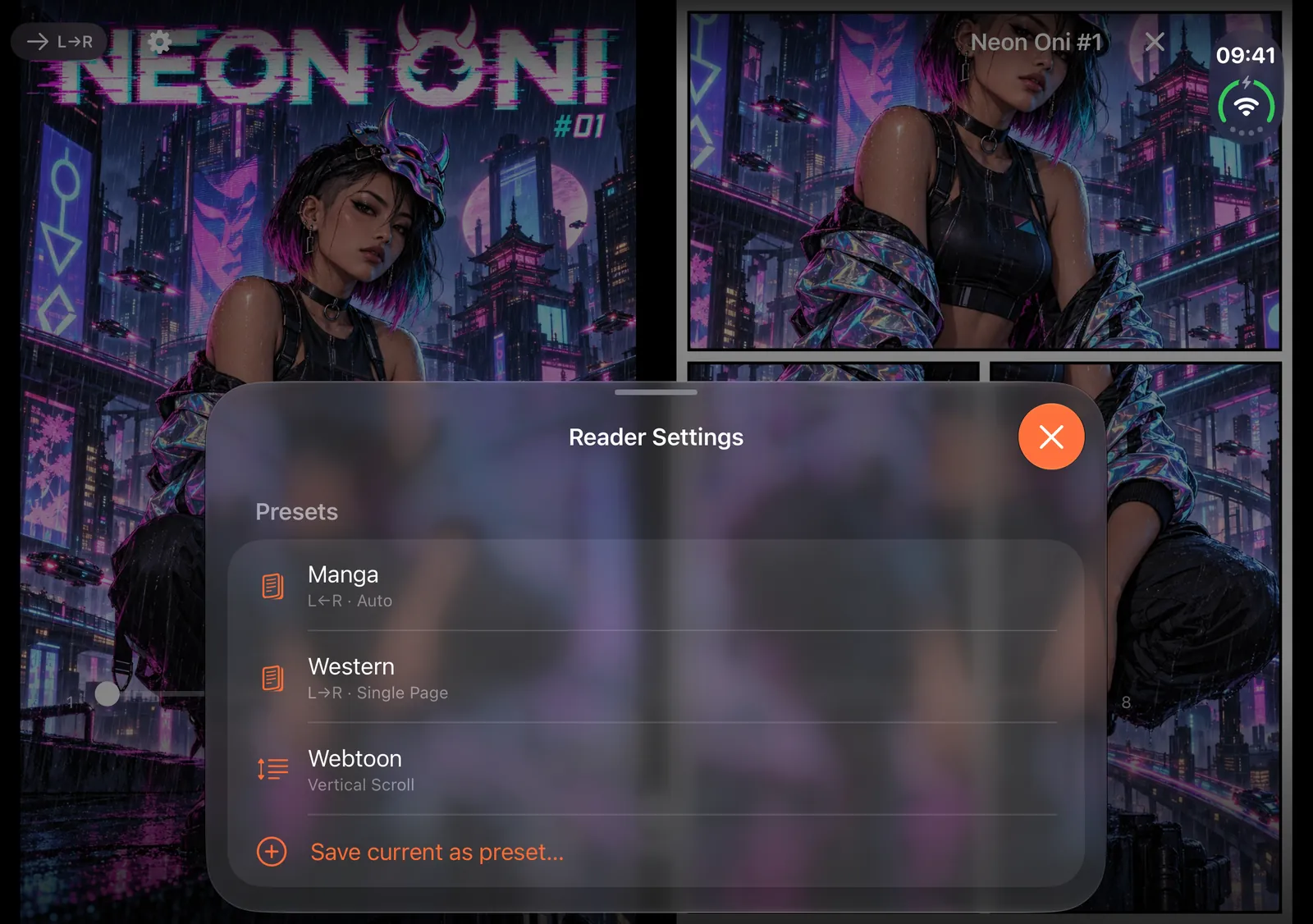
Both Displays, One Comic
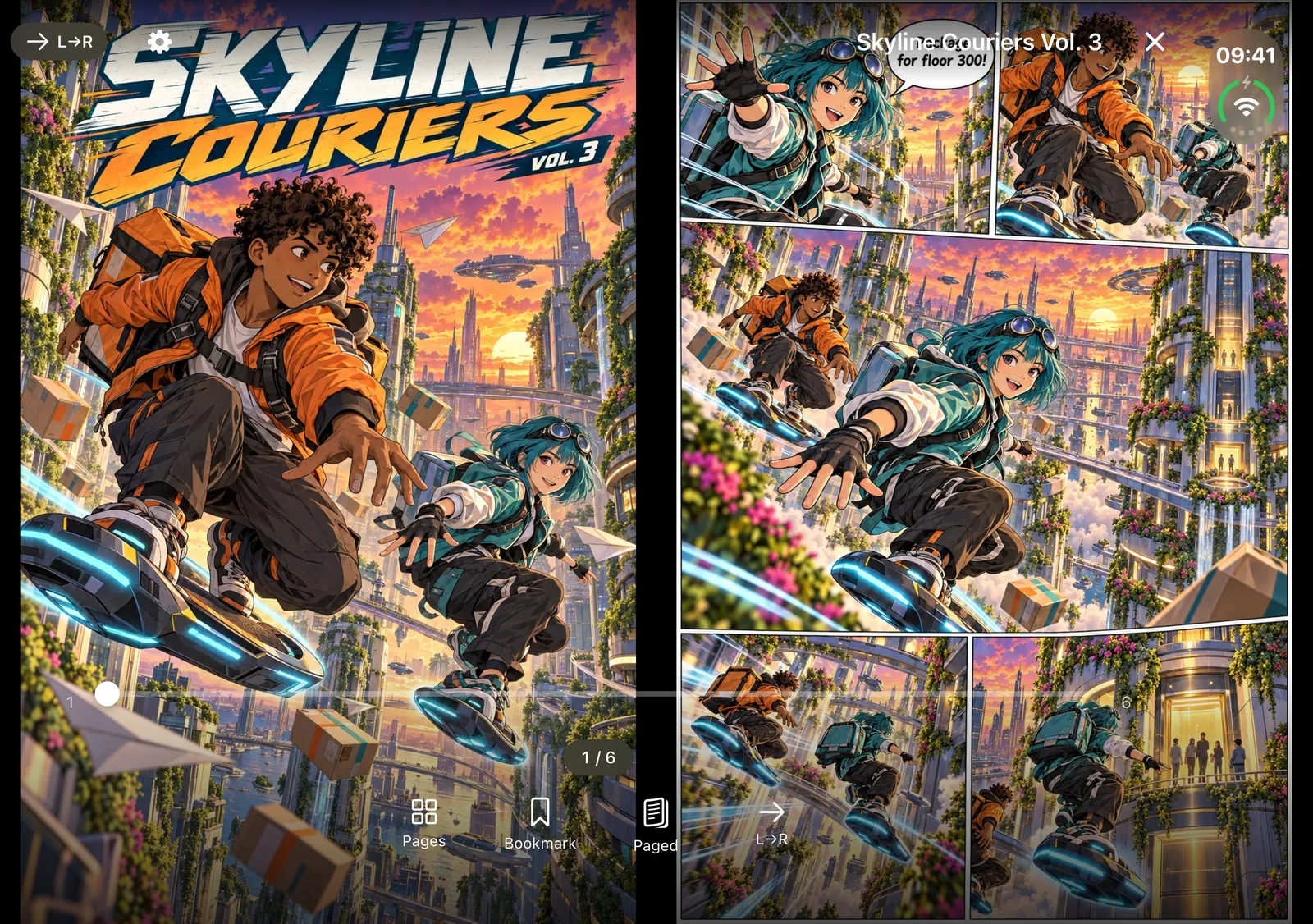
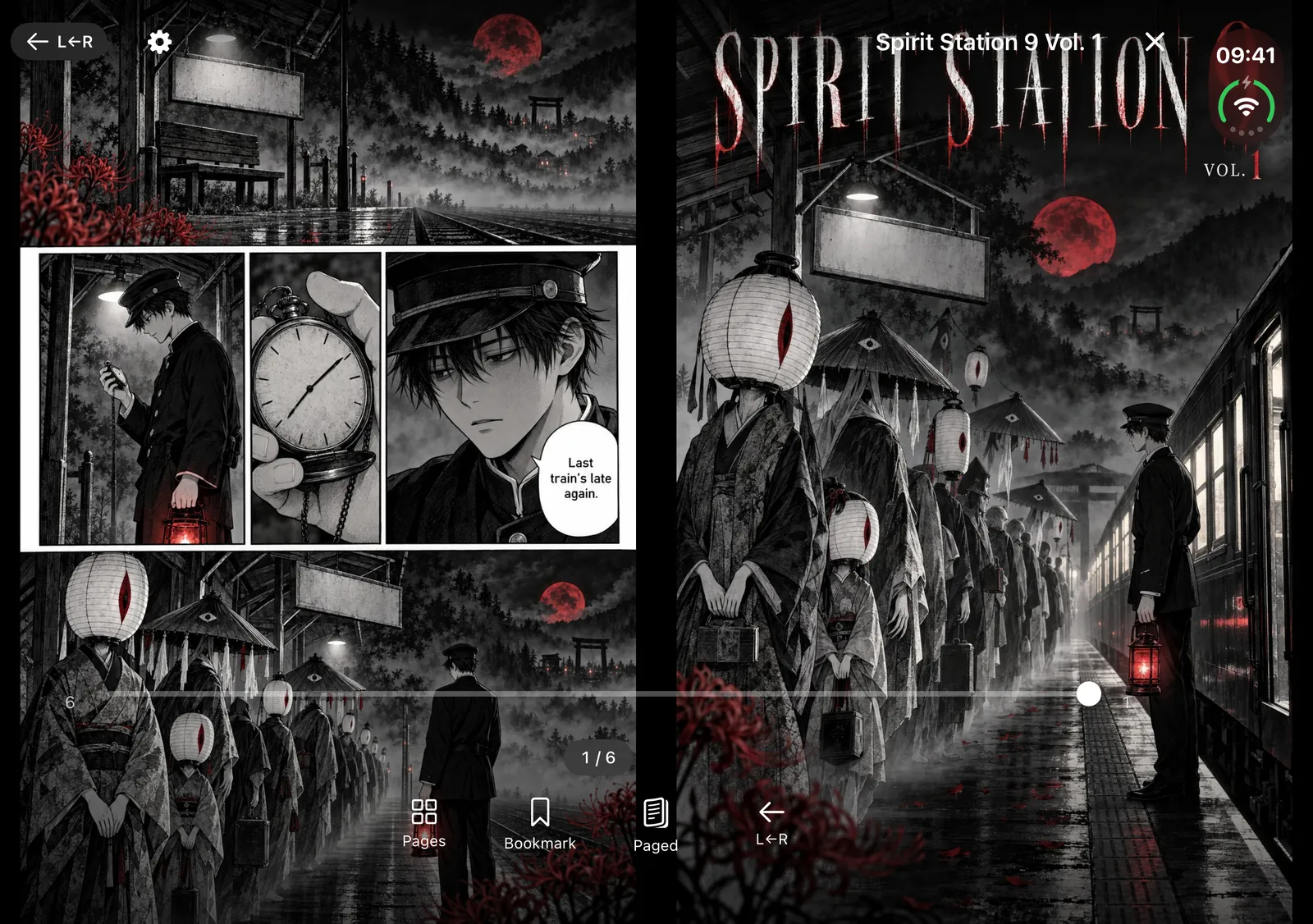
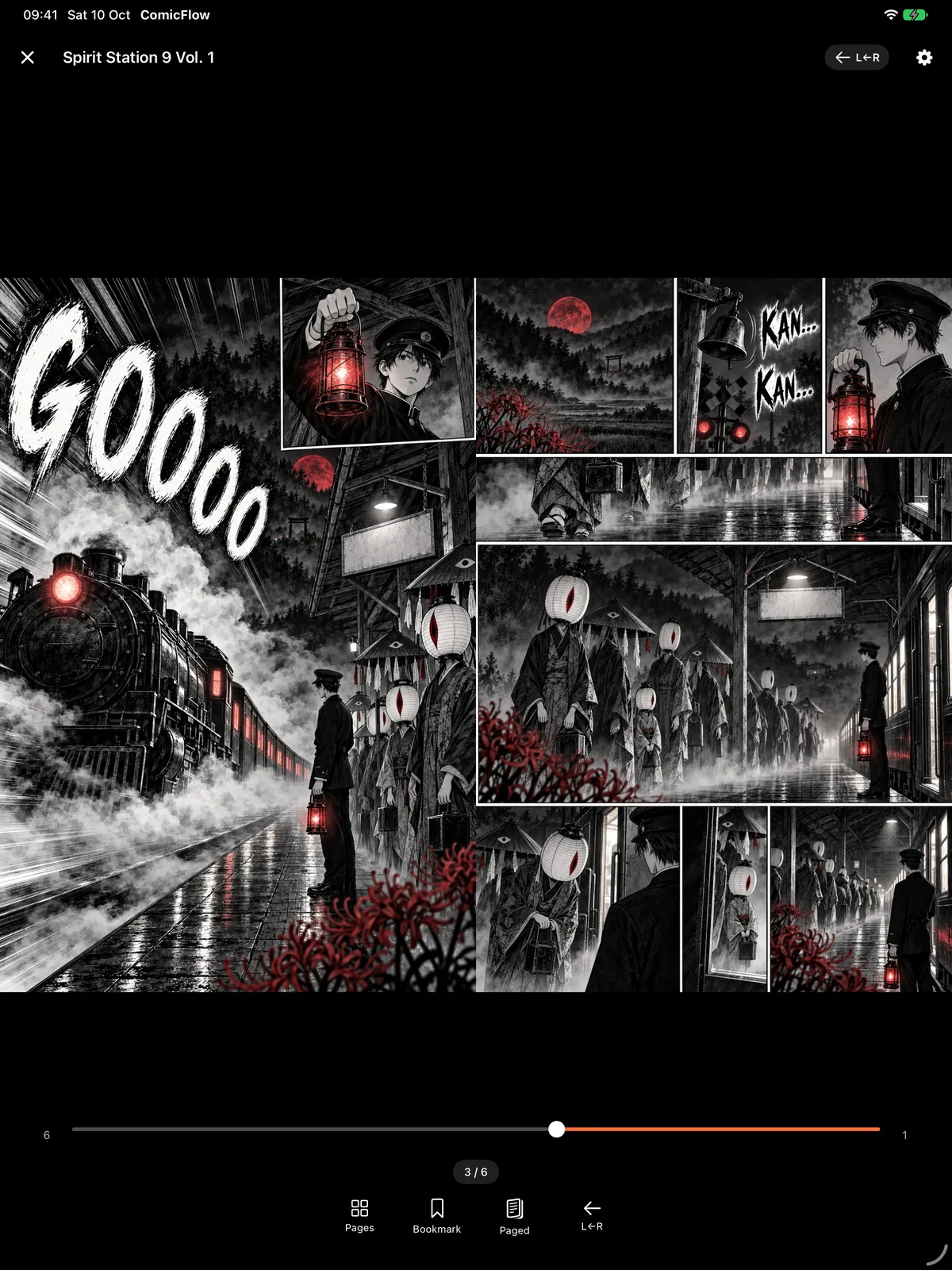
Fold it like a book and a two-page spread lands on either side of the crease, one page per side. Unfolded, your collections sit in a sidebar. Screenshots are from the inner display of an iPhone Duo.
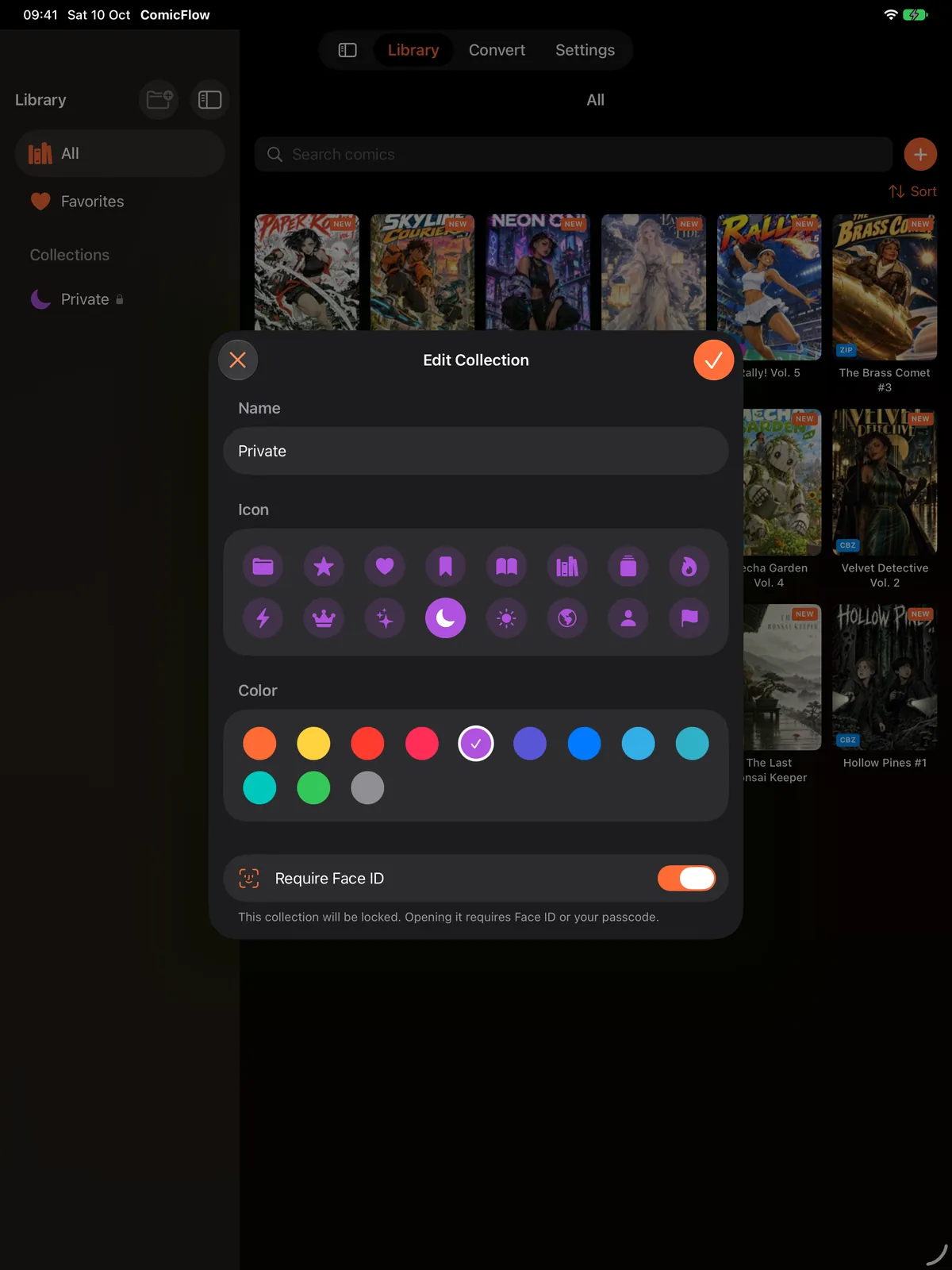
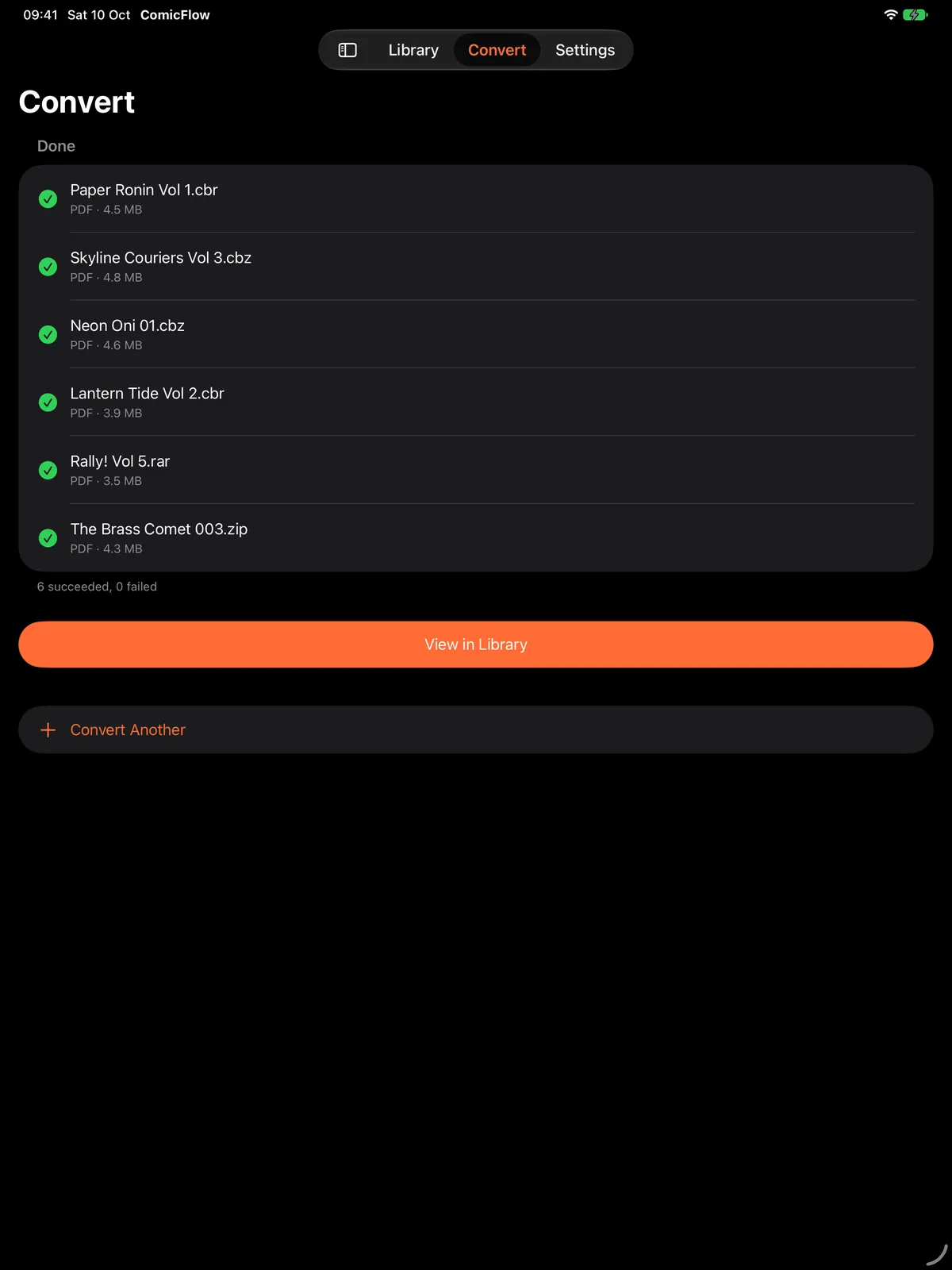
A Sidebar and a Clearer Convert Screen
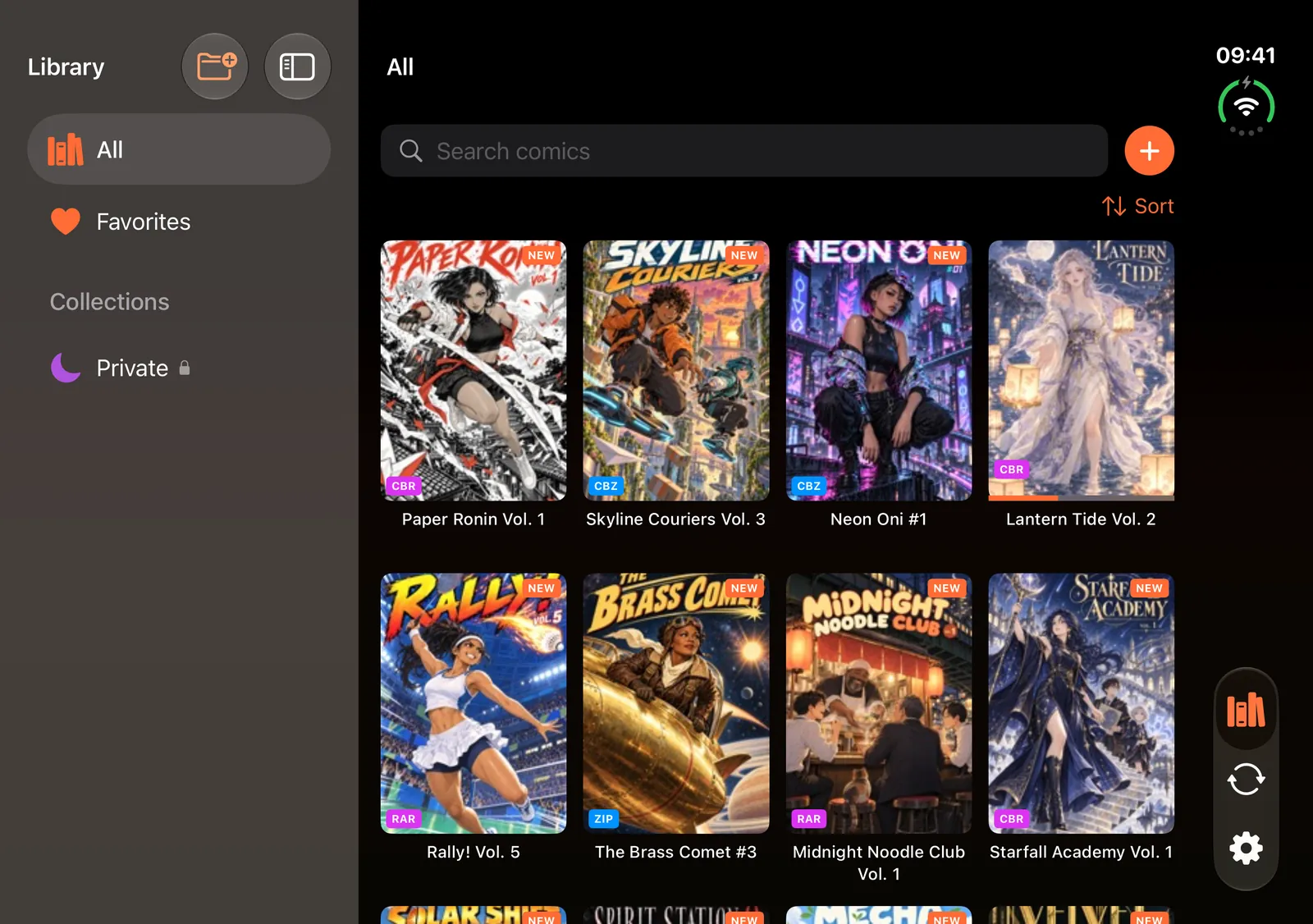
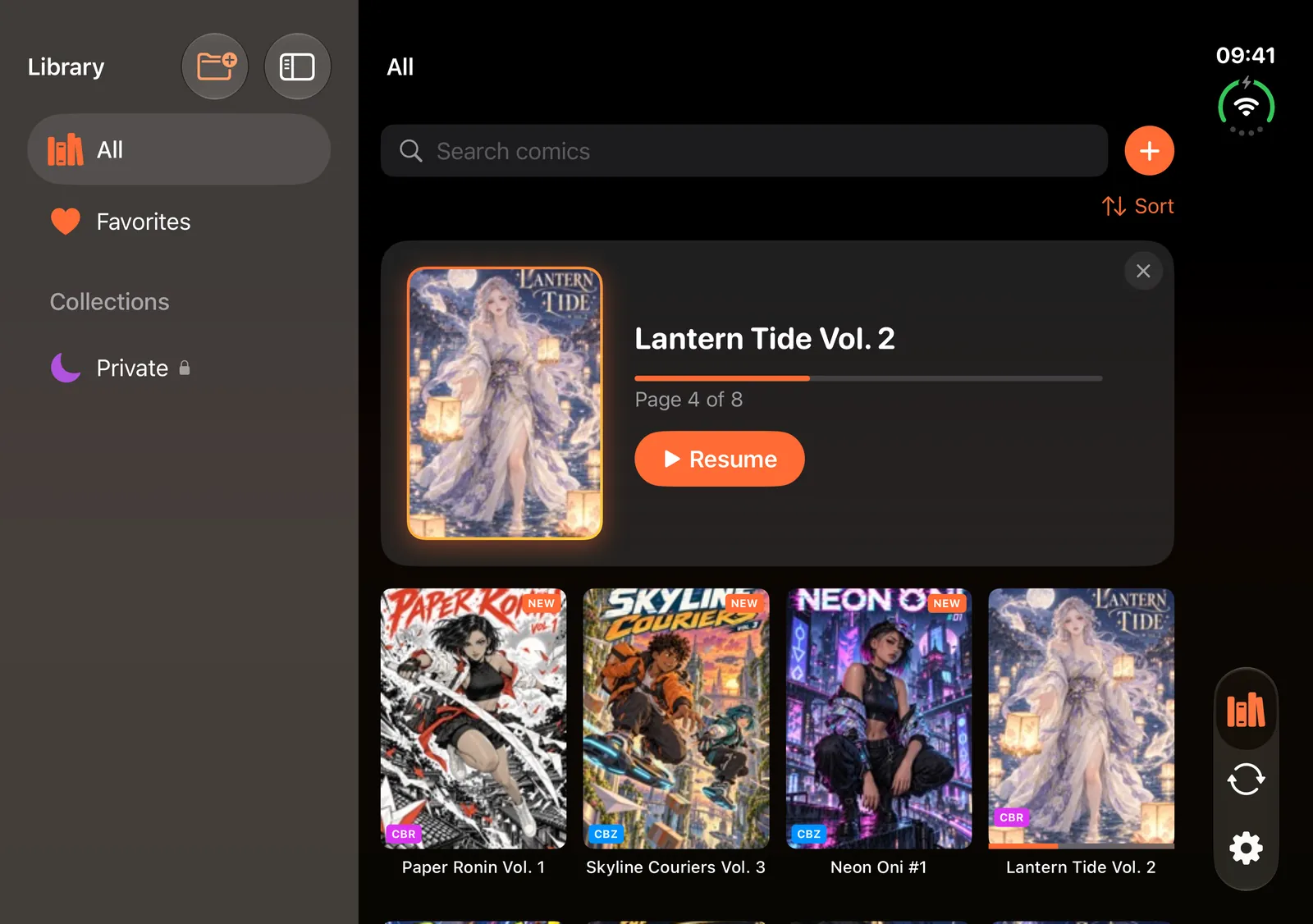
On iPad your collections and Settings move into a sidebar, and each file on the Convert screen shows its own result. Screenshots are from an iPad Pro 13-inch in portrait.
Is ComicFlow Private
and Offline?
ComicFlow processes everything locally on your iPhone or iPad. Your comic files stay on your device. Optional iCloud sync keeps reading progress in sync across devices but can be turned off.
How Much Does ComicFlow Cost?
One purchase. Forever yours. No subscriptions.
Pay once, use forever. No subscription, no ads.
- Read CBR, CBZ & PDF directly
- Convert to PDF (High/Medium/Low) & CBZ
- Full library with collections & ratings
- Paged & vertical scroll, manga RTL
- 18 languages, all future updates
- No ads, no account needed, works offline

Optional, not a subscription. The $2.99 app is fully featured on its own. Pro adds three extras for power users.
- Send to e-reader: EPUB export for Kobo, Boox, reMarkable & PocketBook with e-ink optimization
- Face ID-locked private collections, protected by Face ID, Touch ID, or passcode
- Saved reader presets for manga, western & webtoon styles
ComicFlow Guides
Tutorials, tips, and how-tos for reading and managing your digital comics. Browse all ComicFlow guides by topic.
Free Online Tools
Handy browser-based tools for comic readers and collectors.
Frequently Asked Questions
Open the CBR file in ComicFlow, tap the convert button, choose your quality level (High, Medium, or Low), and tap Convert. The PDF is ready to share or read in seconds. No computer or internet connection needed, everything happens on your iPhone.
Import CBR or CBZ files into ComicFlow via AirDrop, the Files app, a watched folder, or Wi-Fi Upload from your computer. ComicFlow reads them directly with a native comic reader, so no conversion is needed before you start reading.
Open Settings, then Wi-Fi Upload, in ComicFlow. The app shows an address like http://192.168.1.42:8080 and a QR code you can scan from another device. Open that address in any browser on your Mac, Windows, or Linux machine and drag comics onto the page. Nothing needs installing on the computer, and there is no cable or Finder sync involved. Uploads can be up to 4.29 GB each, covering CBR, CBZ, PDF, RAR, and ZIP. Both devices need to be on the same Wi-Fi network, and the upload page only answers while that screen is open in the app.
Yes. In Settings, under Sources, point ComicFlow at a folder in Files. That can be iCloud Drive, a network share you have mounted in Files, or a USB drive. New comics in that folder import themselves with covers and page counts rather than a bare filename. Watched folders are rescanned when the app opens and on pull-to-refresh in the Library, so a comic dropped into a synced folder on your desktop turns up on your phone. CBR, CBZ, RAR, ZIP, and PDF are all picked up.
ComicFlow supports 5 formats: CBR, CBZ, RAR, ZIP, and PDF. You can read all of them directly with the native comic reader and convert CBR, CBZ, RAR, and ZIP archives to PDF.
Yes. Toggle RTL mode in reader settings for proper manga reading order, including a mirrored page scrubber. ComicFlow offers paged and vertical scroll reading modes, three page layouts (single, double spread, automatic), and full right-to-left support for manga with a mirrored page scrubber.
Yes. ComicFlow works fully offline, with no internet connection needed to read, convert, or organize your comics. Your comic files stay on your device. Optional iCloud sync keeps your reading progress and library metadata in sync across devices, but can be turned off. No account creation needed.
Yes. ComicFlow converts CBZ, CBR, RAR, and ZIP comic archives to PDF directly on your iPhone or iPad. Choose from three quality levels and share the PDF anywhere. No upload to any server required. You can also export to CBZ, which is free for everyone.
Yes, with ComicFlow Pro. Export any comic to EPUB tuned for your specific e-reader, with device profiles for Kobo, Boox, reMarkable, and PocketBook plus e-ink image optimization. Kindle does not read sideloaded EPUB directly, so ComicFlow points Kindle users to the Calibre conversion route. Browsing the device profiles and configuring the export is free; the Pro unlock applies at the final export.
ComicFlow Pro is an optional one-time purchase of $6.99 that unlocks three extras: EPUB export to e-readers with e-ink optimization, Face ID-locked private collections, and saved reader presets for manga, western, and webtoon styles. It is not a subscription. The base $2.99 app stays fully featured without it, including reading, PDF and CBZ conversion, and the full library manager.
Yes, with ComicFlow Pro. Lock any collection behind Face ID, Touch ID, or your device passcode. The app uses the device's own authentication and never stores or sees your biometric data, and locked collections re-lock automatically when you leave the app.
ComicFlow is a one-time purchase of $2.99 with no subscriptions and no ads. The full reader, PDF and CBZ conversion, and library manager are all included. An optional ComicFlow Pro unlock ($6.99, one-time) adds EPUB e-reader export, Face ID-locked collections, and reader presets. Pay once for either, own it forever, and all future updates are included.
Ready to Read Your Comics?
Download ComicFlow and start reading, converting, and organizing your comic collection today.