AI-Powered
Wall Art
Generate stunning paintings from your ideas with AI. Choose from 25 art styles, preview them in 10 room environments and refine any painting by describing one change. Your first two paintings are free, and there is no subscription.

What Can Wallora Do?
From imagination to your wall in minutes.
25 Painting Styles
From Impressionism and Renaissance to Ukiyo-e, Bauhaus, and Vaporwave. Find the right style for any room or mood.
10 Room Environments
Preview your artwork on a wall in a living room, bedroom, office, gallery and six more, in a modern or classic interior, before committing to a print.
Refine Any Painting
Like a painting but want one thing different? Tap Refine, describe the change, such as warmer colors or a night scene, and get a new version that keeps everything else. It works on room previews too.
Start From Words or a Photo
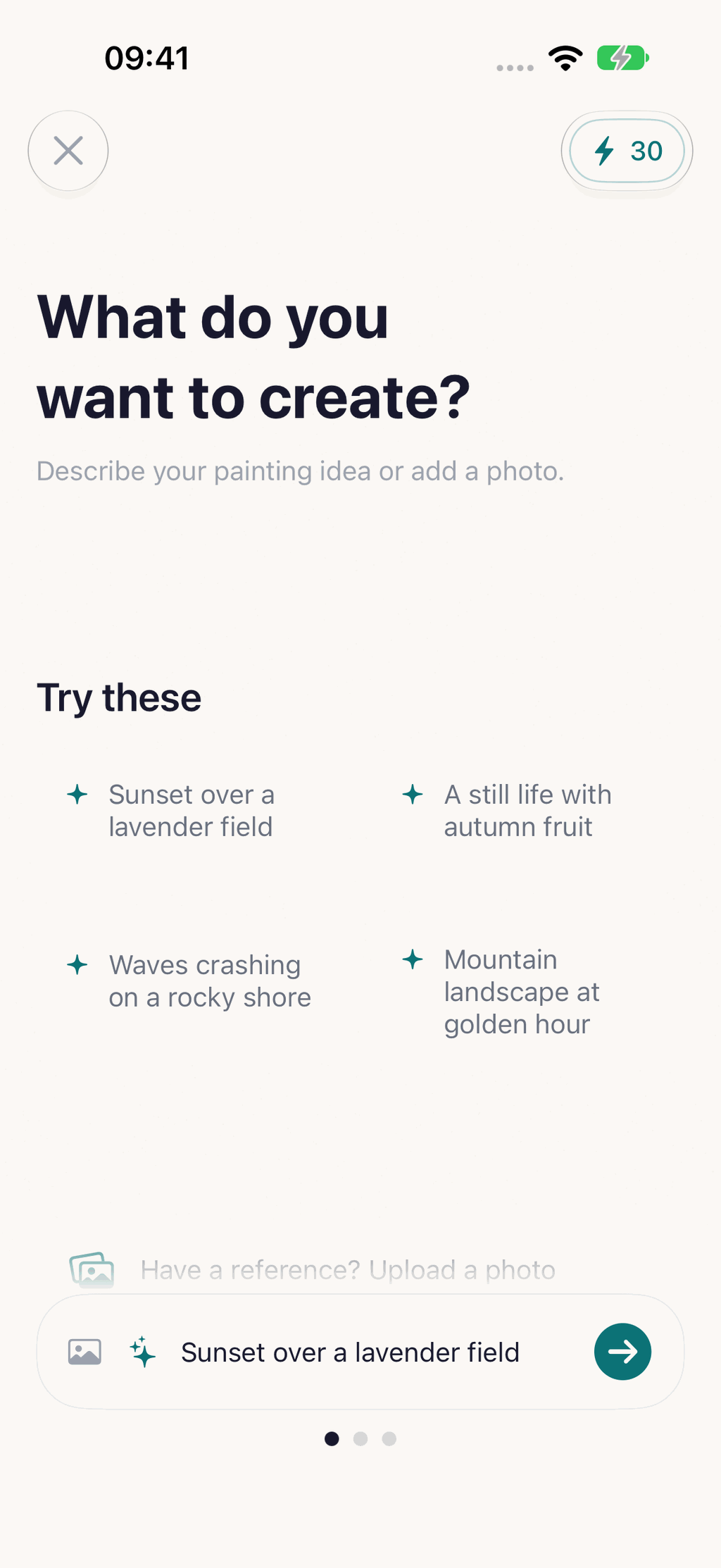
Describe your vision, or add a reference photo, such as a sketch or a place you love, and Wallora paints it in the styles you pick.
No Subscription
Your first two paintings are free. After that, buy a credit pack only when you need one. Credits never expire and nothing renews.
Favorites & History
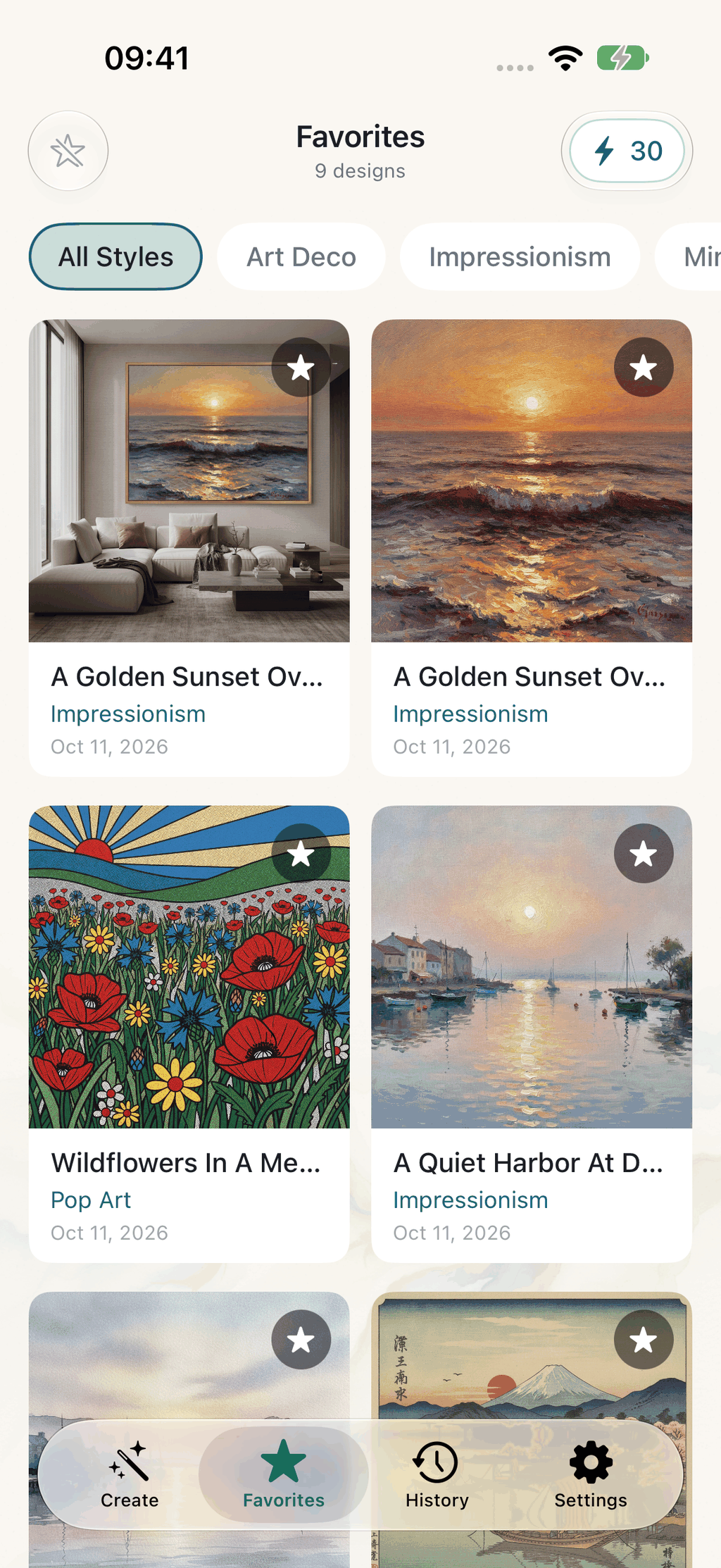
Save your best creations and browse your generation history for inspiration anytime.
Extract Artwork
Pull just the artwork out of a room preview for a clean image to print or share. Both versions stay linked.
High-Res Output
Generate wall-ready artwork in high resolution, perfect for large prints and gallery displays.
Made for iPad and iPhone Duo
On the bigger screens, Wallora shows your paintings and their details side by side.
How Does Wallora Work?
From idea to wall art in seconds.
Describe Your Vision
Enter a word or phrase describing the painting you imagine, or add a reference photo to paint from.
Pick Your Style
Choose from 25 curated painting styles to match your taste.
Preview and Refine
See the artwork on a wall in a realistic room, then refine it with one described change.
See It In Action
Beautiful interface, stunning results.



What Painting Styles Does Wallora Offer?
Curated for gallery-quality results.
What Room Previews Are Available?
See how your art looks before you print.
Is Wallora Private
and Secure?
Wallora uses anonymous device-based identification instead of an account. Reference photos and generated paintings are not stored on our servers, your collection stays on your device, and the anonymous usage analytics are not linked to you or used for tracking.
How Much Does Wallora Cost?
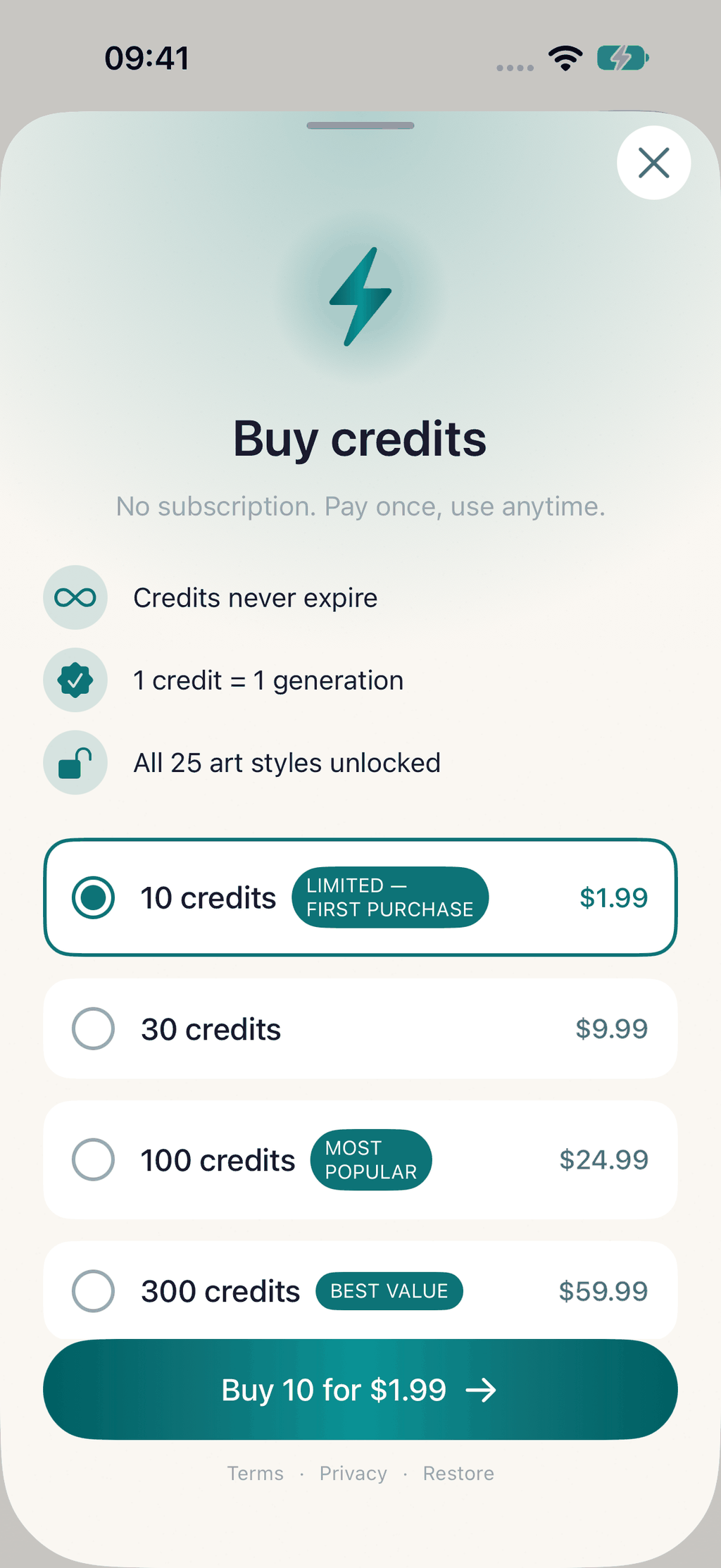
Your first two paintings are free, then you buy credits in packs. No subscription, and credits never expire.
Free
2 paintings during onboarding
- Your first 2 paintings free
- In the 2 styles you pick during onboarding
- Shown on a wall in a room you choose
- No account required
Intro
10 credits, once per device
- 10 paintings
- Credits never expire
- All 25 styles and 10 rooms
Most Popular
100 credits
- 100 paintings
- Credits never expire
- All 25 styles and 10 rooms
Best Value
300 credits
- 300 paintings
- Credits never expire
- Lowest price per painting
Each painting, room preview, extracted artwork or refined version uses one credit. Credit packs are one-time purchases: nothing renews and there is nothing to cancel. If you already have a Wallora Premium subscription from version 1.x, it keeps working until you cancel it.
Who Is Wallora For?
Art for every space and occasion.
Home Decor
Generate custom artwork that matches your interior design and color palette.
Unique Gifts
Create personalized paintings as thoughtful, one-of-a-kind gifts for loved ones.
Office Spaces
Decorate offices and meeting rooms with professional artwork on any theme.
Art Exploration
Experiment with different painting styles and discover new artistic inspirations.
Interior Design
Visualize how different art styles look in specific rooms before printing.
Gallery Walls
Build cohesive gallery wall collections with art in matching styles.
Related Guides
Tips, comparisons, and inspiration for decorating your walls with art.
Free Online Tools
Handy calculators and utilities for wall art and printing.
Ready to Create Your Art?
Download Wallora, make your first two paintings free and see them on your wall.

About Wallora
Wallora is an AI-powered wall art generator for iPhone that creates custom paintings from text descriptions or a reference photo in 25 different artistic styles, including Impressionism, Renaissance, Baroque, Surrealism, Cubism, Art Nouveau, Watercolor, Pop Art, Ukiyo-e, Bauhaus, Vaporwave, and Stained Glass. The app features 10 realistic room preview environments so you can see how artwork looks on an actual wall before printing. Since version 2.0, any painting or room preview can be refined by describing one change, such as warmer colors or a night scene, and Wallora returns a new version that keeps everything else. New users get their first two paintings free during onboarding with no account required. After that, paintings are bought in one-time credit packs (10 for $1.99 as an intro pack, available once per device, 30 for $9.99, 100 for $24.99 or 300 for $59.99); credits never expire and there is no subscription. Wallora produces high-resolution output suitable for printing, and includes a tool to extract the artwork from a room preview. Layouts on iPad and iPhone Duo show paintings and their details side by side. All generated art is saved to your favorites and generation history for easy access. The app needs no account, collects no personal information and requires iOS 18.0 or later. It is published by Applestan, an independent iOS development studio based in the Netherlands.