You bought your comics as DRM-free CBZ, CBR or PDF files. You own them. So it is a little strange when the app you use to read them wants a payment every month, forever, just to open files that are already sitting on your phone.
A reader app does not stream anything to you or host your library. It opens files. That is a job you can pay for once. ComicFlow is built on exactly that idea: $2.99 once for the full reader, converter and library manager, plus an optional $6.99 one-time Pro unlock if you want a few power-user extras. Neither one renews.
Disclosure: I make ComicFlow at Applestan. Prices and features below match the live App Store listing and the ComicFlow support FAQ.

Why a reader for your own files should not be a subscription #
Subscriptions make sense when someone keeps delivering something. A streaming catalog adds new issues. A cloud service runs servers that store your library. You pay every month because the service keeps costing money to run.
Reading a CBZ you already own is different. The file is on your device. The app unzips the pages and shows them. Nothing about that gets more expensive next month. A lot of reader apps still sell their best features as a monthly or yearly plan, and for a personal library that means renting a tool you could simply buy.
The math is also simple. Any recurring plan, even a cheap one, overtakes a one-time price eventually. The only question is which month it happens. With a one-time app the cost stops on the day you buy it, and you can keep reading for years without thinking about renewal dates, failed card payments or features vanishing when a plan lapses.

What $2.99 gets you in ComicFlow #
The base app is not a trial or a "lite" version. It is the full reader, and the pricing section calls it fully featured on its own. Here is what is in that one payment:
Reading. ComicFlow opens CBR, CBZ, RAR, ZIP and PDF directly, with no conversion step first. It identifies a file by its contents rather than its extension, so a comic saved with the wrong extension still opens. You get paged and vertical scroll reading, single, double-spread and automatic page layouts, and right-to-left reading for manga with a mirrored page scrubber. On iPad, two-page spreads appear whenever there is room for two readable pages, including portrait and Split View.
Converting. Turn CBR, CBZ, RAR and ZIP archives into PDF at High, Medium or Low quality, or into CBZ. One file or a whole batch. The CBR and CBZ to PDF guide walks through it.
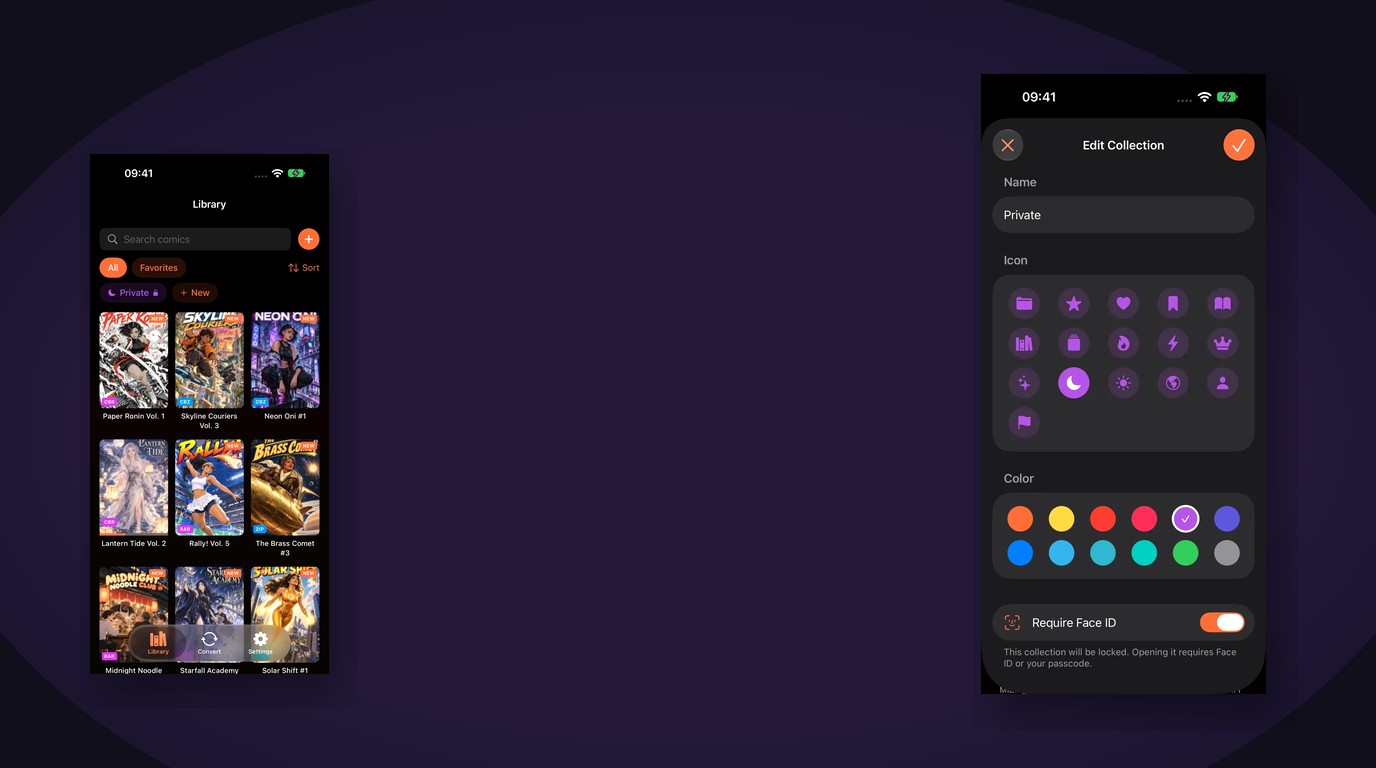
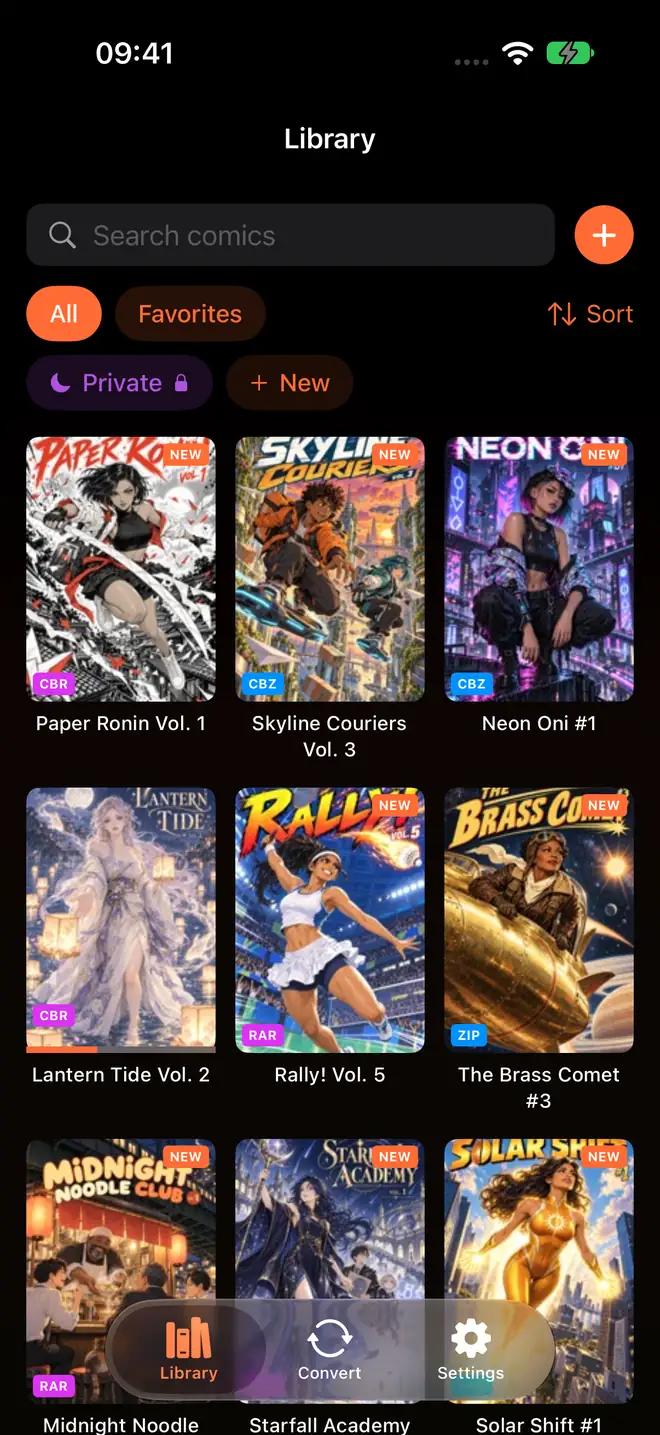
Organizing. Custom collections with icons and colours, tags, 1 to 5 star ratings, personal notes and bookmarks. Smart collections for Favorites, Reading, Unread and Completed are built in. Reading progress saves automatically, and the Continue Reading card takes you back to your page.
Getting files in. Watch a folder in Files (iCloud Drive, a mounted network share or a USB drive) and new comics import themselves with covers and page counts. Or use Wi-Fi Upload to drag files from any browser on a Mac, Windows or Linux computer, with no cable and nothing to install.
Everything else. 18 languages, no ads, no account, and it works offline. Optional iCloud sync keeps your place, bookmarks and ratings matched between iPhone and iPad. It also runs on Apple Silicon Macs and Apple Vision Pro as an iPad app. Future updates come with the purchase.
What the $6.99 Pro unlock adds #
ComicFlow Pro is optional and also a one-time purchase. It adds three things, and only three:
- Send to e-reader. EPUB export with device profiles for Kobo, Boox, reMarkable and PocketBook, plus e-ink image optimization. You can browse the profiles and set up an export without Pro; the unlock applies at the final export. Kindle does not read sideloaded EPUB, so the app points Kindle owners to the Calibre route. The e-reader guide has the details.
- Face ID-locked collections. Put private titles on a shelf that needs Face ID, Touch ID or your passcode, and it locks again when you leave the app. See how to lock comics behind Face ID.
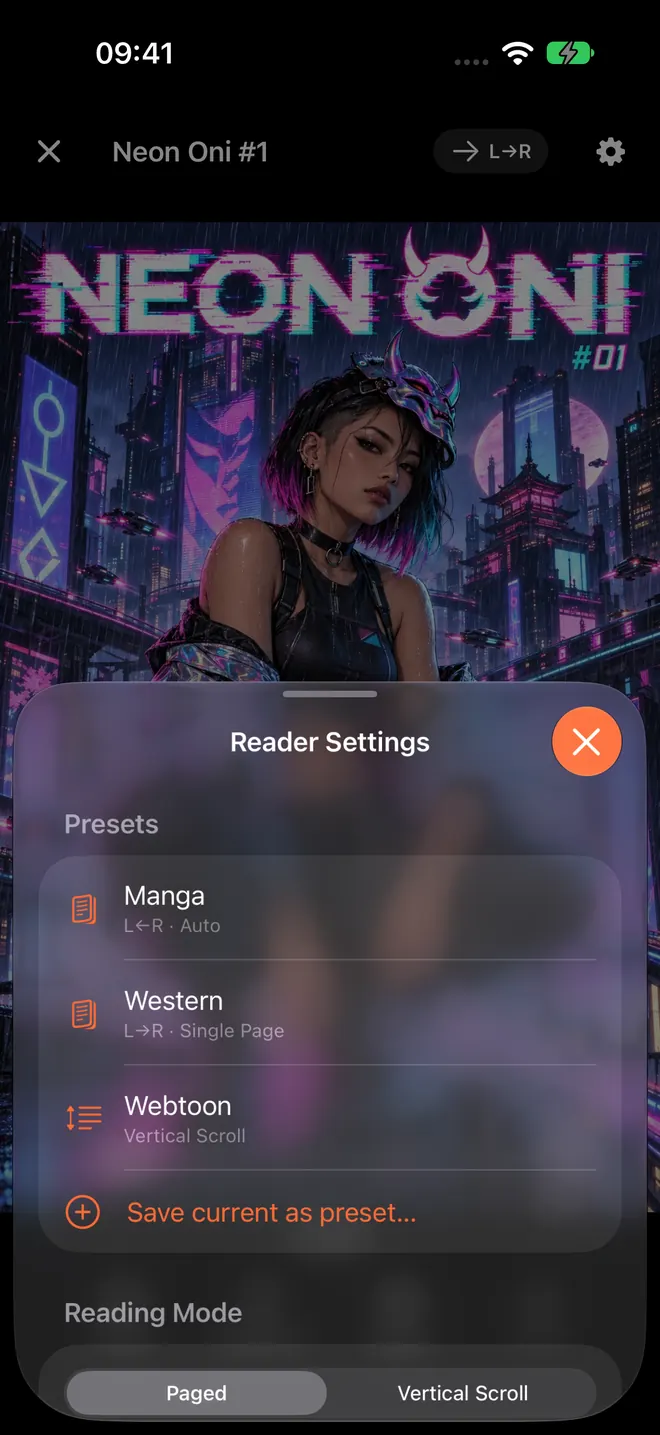
- Saved reader presets. One tap to switch between manga, western and webtoon settings instead of changing direction and layout by hand every time you switch series.
If none of those matter to you, skip Pro. The reader, converter and library stay exactly the same without it. If you do want everything, the app and Pro together come to $9.98 in the US store, paid once.
When a subscription is the better deal #
To be fair about it, a subscription is the right call in some cases:
- You want new comics, not a reader. Services that sell access to a large catalog are a different product. They give you content, and the monthly fee pays for it.
- Your library lives on a server. If you stream from an OPDS server such as Komga or Kavita, you need a reader built for that. ComicFlow deliberately does not do OPDS or server streaming.
- You want a hosted cloud library. ComicFlow keeps files on your device and in folders you control. Its optional iCloud sync covers reading progress, bookmarks and ratings, not a hosted copy of your comics.
The best comic reader apps roundup compares the main options if one of those describes you. If your comics are files you already own, a one-time reader is the better fit.
How to tell if a reader app will start charging monthly #
Before you buy any comic reader, check its App Store page. Scroll to In-App Purchases in the Information section. Items named "Monthly" or "Yearly" usually mean a renewing plan. A single named unlock with one price usually means a one-time purchase.
For ComicFlow, that list shows one item, ComicFlow Pro, at $6.99 in the US store. The app itself is $2.99 to download.
A few other things worth checking in any reader:
- Does it open your files directly? If you have to convert every CBR before reading, you will spend time you should not have to. More in reading CBR and CBZ files on iPhone.
- Does it work offline? On a plane or a train, a reader that needs a connection is useless. See reading comics offline on iPhone and iPad.
- Does it need an account? For a personal file reader, there is no good reason it should.
Where to get comics worth reading this way #
A one-time reader pays off most when your comics are DRM-free files you actually own. Many publishers, bundle sites and indie creators sell CBZ, CBR or PDF downloads. The guide to where to find DRM-free comics lists good places to start, and the transfer guide covers every way to get them onto your iPhone or iPad.
ComicFlow sends anonymous usage analytics to help improve the app, and you can switch that off any time in Settings, then Privacy, then Share Usage Data. Your comics are not uploaded anywhere for reading or conversion. The privacy policy has the full list.
Related reading #
- 5 best comic reader apps for iPhone and iPad: how ComicFlow compares with the other main readers
- Read CBR and CBZ files on iPhone: open comic archives without converting them
- Transfer comics to iPhone over Wi-Fi: move files from any computer without a cable
- Lock private comics behind Face ID: the Pro feature for shared phones
- How to read comics on iPad: layouts and two-page spreads on the bigger screen
Frequently asked questions
Is there a comic reader app for iPhone with no subscription?
Yes. ComicFlow is a one-time $2.99 purchase on the App Store with no subscription and no ads. It reads CBR, CBZ, RAR, ZIP and PDF files directly on iPhone and iPad, converts archives to PDF or CBZ, and manages your library with collections, ratings, tags and reading progress.
What does ComicFlow Pro cost, and is it a subscription?
ComicFlow Pro is an optional one-time $6.99 unlock. It is not a subscription. It adds EPUB export for Kobo, Boox, reMarkable and PocketBook e-readers, Face ID-locked collections, and saved reader presets for manga, western and webtoon reading.
Do I need ComicFlow Pro to read CBZ and CBR files?
No. Reading CBR, CBZ, RAR, ZIP and PDF, converting to PDF or CBZ (including batch), the library manager, watched folders and Wi-Fi Upload are all in the base $2.99 app. Pro only adds the three extras listed above.
Does ComicFlow need an account or an internet connection?
No. There is no account to create, and reading, converting and organizing all work offline. Optional iCloud sync keeps reading progress, bookmarks and ratings matched across your iPhone and iPad, and you can leave it off.
When does a comic subscription make more sense than a one-time app?
When you want a catalog of comics you do not own yet, or features that depend on a server, such as streaming from an OPDS library. ComicFlow is built for files you already have, so it does not include a comic store, OPDS or server streaming.