Sharing an iPhone with a partner, handing it to a kid, or leaving it unlocked on a desk should not dump your whole comic library on the next person who opens the app. Files apps hide folders poorly. Screenshots of covers still show up in Recents. What you want is a shelf that stays closed until your face, finger, or passcode opens it.
ComicFlow can do that with a Face ID-locked collection. It is an optional Pro feature, not a second app, and it uses the same authentication you already use to unlock the phone.
Disclosure: I make ComicFlow at Applestan. Prices and features below match the live App Store listing and the ComicFlow support FAQ.

What "locked" means here #
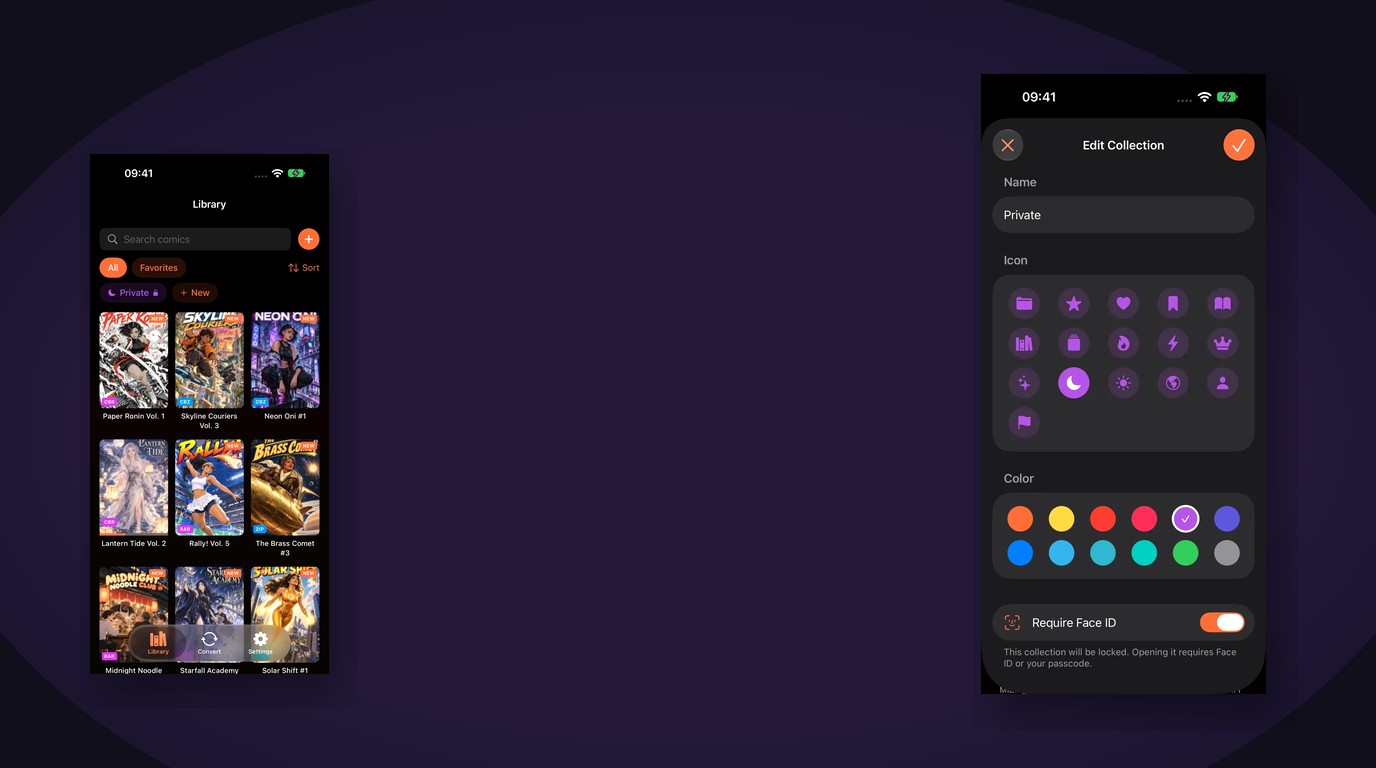
A locked collection is an ordinary ComicFlow collection with one extra switch: Require Face ID (or Touch ID / passcode on devices without Face ID). Comics you put in that collection stay in your library. Covers and titles stay out of sight until you unlock the shelf.
What it does:
- Asks for Face ID, Touch ID, or your device passcode before showing that collection
- Re-locks when you leave the app
- Leaves every other collection readable as usual
What it does not do:
- Encrypt the comic files on disk as a separate vault format
- Hide the app icon itself (that is Screen Time / Focus territory)
- Send biometrics or comic titles anywhere. Authentication stays on the device, and ComicFlow never stores Face ID data
If you need the whole phone locked, use the system lock. If you need one shelf inside a comic library locked, this is the switch for that.
How to lock a collection in ComicFlow #
You need ComicFlow installed and the optional ComicFlow Pro unlock. Pro is a one-time $6.99 purchase. The base app is $2.99. Neither is a subscription.
- Open ComicFlow and go to your collections.
- Create a new collection, or open an existing one and choose edit.
- Give it a name you will recognize later, for example Private or Adult.
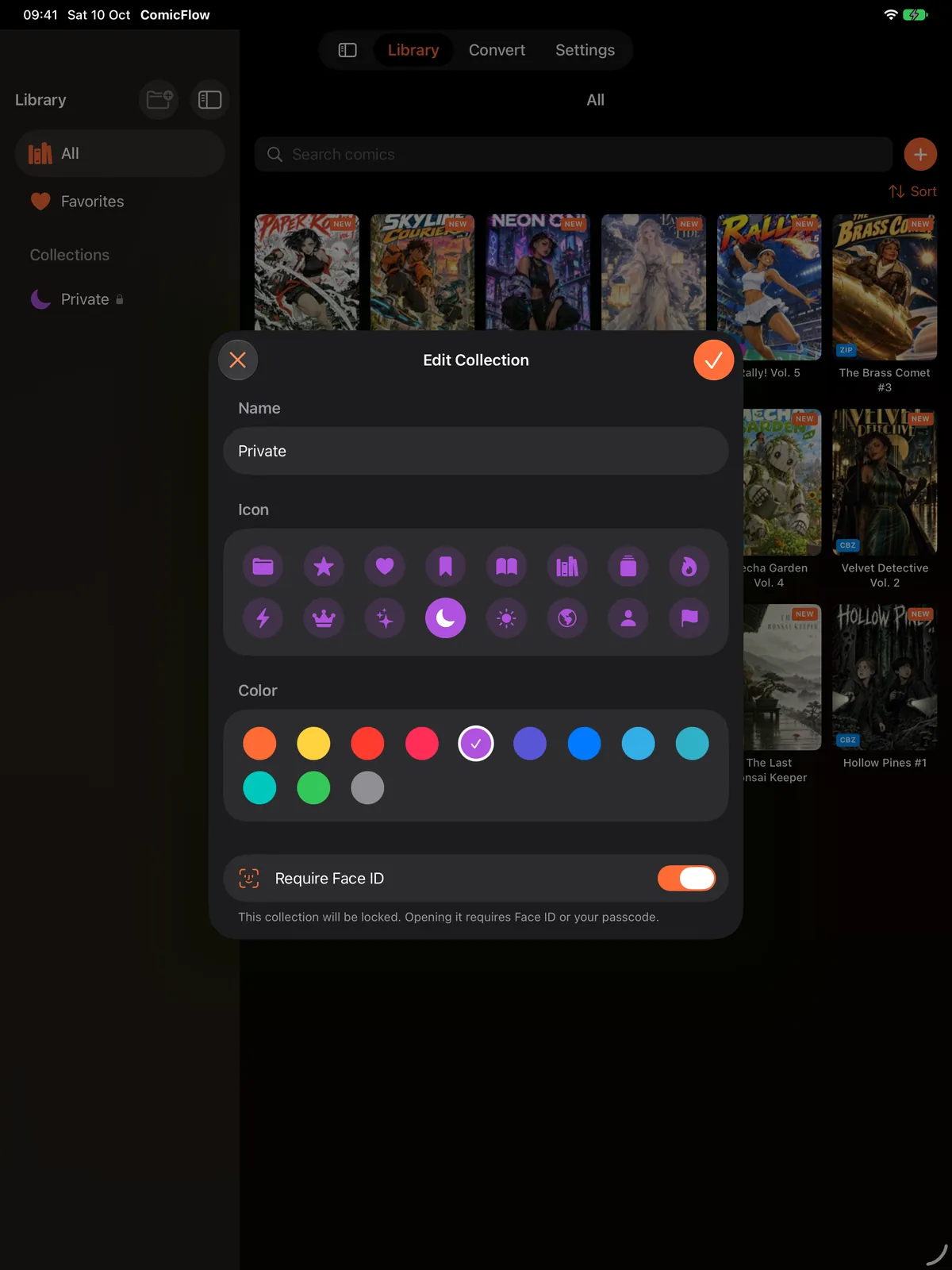
- Turn on Require Face ID (the label follows whatever your device supports: Face ID, Touch ID, or passcode).
- Save. Move the comics you want hidden into that collection.
Next time you open the collection, the device prompt appears before the covers do. Leave the app and the shelf locks again on its own.
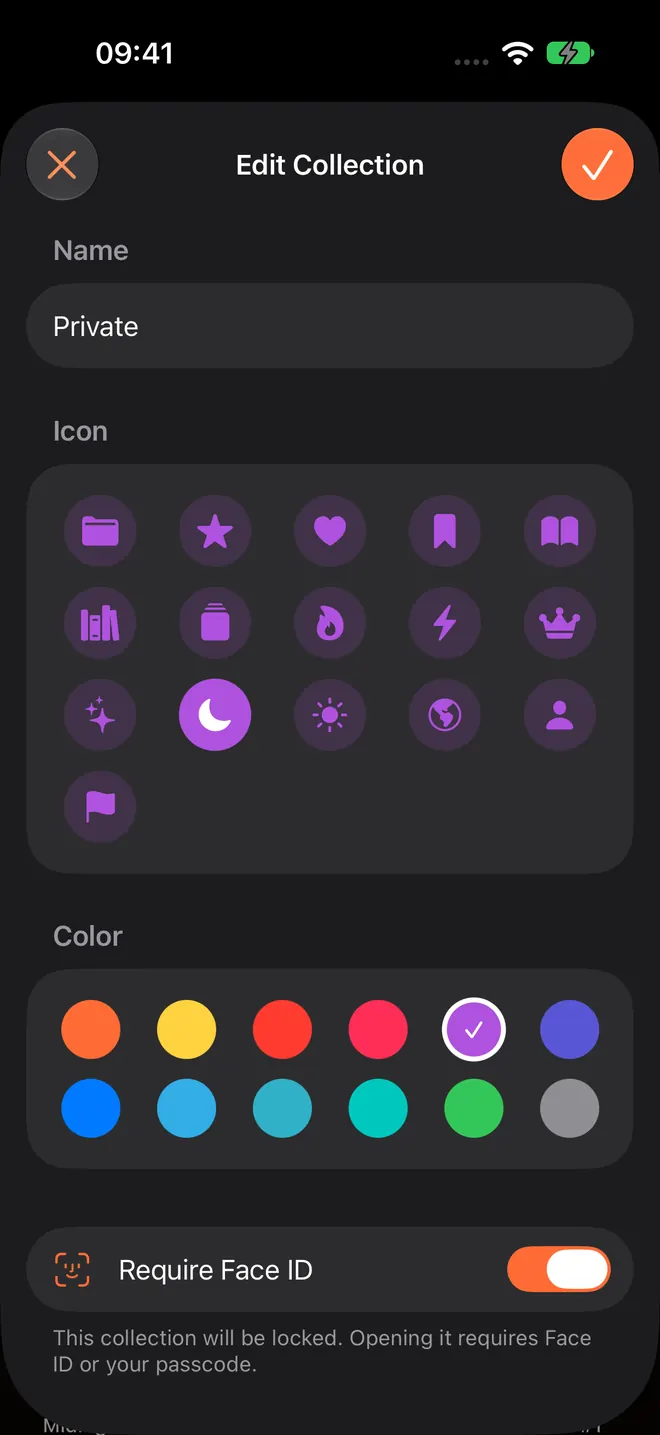
On iPad the same control lives in the edit sheet, with collections listed in the sidebar so a locked Private row sits next to All and Favorites.
Why a dedicated shelf beats a hidden folder #
People often try to hide comics by renaming folders in Files, nesting them under obscure paths, or relying on someone not opening the Comics directory. That fails for boring reasons:
- Spotlight and Files search still surface file names
- AirDrop and Share Sheet still offer those files
- Cover thumbnails appear when someone taps the folder by accident
- There is no re-lock when you switch apps
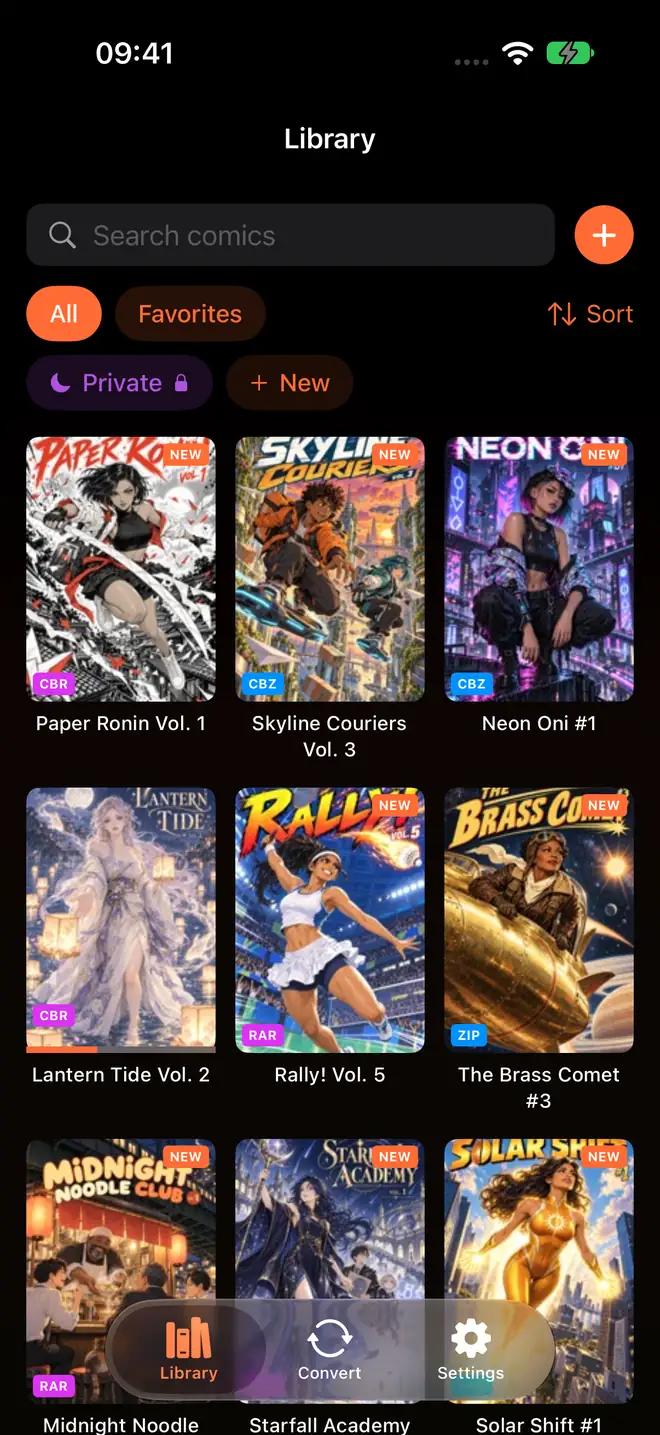
A locked collection keeps everyday browsing normal. Your main library, Continue Reading, Favorites, and unlocked shelves work the same. Only the private shelf asks for authentication. That is the pattern that matches how people actually share a phone: most of the library is fine to show, a few titles are not.
What else Pro adds (and what stays free) #
Face ID locking is one of three Pro extras. The other two are:
- EPUB export for e-readers, with device profiles for Kobo, Boox, reMarkable, and PocketBook, plus e-ink image optimization. You can browse profiles and set up an export without Pro; the unlock applies when you finish the export. Kindle needs a Calibre step afterward, which is covered separately.
- Saved reader presets for manga, western, and webtoon-style reading so you are not re-tapping the same settings when you switch series.
The base $2.99 app still includes reading CBR, CBZ, RAR, ZIP, and PDF, converting archives to PDF or CBZ (including batch), collections, ratings, tags, bookmarks, reading progress, watched folders, and Wi-Fi Upload. Pro is optional. If you only need a private shelf, that alone is a valid reason to unlock it. If you do not, the reader stays fully usable without it.
Practical tips #
Name the collection something boring. "Private" is clear to you. A joke name is clear to everyone else who glimpses the sidebar.
Do not put your whole library behind the lock. Unlocking every time you want to read slows you down. Keep current series unlocked; move the sensitive titles only.
Passcode still works. If Face ID fails (mask, dark room, Apple Watch unlock quirks), the system falls back to your device passcode. ComicFlow does not invent a second password.
Backups are still your job. Locking a collection does not replace backing up the files. Keep the CBR, CBZ, and PDF originals somewhere you control.
Offline still works. Authentication is local. You do not need a network for Face ID, and ComicFlow's reader does not need one either.
Related reading #
- How to organize your digital comic collection for collections, tags, and progress without the lock
- How to transfer comics to iPhone for getting files onto the device first
- Read comics offline on iPhone and iPad for the no-account, no-stream model
- ComicFlow 3.5 release notes for recent library and iPad sidebar changes
Frequently asked questions
Can I lock comics behind Face ID on iPhone?
Yes. ComicFlow Pro lets you lock any collection behind Face ID, Touch ID, or your device passcode. The rest of the library stays open. Locked collections re-lock automatically when you leave the app.
Does locking comics upload my Face ID data?
No. ComicFlow uses the device's own authentication. It never stores or sees your biometric data. Apple handles Face ID and Touch ID locally on the device.
Is Face ID locking part of the base ComicFlow app?
No. Face ID-locked collections are part of the optional ComicFlow Pro unlock, a one-time $6.99 purchase on top of the $2.99 app. Reading, PDF and CBZ conversion, and the library manager stay in the base app.
What happens when I leave the app?
Locked collections re-lock when you leave ComicFlow. Opening them again asks for Face ID, Touch ID, or your passcode.
Can I lock only some comics and leave others open?
Yes. You lock a collection, not the whole library. Put private titles in a locked collection and keep everyday reading in unlocked ones.