Some manga you read for the plot. These four you read with your mouth slightly open, because a page turn just dropped a two-page spread that somebody spent weeks drawing.
That also makes them the hardest manga to read on a screen. Spreads get squeezed, pairs come out off by one, and the line work that made the series famous turns to mush on a small page. So this list does two things: four series with the best art in manga, and how to actually see that art on an iPhone or iPad. The reader I use is ComicFlow, which I build. It is $2.99 once, with an optional $6.99 one-time Pro unlock, and everything about spreads below is included without Pro.
Disclosure: I make ComicFlow at Applestan. The reader features below were checked against the app's source code for version 3.7, and the series facts against publisher and reference listings on October 25, 2026. The files I checked are listed at the end.

Quick Reference #
| # | Series | Art by | Volumes | Status |
|---|---|---|---|---|
| 1 | Berserk | Kentaro Miura, then Studio Gaga | 43 so far | Ongoing |
| 2 | Vinland Saga | Makoto Yukimura | 29 | Completed (2025) |
| 3 | Blame! | Tsutomu Nihei | 10 (6 in the English Master Edition) | Completed (2003) |
| 4 | One-Punch Man | Yusuke Murata (story by ONE) | 36 so far in Japan | Ongoing |
Two are finished and two are still running. If you want one you can start and finish this month, Blame! is the short one.
1. Berserk #
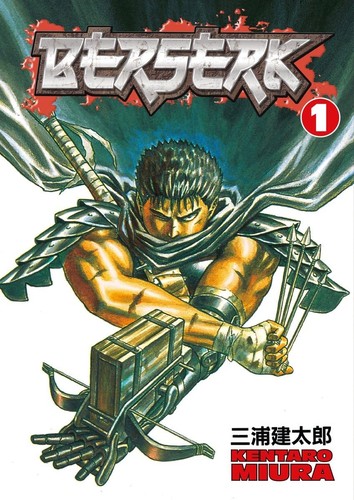
By: Kentaro Miura (1989 to 2021), continued by Studio Gaga under the supervision of Kouji Mori | Volumes: 43 so far | Genre: Dark fantasy / horror
If you ask a room of manga fans which series has the best art, someone says Berserk before you finish the question. Miura drew in dense pen and ink, with crosshatching so fine that armour, rock and crowds of demons all have their own texture. The famous moments are the big ones, and many of them are drawn across two pages, which is exactly where a cramped reader lets you down.
Berserk is also a series that rewards slowing down. The early Black Swordsman chapters are rougher, and the art climbs steadily through the Golden Age arc and beyond. After Miura died in 2021, his longtime assistants at Studio Gaga carried on with his friend Kouji Mori supervising, and volume 43 is the second one made that way.
How to read it: this is the series to read on the biggest screen you own. On an iPad, Auto layout shows the spreads at full size. When you want to look at the line work, double-tap to zoom in, or pinch in for a closer look.
2. Vinland Saga #
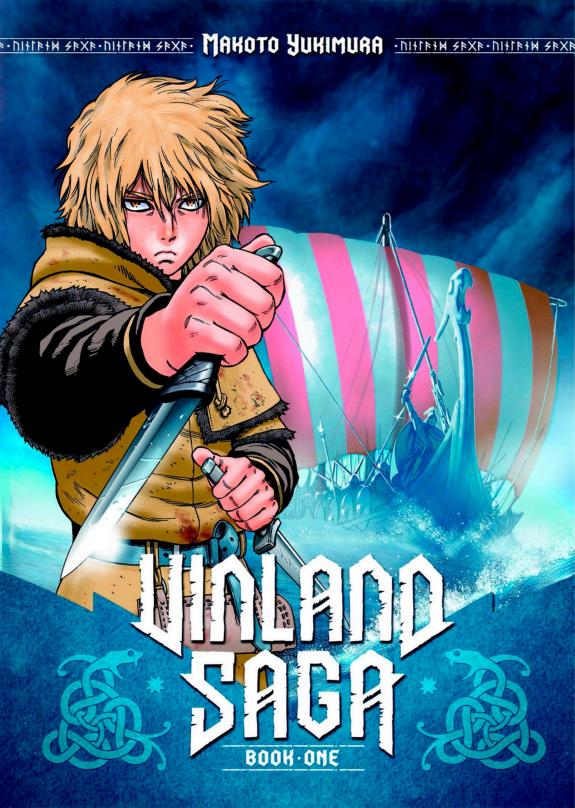
By: Makoto Yukimura | Volumes: 29 (completed, 2005 to 2025) | Genre: Historical / drama
Vinland Saga starts as a Viking revenge story and ends somewhere much quieter and stranger. The art follows that path. Early volumes are all longships, shield walls and battlefield chaos. Later ones slow right down, with farmland, wide northern seas and faces that carry a lot of the story without a word of dialogue.
Yukimura finished it in July 2025 with chapter 220, and the final volume came out in Japan that September. That makes it one of the best completed long reads out there right now, twenty years of work you can now read from first page to last.
How to read it: long series like this are where files come out with the pairs off by one, so a landscape that should sit across two pages lands on two different screens. If that happens, the fix is a single switch in the reader settings, covered below.
3. Blame! #
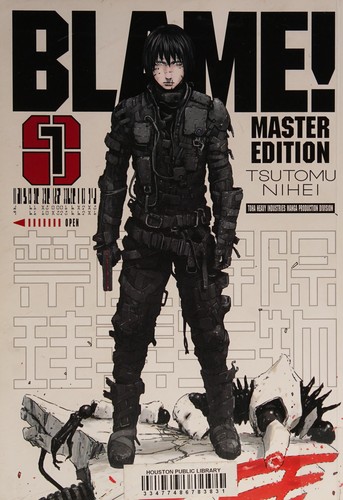
By: Tsutomu Nihei | Volumes: 10 (completed, 1997 to 2003), collected in English as a 6-volume Master Edition | Genre: Cyberpunk / sci-fi
Blame! is almost wordless. A man called Killy walks through a megastructure that has been building itself for so long that whole societies live on single floors of it. Nihei draws the City so huge that Killy often shrinks to a speck in the corner of a spread, and the empty space is the point. You read Blame! by looking.
It is also short. Ten volumes, finished, with very little text to slow you down, so it is a good weekend read if the art on this list is what pulled you in.
How to read it: set the reader background to Black so the dark pages do not sit inside a bright frame, and give the spreads room. On a phone held upright, a spread scanned as one wide image is tiny, which is what Split Wide Pages is for.
4. One-Punch Man #
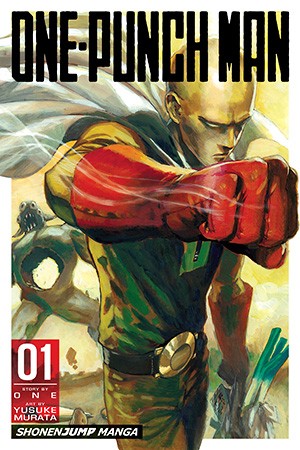
By: ONE (story), Yusuke Murata (art) | Volumes: 36 so far in Japan | Genre: Action / comedy
One-Punch Man started as ONE's webcomic, drawn in a deliberately rough style. Since 2012, Yusuke Murata has been redrawing it, and his version is the one most people mean when they talk about the art. The joke is that the hero ends every fight with one punch. The art is the opposite of a joke. Murata's fight scenes are packed with motion, debris and city-scale destruction, and his big splash pages are some of the most shared images in modern manga.
How to read it: some of the biggest moments are stored as one wide image rather than two pages. In ComicFlow's double page mode, a wide page like that gets the screen to itself instead of being squeezed next to its neighbour, for CBZ and CBR files.
How to read manga spreads properly on iPhone and iPad #
A printed tankobon is read open, two pages at a time, right to left. Mangaka plan big moments around that. On a screen, three things tend to go wrong, and each has a setting.
Show two pages at once #
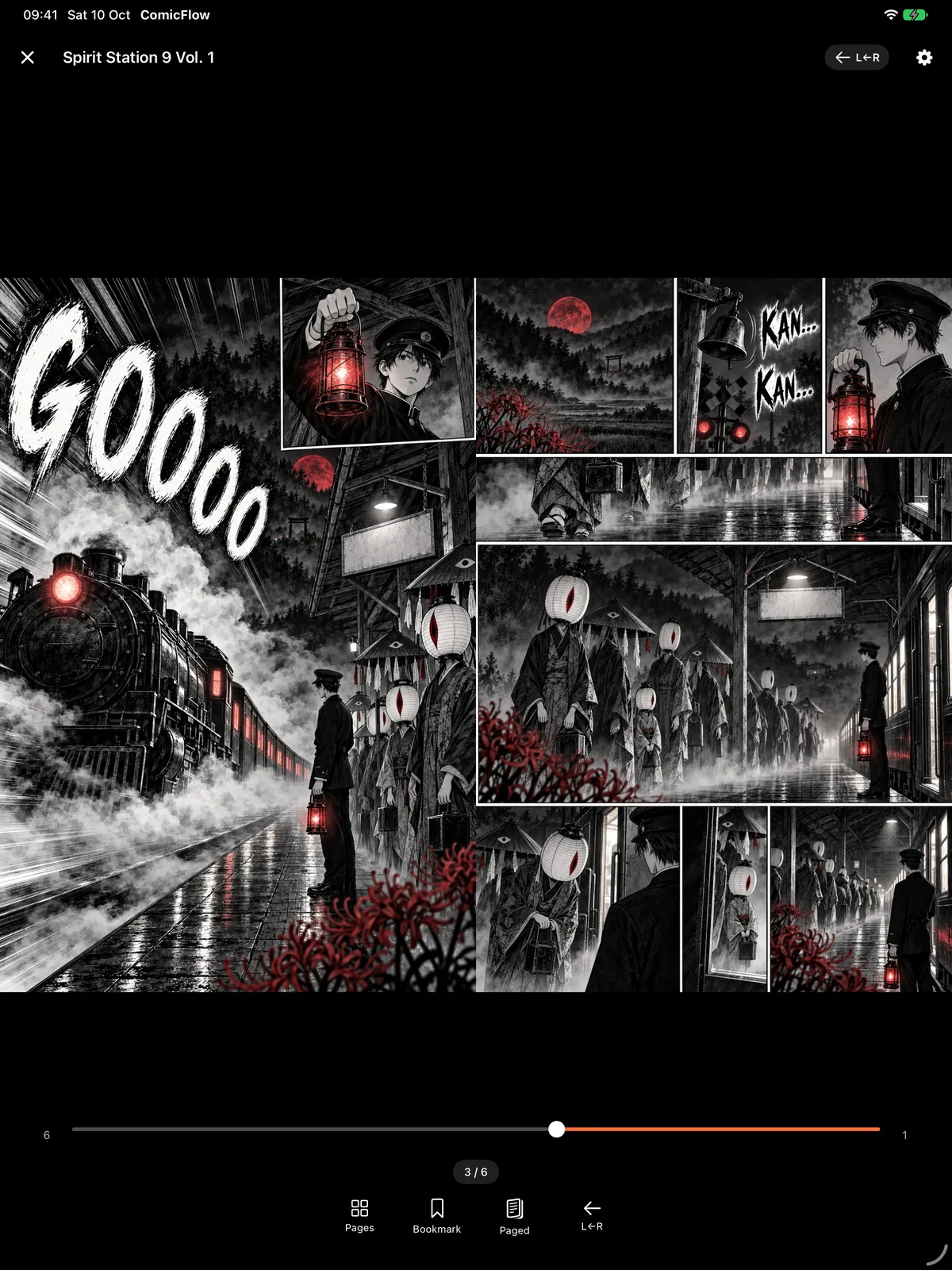
Open a volume, tap the gear icon for Reader Settings, and look at Page Layout. It has three choices: Single Page, Double Page and Auto. Leave it on Auto. ComicFlow then shows two pages side by side whenever the screen has room for two readable pages. On an iPad that includes portrait, and on an iPhone it means turning the phone sideways.
Switch Reading Direction to Right to Left (Manga) too, so the first page of each spread sits on the right, the way the book was printed. ComicFlow remembers the direction for each book.
Fix spreads that are off by one #
If a spread keeps landing on two different screens, the pairs are out of step. It is almost always the cover: page 1 gets paired with the cover, and every pair after it is shifted by a page.
In Reader Settings, with two pages showing, switch on Show Cover Alone. The cover then stands by itself and the pages after it pair up like the printed book. ComicFlow keeps the setting for that book. This works for CBZ and CBR files. PDFs lay out their own pages, so the switch does not appear for them.
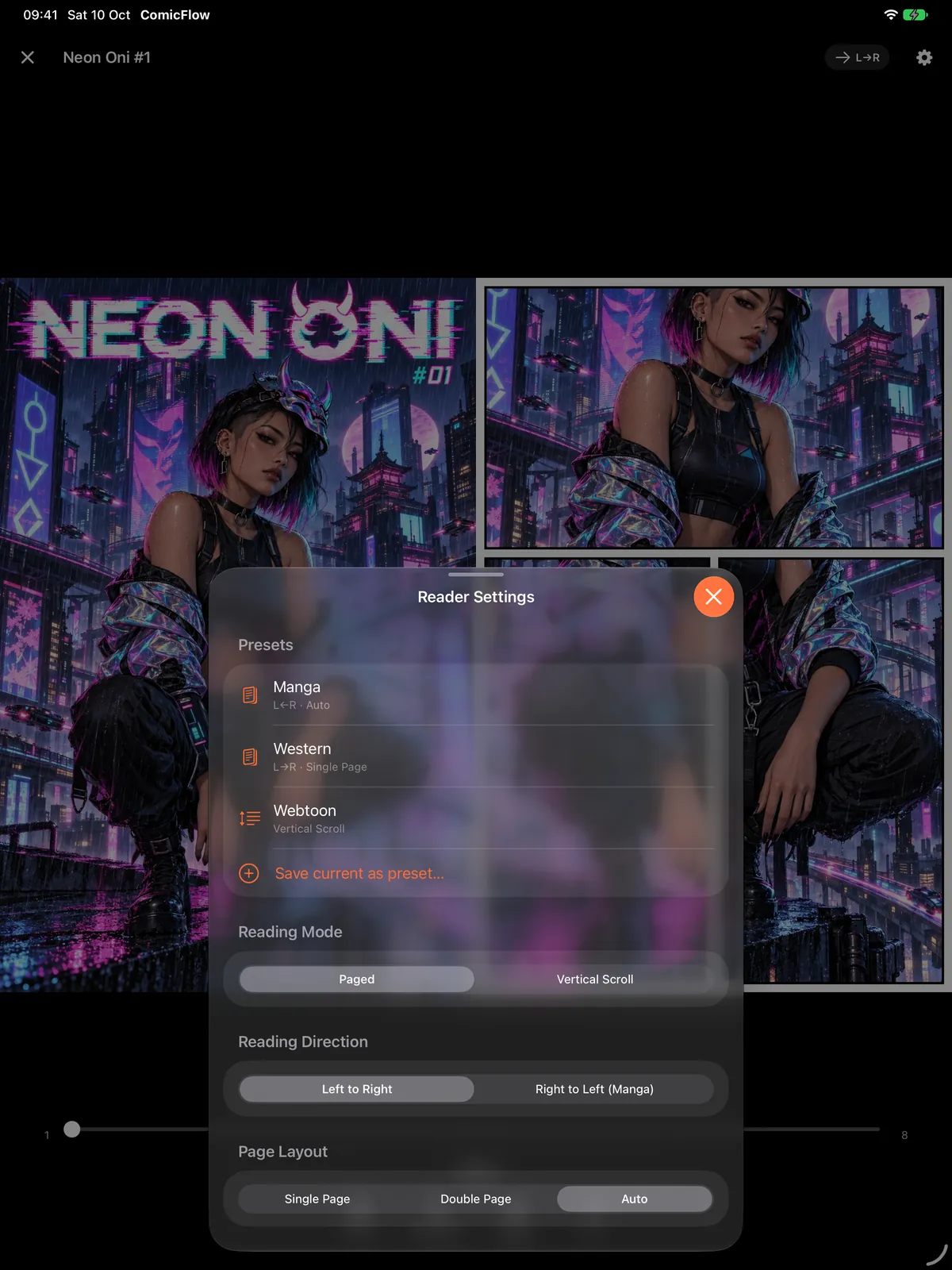
The presets at the top of that sheet are part of Pro. Page Layout, Reading Direction and the spread switches below them are not.
Spreads saved as one wide image #
Plenty of files store a two-page spread as a single wide image. ComicFlow notices those pages as they load. In double page mode, a wide page gets the screen to itself instead of being squeezed in next to another page.
On a phone held upright, a wide page would be tiny. With two pages not showing, the same spot in Reader Settings has Split Wide Pages instead. Turn it on and the spread is shown in two halves, one after the other, starting with the half nearest the spine, so a right-to-left book shows the right half first. Like Show Cover Alone, it is for CBZ and CBR files.
Get close to the line work #
Double-tap a page to zoom in on the spot you tapped, and double-tap again to zoom back out. Pinch to go further. For dark series like Berserk and Blame!, set Background Color to Black in the reader settings. The other choices are Dark Gray, Gray and White.
Got an iPhone Duo? Spreads are what it is for #
Closed, the iPhone Duo's outer screen shows one manga page at a time. Open, it shows the full spread, one page on each side of the fold. When you hold it part-way open like a book, ComicFlow moves the two pages apart so the fold sits in the gap between them and none of the art lands in the crease. Reading manga on iPhone Duo has the full setup, with screenshots.
Getting these series as files you can read #
ComicFlow reads files you own: CBZ, CBR, ZIP, RAR and PDF. It does not open EPUB, and books bought inside store apps such as Kindle or BookWalker stay in those apps. Two routes work:
- Buy DRM-free where you can. Where to buy DRM-free manga lists the stores I could confirm and what format they sell.
- Scan volumes you already own. For art-heavy series this is worth doing well, at a high resolution. How to scan manga you own covers it, including spreads scanned as one wide page.
To get the files onto your phone or iPad, Wi-Fi Upload lets any browser on the same network drop a whole series in, and a watch folder in iCloud Drive imports new volumes on its own. Both are included without Pro.
What is included without Pro #
Everything about spreads in this post is in the $2.99 app: Page Layout, right-to-left reading, Show Cover Alone, Split Wide Pages, zoom, background colours and the iPhone Duo layout. There are no ads or ad tracking.
ComicFlow Pro is an optional $6.99 one-time unlock, not a subscription. It adds saved reader presets (one tap for the Manga setup), Komga, Kavita and OPDS server libraries, Face ID-locked collections and EPUB export for Kobo, Boox, reMarkable and PocketBook e-readers.
How this was checked #
ComicFlow claims in this post were checked against the version 3.7 source code, in these files:
- Page Layout, Show Cover Alone, Split Wide Pages and Background Color:
ComicFlow/Reader/Views/ReaderControlsOverlay.swift,ComicFlow/Reader/ReaderSettings.swift,ComicFlow/Reader/ReadingProgress.swift - How pages pair up, wide pages standing alone and split halves in reading order:
ComicFlow/Reader/Utilities/SpreadPlan.swift - Zoom, and the cover setting saved per book:
ComicFlow/Reader/Views/ComicReaderView.swift - What Pro covers:
ComicFlow/Services/Pro/ProGate.swift
Series facts were checked on October 25, 2026 against the Wikipedia entries for Vinland Saga and Blame!, Dark Horse's listing for Berserk Volume 43 and Anime News Network's One-Punch Man release dates.
Related reading #
- Reading manga on iPhone Duo: one page folded, a full spread open
- How to read comics on iPad: layouts and tips for the bigger screen
- Manga text too small on iPhone?: zoom, landscape and other fixes
- 4 manga everyone pretends to have read: including more on Berserk
- 4 manga to binge in a weekend: including more on Blame!
- Where to buy DRM-free manga: stores that sell manga as files you keep
ComicFlow sends anonymous usage analytics to help improve the app, and you can switch that off in Settings, then Privacy, then Share Usage Data. Your manga files stay on your device. The privacy policy has the full list.
Frequently asked questions
Which manga has the best art?
There is no single answer, but four names come up again and again: Berserk by Kentaro Miura, Vinland Saga by Makoto Yukimura, Blame! by Tsutomu Nihei and One-Punch Man as drawn by Yusuke Murata. Each is famous for a different kind of art, from dense pen-and-ink detail to huge, nearly wordless architecture.
Can I read two-page manga spreads on an iPhone?
Yes. In ComicFlow, leave Page Layout on Auto and turn the iPhone sideways, and two pages sit side by side. Held upright, you get one page at a time, and for CBZ and CBR files the Split Wide Pages setting shows a spread that was scanned as one wide image in two halves, in reading order.
Why are the spreads in my manga file off by one page?
Usually because the cover is paired with page 1, which pushes every later pair out of step with the printed book. In ComicFlow, switch on Show Cover Alone in the reader settings. The cover then stands by itself and the spreads after it line up. It works for CBZ and CBR files, because PDFs lay out their own pages.
Is the iPad or the iPhone Duo better for reading manga spreads?
Both show a two-page spread at a readable size in ComicFlow. On iPad, Auto shows two pages whenever there is room, in portrait as well as landscape. On an unfolded iPhone Duo, the two pages are moved apart so the fold sits in the gap between them.
Do I need ComicFlow Pro to read two-page spreads?
No. Page Layout, Show Cover Alone, Split Wide Pages, zoom, right-to-left reading and the iPhone Duo layout are all included in the $2.99 app. The optional $6.99 one-time Pro unlock adds saved reader presets, Komga, Kavita and OPDS server libraries, Face ID-locked collections and EPUB export for e-readers.
Does ComicFlow open manga bought on Kindle or BookWalker?
No. Books bought inside store apps stay in those apps. ComicFlow reads files you own, such as DRM-free CBZ or PDF downloads and scans of your own volumes. It opens CBZ, CBR, ZIP, RAR and PDF, and it does not open EPUB.