Marvel Unlimited is closing after 19 years. Its replacement, the new Marvel Comics app, launched on November 16, and some readers are already unhappy with it, mostly because it fights you when you try to take a screenshot.
If you read comics or manga on a subscription app, it is a good moment to look at what you actually own. This post covers what changed at Marvel, where to buy comics and manga as files you keep, and how to read those files on iPhone, iPad and iPhone Duo. The reader I use is ComicFlow, which I make. It is $2.99 once, with an optional $6.99 one-time Pro unlock, and no subscription.
One thing to say up front: ComicFlow cannot open comics from the Marvel app, Marvel Unlimited, Kindle or any other store that locks books to its own app. It reads files you own.

What is happening to Marvel Unlimited #
Marvel's sunset FAQ lays out the dates:
| Date | What happens |
|---|---|
| October 5, 2026 | Marvel Unlimited stopped taking new sign-ups |
| November 16, 2026 | The new Marvel Comics app, operated by WEBTOON, launched |
| December 7, 2026 | You can no longer read comics in Marvel Unlimited |
| December 21, 2026 | Last day to browse your old library and check the import |
| December 28, 2026 | The Marvel Unlimited app is removed |
The new app was built from the ground up by WEBTOON, Marvel's licensee. You can import your Marvel Unlimited library and reading history, but you need a WEBTOON account and a new subscription, because your Marvel Unlimited payment details are not passed on. If you are a member, Marvel asks you to import before December 7.
What readers ran into on launch day #
Bleeding Cool tried the new app the night it launched and found a few things missing:
- Screenshots. You can take one, but the app shows a warning and kicks you out of the comic you were reading.
- Some tablets. It worked on their iPad Pro, but not on every tablet that ran the old app.
- The horizontal reading option from the old app is gone.
- Some countries. The new app is not available everywhere Marvel Unlimited was. Japan is one example, which leaves readers there without the library they paid to read.
Some of this may get fixed in updates. The bigger point is that none of it was up to the readers. When the app is the only way into your comics, the app decides what you can do with them.
Renting comics vs owning them #
To be fair to Marvel, Unlimited was always a subscription. You paid for access to a big library, the same way you pay for a music or video service, and for a lot of readers that is a good deal.
The catch is that access can change under you. It is not only Marvel. Manga Planet closed its digital service on March 31, 2026. And when Image Comics left GlobalComix this year, Comics Beat reported that GlobalComix removed Image's books from its catalog, leaving some readers in the lurch.
A DRM-free comic works differently. You get the file itself, usually a CBZ (the page images in a ZIP) or a PDF. It sits on your phone, your computer, a drive, wherever you put it. It opens in any comic reader, works in airplane mode, and keeps working whatever happens to the store that sold it.
Where to buy comics and manga you keep #
You will not find the Marvel back catalog as DRM-free files. Most Big Two comics and most big manga series are only sold through apps that lock them in. But there is more out there than people expect, and every store below says so plainly on its own pages. I checked each one on November 17, 2026.
| Store | What you get | Good for manga? |
|---|---|---|
| Humble Bundle | Time-limited comic and manga bundles, as downloads | Sometimes, when a manga bundle runs |
| Fanatical | Comic and manga bundles and some single volumes, as downloads | Sometimes |
| Sweet Shop | A comics app with a PDF backup download for its DRM-free issues | Partly, check each title |
| BOOTH | Japanese creators selling their own work, no DRM | Yes, for doujinshi and indie manga |
| Gumroad and creator shops | Artists selling direct, as plain files | Yes, for indie artists |
| Panels Store | Independent comics marketplace, no DRM | Mostly Western indie comics |
Humble Bundle #
Humble Bundle runs comic and manga bundles every few weeks, and its bundle pages mark the books as a DRM-free download and list the formats. Recent ones include an Image Comics bundle in CBZ and PDF, a Fantagraphics bundle of East Asian comics in PDF, and a Kodansha bundle of Blue Lock manga with a PDF download. Not every comic bundle is a download, though. Some are redeemed on another platform, so read the note in the bundle description first. How to read Humble Bundle comics on iPhone and iPad walks through the download page.
Fanatical #
Fanatical is known for game bundles but also sells comic and manga bundles. Its help page says your orders download in a mix of formats, including CBZ and PDF, and it happens to list ComicFlow among the apps for CBZ files on iPhone and iPad.
Sweet Shop #
Sweet Shop is a newer comics store and reading app that opened to the public on September 24, 2026 on iOS and Android. Publishers on it include Image, Dark Horse, IDW and Oni Press, plus manga publishers Kodansha and Seven Seas. Its launch announcement, quoted by Comics Beat, lists "a PDF backup download for DRM-free issues". That wording matters: the backup is for issues that are DRM-free, so check the title before you buy if keeping the file is the point.
BOOTH #
BOOTH is pixiv's marketplace, where Japanese artists sell doujinshi, original manga and art books, many of them as downloads. Its help center answers the DRM question in one line: DRM機能はありません, there is no DRM. You get the file the creator uploaded, often a PDF or a ZIP of page images.
Gumroad and creator shops #
Lots of indie comic and manga artists sell their books directly, often through Gumroad. A creator can stamp your email on the first page of a PDF, but Gumroad's help page says that is not DRM and that it has no DRM tools. What you buy is a plain file.
Panels Store #
Panels Store is a marketplace for independent creators and small publishers. Its terms say it does not use any DRM on downloaded comics, and publishers upload CBR, CBZ or PDF files, among others.
For longer lists, see where to find DRM-free comics and where to buy DRM-free manga. And the manga already on your shelf counts too: you can scan volumes you own and read them on your phone.
Reading your own files in ComicFlow #
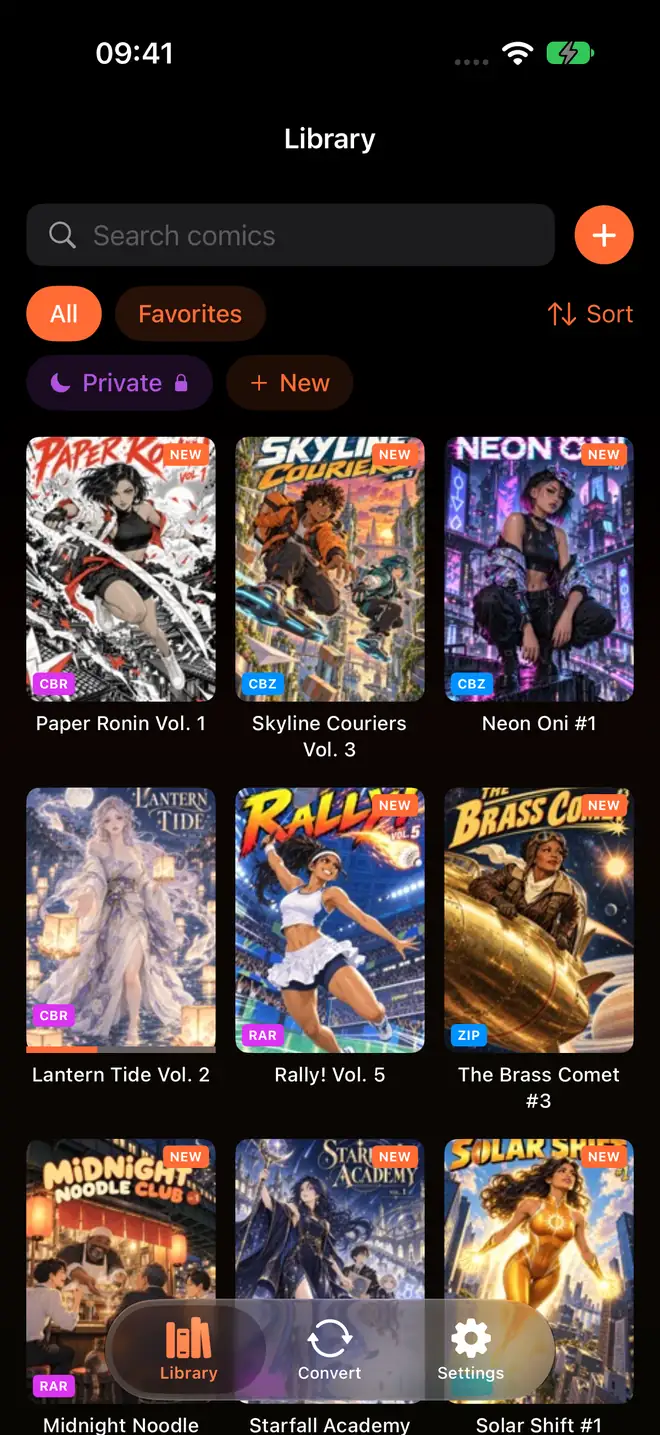
ComicFlow imports CBZ, CBR, ZIP, RAR and PDF. Tap the orange + next to the library search field and pick files from the Files app, or send a whole folder from your computer with Wi-Fi Upload in Settings, then Sources. If you save new purchases to an iCloud Drive folder, add it as a watch folder in the same place and ComicFlow picks up anything new on its own.
Each file is copied into ComicFlow's own library on your device. Reading needs no account and no connection, so it works the same in airplane mode, and nothing about it depends on the store you bought from.
A few things that matter once the files are yours:
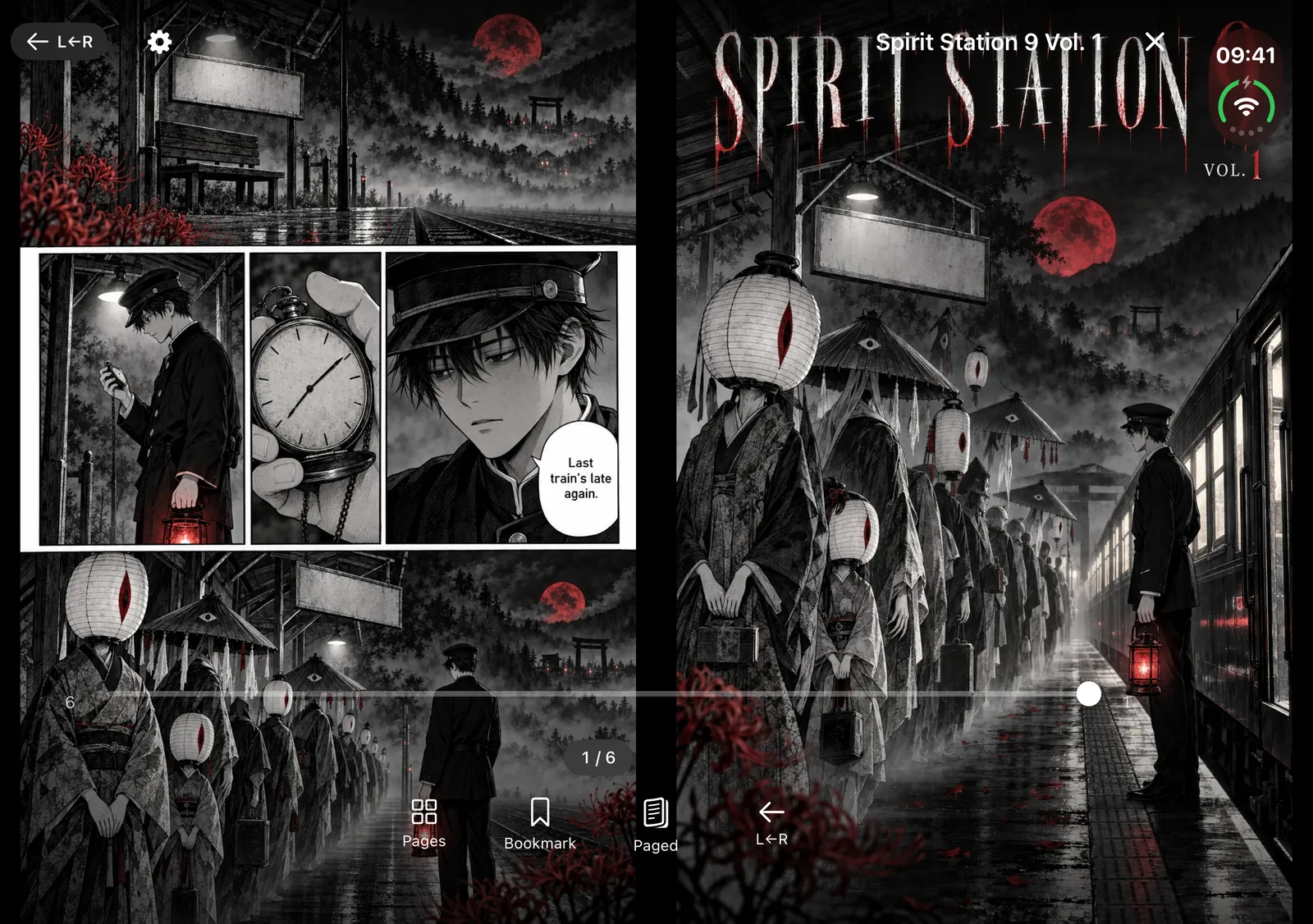
- Screenshots work. ComicFlow does not block them, so a panel you love goes to Photos like any other screenshot.
- Manga reads right to left. Set Reading Direction to Right to Left (Manga) in the reader settings. Reading manga right-to-left on iPhone has the details.
- Two pages on iPad. With Page Layout on Auto, ComicFlow shows a two-page spread whenever the screen is wide enough. See reading comics on iPad.
- A real spread on iPhone Duo. Closed, the Duo shows one page on the outer screen. Open it like a book and you get two pages, one on each side of the fold, with the crease in the gap between them. Reading manga on iPhone Duo covers the setup.
Keep a copy outside any app #
Owning the file only helps if you keep it. Leave the originals in iCloud Drive (the watch folder does this for you) and put a second copy on a computer or an external drive. A download page is still someone else's website, and a creator shop can close one day. Backing up your digital comic collection has a simple setup.
What it costs #
ComicFlow is $2.99 on the App Store, once. That includes importing CBZ, CBR, ZIP, RAR and PDF, Wi-Fi Upload, watch folders, right-to-left reading, two-page spreads on iPad and iPhone Duo, collections and conversion to PDF or CBZ. There are no ads or ad tracking. It sends anonymous usage analytics that you can switch off in Settings, then Privacy, then Share Usage Data, and that switch starts off in the EU, EEA, UK and Switzerland. The privacy policy lists what it covers.
ComicFlow Pro is an optional $6.99 one-time unlock, not a subscription. It adds Komga, Kavita and OPDS servers, Face ID-locked collections, reader presets, themes and alternate app icons. You do not need it to read the comics you buy.
If you stay with the Marvel Comics app, that is fine too. Plenty of people will. Just keep in mind that the comics you can still read in ten years are the ones you have as files.
Related reading #
- Where to find DRM-free comics: publishers and stores that sell comics as files
- Where to buy DRM-free manga: the manga side, store by store
- A comic reader app with no subscription: what you get for a one-time price
- Read comics offline on iPhone and iPad: an offline setup that lasts
Frequently asked questions
When does Marvel Unlimited shut down?
Marvel's sunset FAQ says Marvel Unlimited stopped taking new sign-ups on October 5, 2026. From December 7, 2026 you can no longer read comics in it, you can still browse your library until December 21 to check your import, and the app is removed on December 28. Its replacement, the Marvel Comics app operated by WEBTOON, launched on November 16, 2026.
Does the new Marvel Comics app allow screenshots?
Not really. Bleeding Cool tested it on launch day and found that taking a screenshot in the app shows a warning and kicks you out of the comic you were reading.
Can ComicFlow open comics from the Marvel Comics app or Marvel Unlimited?
No. Those comics are locked to Marvel's app and stay there. ComicFlow reads files you own, such as CBZ, CBR, ZIP, RAR and PDF comics bought DRM-free, scanned from your own shelf, or made by a creator who sells them as downloads.
Where can I buy comics and manga as files I keep?
Humble Bundle and Fanatical sell comic and manga bundles as downloads. Sweet Shop, a comics app that opened to the public in September 2026, offers a PDF backup download for its DRM-free issues. BOOTH, Gumroad and Panels Store sell independent work as plain files with no DRM. Check each product page before you buy, because formats and terms differ.
Do I need ComicFlow Pro to read DRM-free comics?
No. Importing CBZ, CBR, ZIP, RAR and PDF files, reading offline, right-to-left manga, two-page spreads on iPad and iPhone Duo, Wi-Fi Upload and watch folders are all included in the $2.99 app without Pro. The optional $6.99 one-time Pro adds comic servers, Face ID-locked collections and reader presets.