
If your manga collection lives on a NAS or an old PC, you have probably looked at Komga and Kavita. They are the two servers most manga readers end up choosing. Both are free, both are open source, and both turn a folder of CBZ files into a library you can browse from any device.
So which one should you run? It depends on what is in your folders and how you read. This guide compares them from a manga reader's point of view. It also shows how each one works on iPhone with ComicFlow, the manga and comic reader I build for iPhone and iPad.
Disclosure: I make ComicFlow at Applestan. ComicFlow works with both servers, so I have no reason to push you toward one of them. The ComicFlow behaviour below is checked against the app's source code for version 3.7. The server details come from the Komga and Kavita documentation and source code.

Short version: pick Komga if your library is mostly manga and comics in CBZ or CBR, and you want each series to open the right way round on its own. Pick Kavita if you also keep light novels in EPUB, or have files in formats like 7z, and you like a polished reader in the browser. ComicFlow reads from either one, so your choice of iPhone app does not have to decide it.
Komga vs Kavita at a glance #
| Komga | Kavita | |
|---|---|---|
| Price | Free, open source (MIT) | Free, open source (GPLv3), optional paid Kavita+ |
| Comic and manga files | CBZ, CBR, PDF | CBZ, CBR, ZIP, RAR, RAR5, 7z, raw images, PDF |
| Books | EPUB | EPUB, with highlights and notes in the web reader |
| Reading direction | A series field, read from ComicInfo.xml and shared with apps | Reading profiles per series or library, for Kavita's own reader |
| How it groups manga | One file is one book in a series | Volumes and chapters, read from file names |
| Kobo Sync | Yes, for EPUB books | Yes, for EPUB books (since 0.9.2) |
| KOReader sync | Yes | Yes |
| OPDS | v1 and v2 | Yes |
| Default port | 25600 | 5000 |
| In ComicFlow | Stream, download, sync, opens manga right to left on its own | Stream, download, sync, you set right to left once per series |
Kobo Sync on both servers only covers EPUB for now, so it helps with light novels more than manga. To get a manga volume onto a Kobo, ComicFlow Pro can send it as EPUB.
What both servers do well #
Before the differences, the good news. For most manga readers, either server is fine.
Each one scans your folders and builds a library with covers, series pages and search. They run on Windows, macOS, Linux and in Docker, which is how most people run them on a Synology, QNAP or UGREEN NAS. You can add users, so your partner or a friend gets their own account and their own reading progress.
Your place in every book is saved on the server. Collections and reading lists are there on both, and so is import of ComicRack reading lists in CBL format. KOReader sync works with either server, so an e-reader running KOReader can keep its place in step. Each can also stand in for Kobo's own servers and sync EPUB books to a Kobo e-reader.
Where Komga is the better fit #
Your manga opens right to left without you touching anything. Komga stores a reading direction for every series. If your CBZ files carry a ComicInfo.xml with the Manga field set to "YesAndRightToLeft", Komga sets the series to right to left when it imports that metadata. You can also change it by hand in the series' metadata. Apps can read this field over Komga's API, and ComicFlow does. Every volume of that series opens the right way round.
The same field covers webtoons. A Komga series set to Vertical or Webtoon opens in ComicFlow's vertical scroll mode.
One file is one book. Komga keeps it simple. Each CBZ is a book, and each folder is a series. If your manga is already sorted as one file per volume in one folder per series, it looks right straight away.
API keys. You can create an API key in your Komga account and use it in apps instead of your password.
Where Kavita is the better fit #
More file types. Kavita reads 7z archives and loose image files, not only CBZ, CBR and PDF. If some of your older downloads are in odd formats, Kavita will probably take them as they are.
Volumes and chapters. Kavita reads volume and chapter numbers from file names and groups them inside a series. If your manga is a pile of chapter files, Kavita shows them in order under their volumes.
Light novels. Kavita's EPUB reader in the browser is strong, with highlights and notes. If you read the light novel of a series next to the manga, Kavita keeps both in one place.
Reading profiles. In Kavita's own web reader, you can bind reader settings to a series or a whole library, for example right to left for your manga library. These profiles apply to Kavita's reader. ComicFlow does not read them, so in ComicFlow you set the direction once per series instead.
Kavita+. This is an optional paid subscription from Kavita's developer. It adds metadata, reviews, recommendations and scrobbling to services such as AniList. You do not need it, and it has nothing to do with ComicFlow.
How each one works in ComicFlow on iPhone #
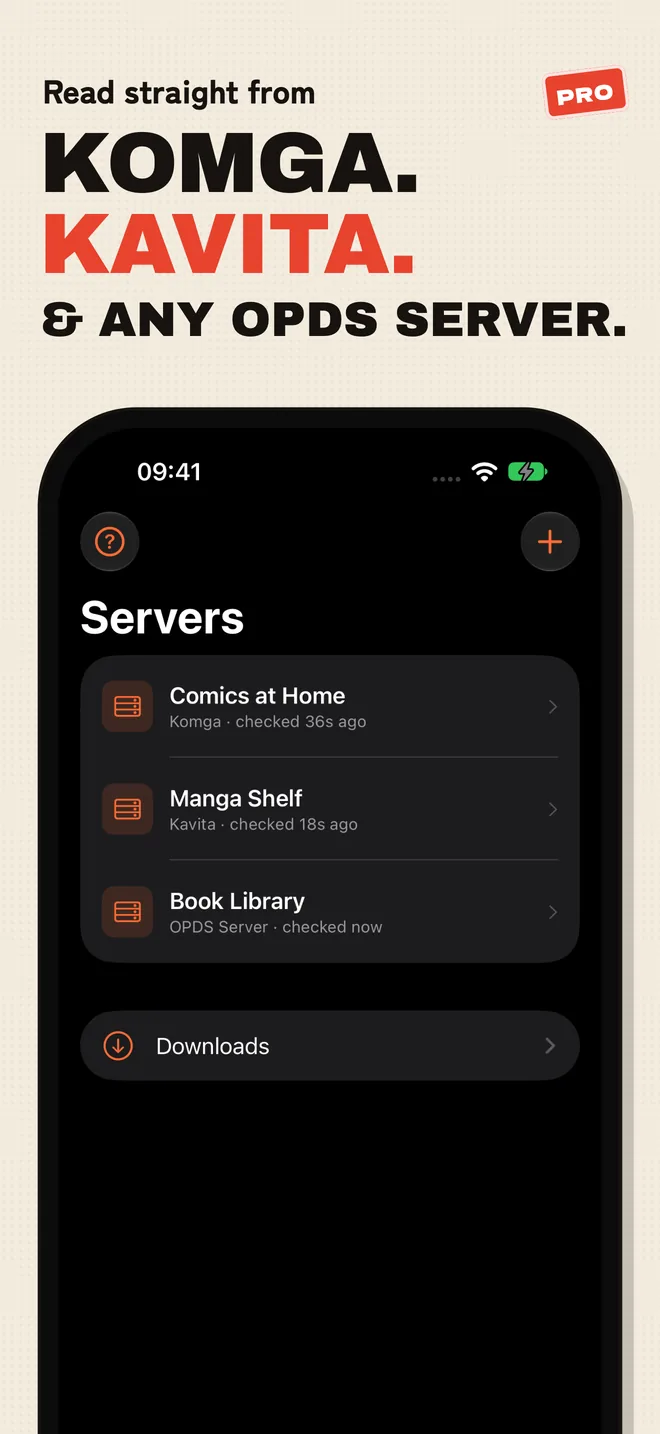
ComicFlow has a Servers tab. Tap the plus button, type your server's address and sign in. ComicFlow detects whether it is talking to Komga or Kavita on its own.
Komga #
Type the address with Komga's port, for example nas:25600 for a NAS called nas. Sign in with your Komga email and password, or with an API key from your Komga account.
Your Komga user needs the Page Streaming role to stream pages. If it is missing, ComicFlow tells you which role to add. A series marked right to left in Komga opens right to left in ComicFlow, and a downloaded copy keeps that direction offline.
Kavita #
Type the address with Kavita's port, for example nas:5000. Sign in with your Kavita user name and password, or paste the OPDS link from Kavita's settings. To download volumes to your iPhone, your Kavita user needs the Download role. ComicFlow shows that in the error if it is missing.
ComicFlow cannot read a series direction from Kavita, so Kavita's reading profiles do not carry over. Open the first volume, tap the direction button in the reader and switch to right to left. ComicFlow remembers that for the whole series, so the next volume opens the same way.
What you get with either server #
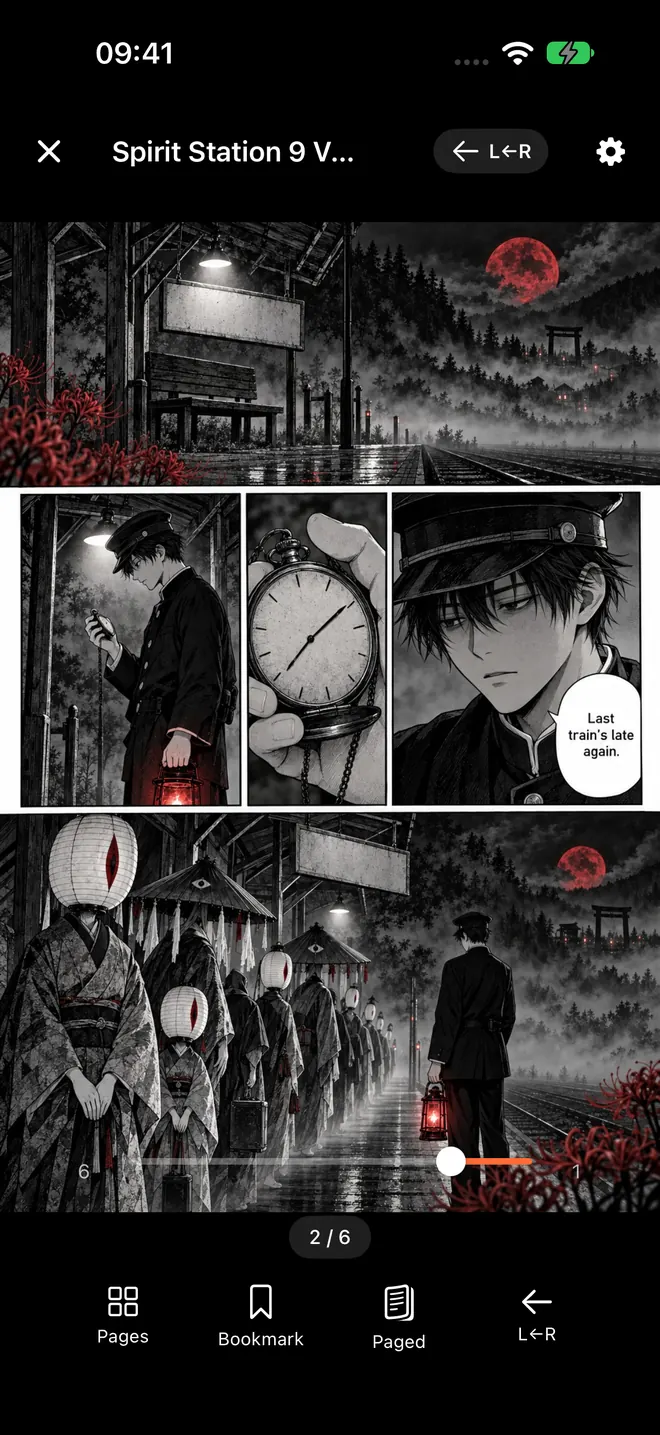
- Streaming. Open a volume straight from the server without downloading it.
- Downloads. Download one volume, a whole series or only the unread books, and read them offline.
- Keep Downloaded. For a series or a reading list, ComicFlow keeps the next unread volumes on your iPhone and can delete the ones you have read.
- Synced progress. Your page syncs both ways with the server, for streamed and downloaded books. Read a chapter on the iPhone and pick it up in the server's web reader.
- Next volume. When you finish a book, the next one in the series is one tap away.
- KOReader. Downloaded books can also sync with KOReader. On Komga, the user needs the KOReader Sync role and the library needs file hashing for KOReader turned on.
One limit applies to both. ComicFlow reads CBZ, CBR, ZIP, RAR and PDF, and it does not open EPUB. Your light novels stay in the server's web reader.
Reading away from home #
Both servers live on your home network. To reach them on the train or at work, most people use Tailscale, a private network between your own devices. ComicFlow connects to home network and Tailscale addresses over plain HTTP, so you do not need to set up certificates first.
If you know you will be offline, download the next volumes before you leave. Keep Downloaded can do it for you, so the next volume is already on the phone.

So which one should you run? #
- Mostly manga and comics in CBZ or CBR, one file per volume: Komga. Series open right to left on their own, and the setup is simple.
- Manga plus light novels in EPUB: Kavita. Its EPUB reader is the better one, and manga still reads well.
- Lots of chapter files or 7z archives: Kavita. It groups chapters under volumes and takes more formats.
- Not sure: try both. They are free, and in Docker each one takes a few minutes to start. Point both at the same manga folder and keep the one you like. ComicFlow can hold more than one server, so you can test them side by side.
You also do not need a server at all to read manga from a NAS. A plain network share and a ComicFlow watch folder work without Pro. How to read manga from your NAS on iPhone shows both routes.
What it costs #
Komga and Kavita are free. ComicFlow is $2.99 on the App Store, once, with no ads.
Reading from Komga, Kavita or any OPDS server is part of ComicFlow Pro, an optional $6.99 one-time unlock. It is not a subscription. You can enter your server and tap Test before you buy Pro, so you know it connects first. Pro also adds EPUB export for Kobo, Boox, reMarkable and PocketBook, Face ID-locked collections and saved reader presets.
Related reading #
- ComicFlow 3.7 release notes: Komga, Kavita and OPDS servers in ComicFlow
- How to read manga from your NAS on iPhone: a watch folder or a server
- KOReader sync on iPhone: keep your page between a Kobo and your phone
- Read your Calibre manga library on iPhone and iPad: if your manga lives in Calibre instead
- Manga filling up your iPhone storage?: keep only the next few volumes on the phone
- How to read manga on iPhone: RTL reading setup: reading direction for files on your device
Frequently asked questions
Is Komga or Kavita better for manga?
Both work well for manga. Komga is the better pick if you want each manga series to open right to left on its own in your reading app, because it stores a reading direction per series and can take it from ComicInfo.xml. Kavita is the better pick if your library mixes manga with light novels in EPUB, or uses archive types like 7z, because it handles more formats and has a strong EPUB reader in the browser.
Are Komga and Kavita free?
Yes. Both are free and open source, and you run them yourself on a computer or a NAS, often in Docker. Kavita also sells an optional subscription called Kavita+ for extra metadata and scrobbling, but the server itself is free.
Can I read Komga or Kavita manga on iPhone?
Yes. ComicFlow connects to both on its Servers tab. You can stream a volume without downloading it, download volumes for offline reading, and keep your place in sync both ways with the server. Server reading is part of ComicFlow Pro, a one-time $6.99 unlock, and you can test the connection before you pay.
Will my manga open right to left from Komga or Kavita?
From Komga, yes, when the series is marked right to left. ComicFlow reads that setting and opens every volume of the series that way. ComicFlow cannot read a series direction from Kavita, so you switch the reader to right to left once on the first volume. ComicFlow remembers it for every other volume of that series.
Can I read light novels in EPUB from my server in ComicFlow?
No. ComicFlow reads comic and manga files such as CBZ, CBR, ZIP, RAR and PDF. It does not open EPUB. Read your light novels in the server's own web reader, which both Komga and Kavita have.
Is ComicFlow a subscription?
No. ComicFlow is a one-time $2.99 purchase with no ads. ComicFlow Pro, which adds Komga, Kavita and OPDS servers, is a separate one-time $6.99 unlock.