Measure the light,
then pick the plant.
Lay your phone flat where the pot will stand. Solspot reads the spot in lux, names the light honestly, and tells you what will actually live there.
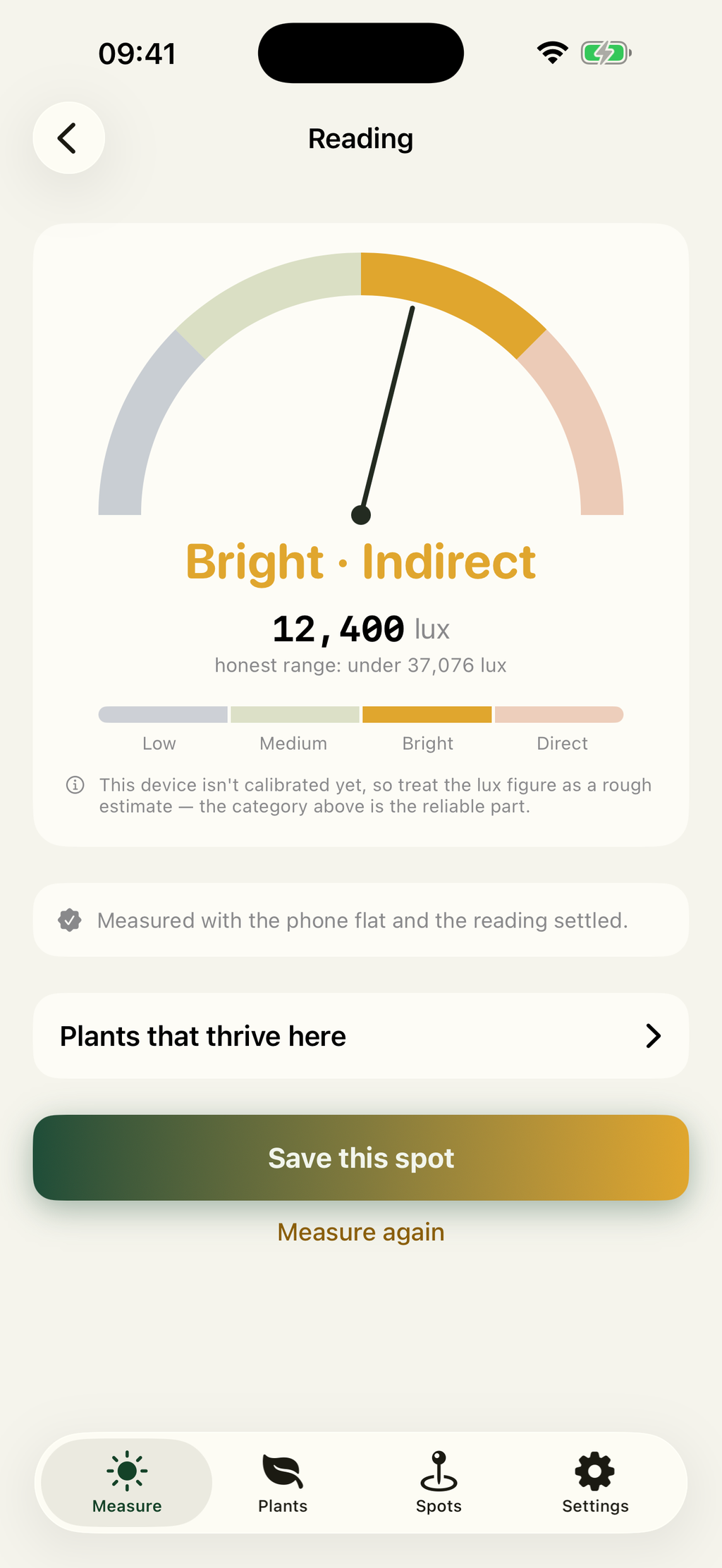
Solspot is a free plant light meter for iPhone and iPad that measures how much light a given spot in a home actually receives. It reads the exposure meter of the front camera and converts the result to lux, so no photo is captured at any point and the app has no viewfinder. Readings are sorted into four categories, Low below 2,500 lux, Medium from 2,500 to 10,000 lux, Bright Indirect from 10,000 to 20,000 lux, and Direct sun above 20,000 lux, and every reading carries the range the figure could honestly fall in. The measured category is then matched against a database of 100 houseplant species, each recording the light it prefers, tolerates and cannot survive, along with watering, difficulty, mature size and failure modes. Pet toxicity comes strictly from the ASPCA toxic and non-toxic plant lists and is marked unverified for species those lists do not name. Spots can be saved and measured again later, which matters because a windowsill in December is not the windowsill it was in June. The app runs fully offline with no account, ships in 10 languages including every pet-safety verdict, and is free with no subscription or in-app purchase. It is published by Navid Gooran, an independent iOS developer.
What Can Solspot Do?
It answers one question well: how much light does this spot get, and what will grow in it?
Measure the spot, not the plant
The phone lies flat where the pot will go, screen toward the light. It reads exposure metadata only, so no photo is taken and nothing is saved to your library.
An honest number
Every reading arrives with the range it could really be in, and says which part to trust. A phone is not a laboratory meter, and the app never pretends otherwise.
100 species, matched
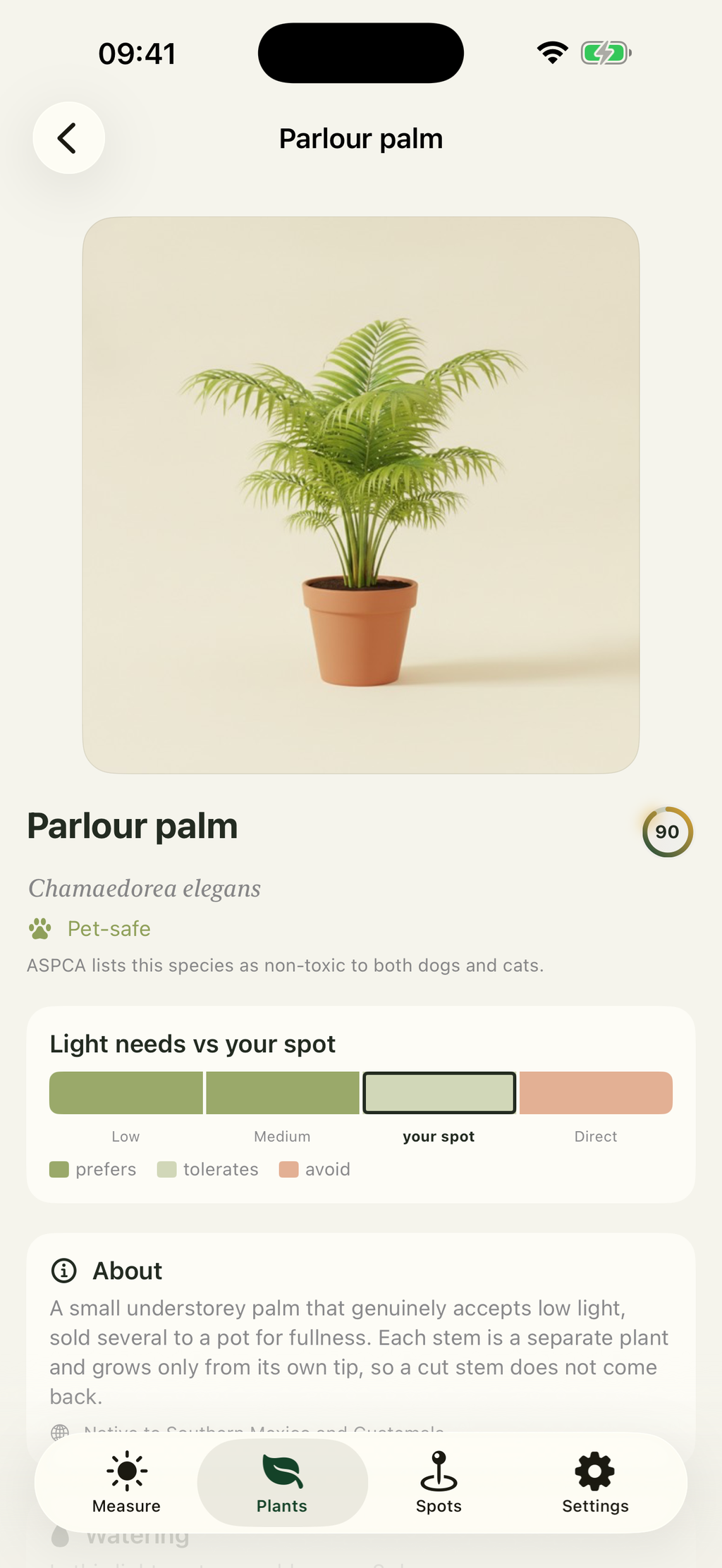
Each one records the light it prefers, tolerates and cannot survive, plus watering, difficulty, mature size and the two or three ways it usually dies.
Pet safety with a source
Verdicts come from the ASPCA lists and say so on the plant's page. A species those lists do not name is marked unverified, never assumed safe.
Spots you can re-check
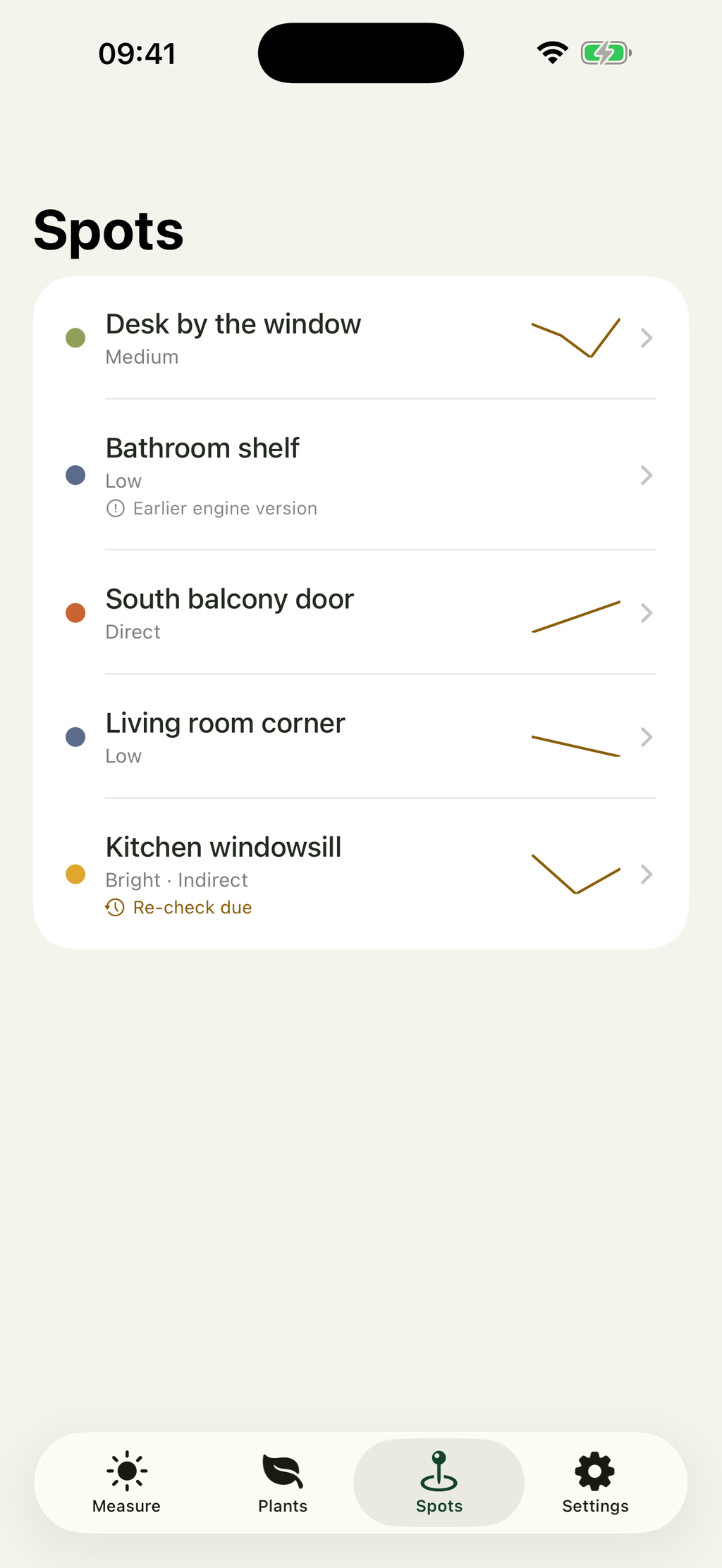
Save a windowsill and measure it again in February. The history shows the trend, and readings taken with an earlier engine version are labelled.
Offline, and in 10 languages
The species database and the maths both run on the device. The interface and every safety verdict are translated, not just the buttons.
Three Steps, About Twenty Seconds
No diffuser to buy and no calibration card to hold up.
Lay the phone flat
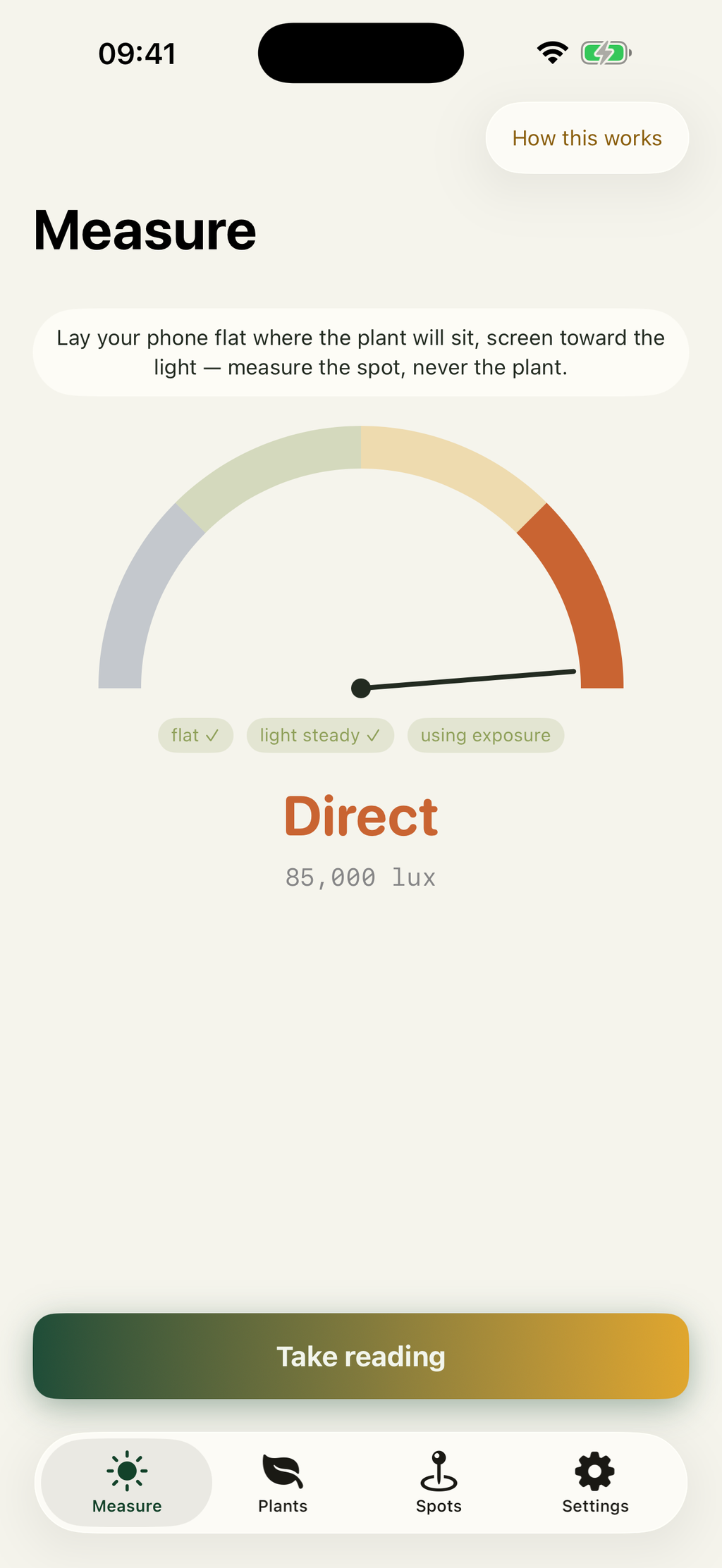
Screen up, where the pot will stand. The app waits until the phone is level and the light has settled, then unlocks the shutter. You are measuring the spot, never the plant.
Read the category
Low, Medium, Bright Indirect or Direct, with the lux figure and the range it could honestly fall in. The category is the answer, and the number is context.
See what grows there
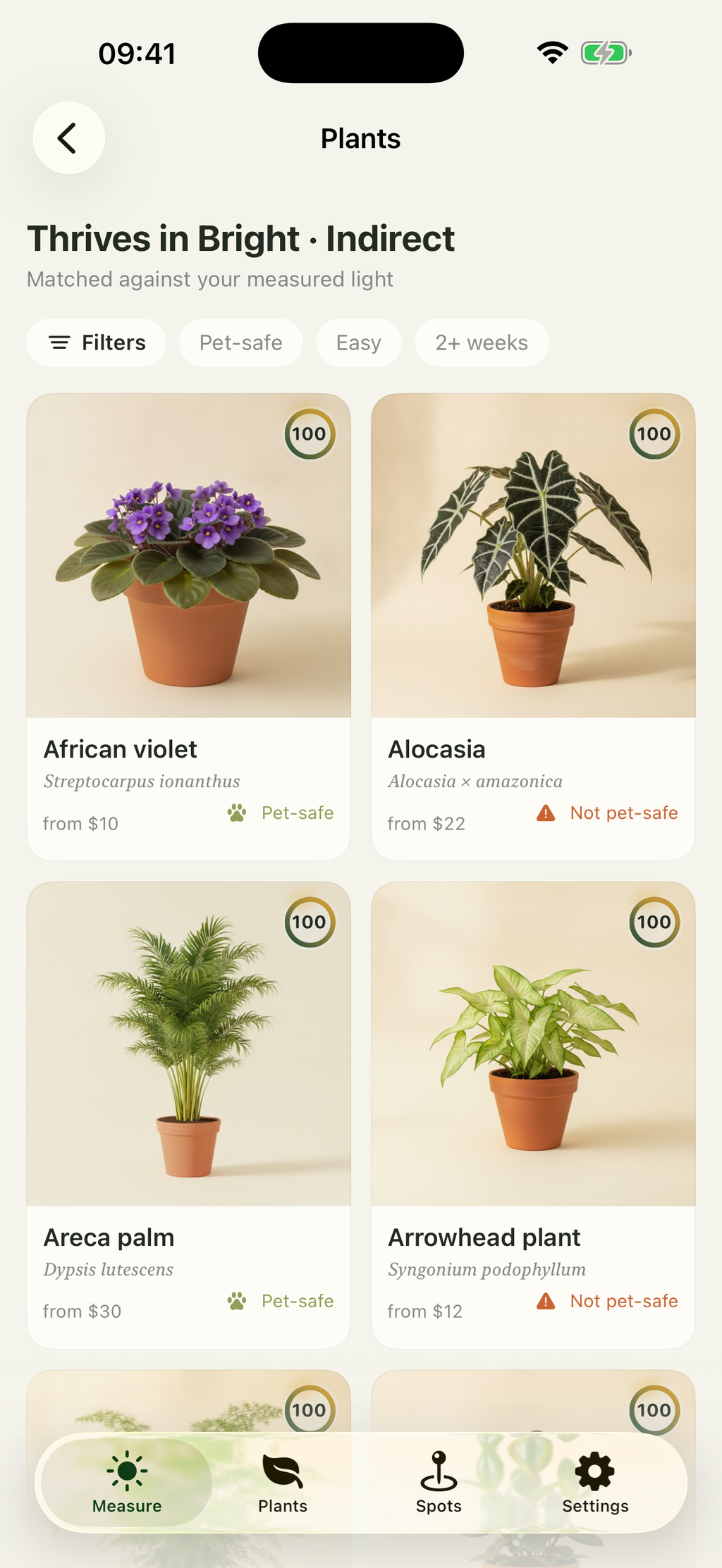
The species that suit that light, narrowed by pet safety, difficulty or how often they want watering. Tap through to a shop if you want to buy one.
What Do The Categories Mean?
Indoor light is much dimmer than it looks, because your eyes adapt to it and a meter does not. These are the real bands.
Low
Most rooms away from a window, and most rooms under lamps. Snake plants and pothos are happy here.
Medium
A few steps from good glass, or a bright room on an overcast day. Where most houseplants do best.
Bright Indirect
Right at unobstructed glass without sun falling on the leaves. Rarer indoors than the phrase suggests.
Direct
Sun landing on the spot itself. Great for cacti and succulents, and a slow burn for a fern.
See It In Action
A gauge instead of a viewfinder, because the screen faces the ceiling while it reads.
What Solspot Won't Tell You
The app ships a screen listing its own limits. A tool that hedges its numbers for good reasons looks broken until it explains itself.
Laboratory accuracy
A phone camera is not a calibrated lux meter. The category is the part to trust, and the lux figure always comes with the range it could really be in.
Light past the sensor's limits
A very dim room and full midday sun both push the exposure meter to one of its ends. Solspot says so instead of inventing a number.
Grow-light spectra
It measures how bright a spot is, not the colour mix an LED panel emits. A grow light and a window can read alike and grow differently.
The days you didn't measure
A windowsill in June is not the same windowsill in December, which is why a spot is something you save and re-measure.
Who Is Solspot For?
Anyone who has killed a plant by putting it in the wrong place.
Before you buy
Measure the shelf first, then shop for something that suits it
Moving a sad plant
Compare two spots and find out which one is actually brighter
Homes with pets
Filter to species the ASPCA lists as non-toxic to cats and dogs
New flat, new light
Work out what each room can support before filling it
Winter check
Re-measure saved spots when the sun drops and days get short
Learning the scale
See how big the gap really is between a bright room and outdoors
How Much Does Solspot Cost?
Nothing. Light readings are the whole point of the app, so they are not the thing to charge for.
The whole app, with nothing held back.
- Every reading, including direct sun
- All 100 species and their care detail
- Every filter, including pet safety
- Unlimited saved spots and history
- No subscription and no in-app purchase
- No ads anywhere in the app
Find Out What Your Windowsill Can Grow
Solspot is in the last stretch before release. The support page has the answers to most questions about how the measurement behaves.
Read the Support Page