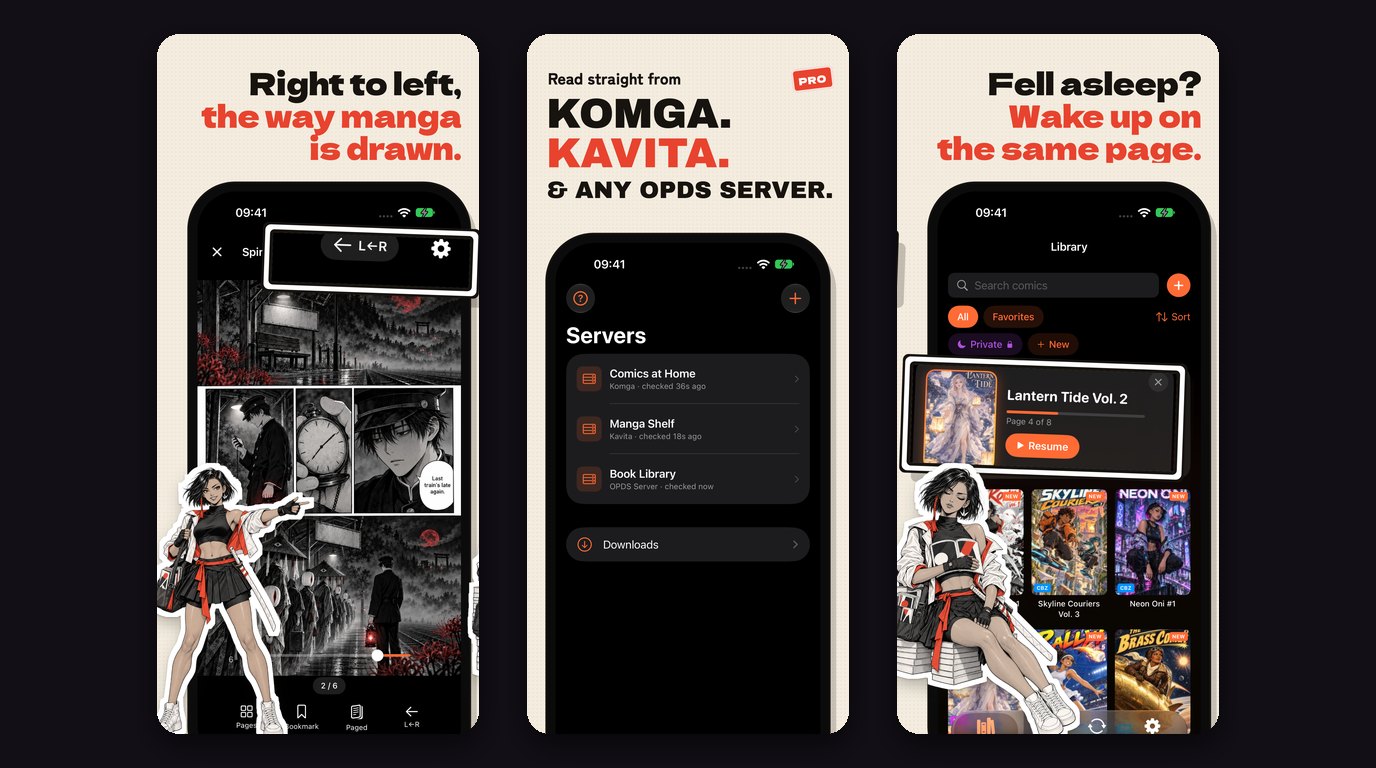
ComicFlow 3.0 is out. It's the biggest update since the app shipped, and it answers the two requests that came up most often in App Store reviews and emails: "can I get my comics onto my Kobo," and "can I hide a few of these from people who pick up my phone."
The short version: the $2.99 app stays fully featured and now includes CBZ export. A new optional Pro unlock adds e-reader export, Face ID-locked collections, and saved reader presets. No subscription, anywhere. Here's what changed and why.

Included for everyone: CBZ export #
Until now, the converter only produced PDF. PDF is great for sharing and for Apple Books, but it's not what most other comic readers want. CBZ is the native format for apps like KOReader and the readers built into Kobo and Boox.
So 3.0 adds CBZ as a second export format, included for everyone, no Pro needed. Convert a CBR to CBZ to clean up a messy archive, or repack a folder of images into a single file your other apps understand. It's a repack, not a re-encode, so there's no quality loss. Everything else about conversion is unchanged: three PDF quality levels, batch mode, and it all runs on your device with nothing uploaded.
ComicFlow Pro #
The three bigger features ship behind a one-time Pro unlock ($6.99). I'll explain the pricing reasoning further down, but first, what you get.
Send comics to your e-reader #
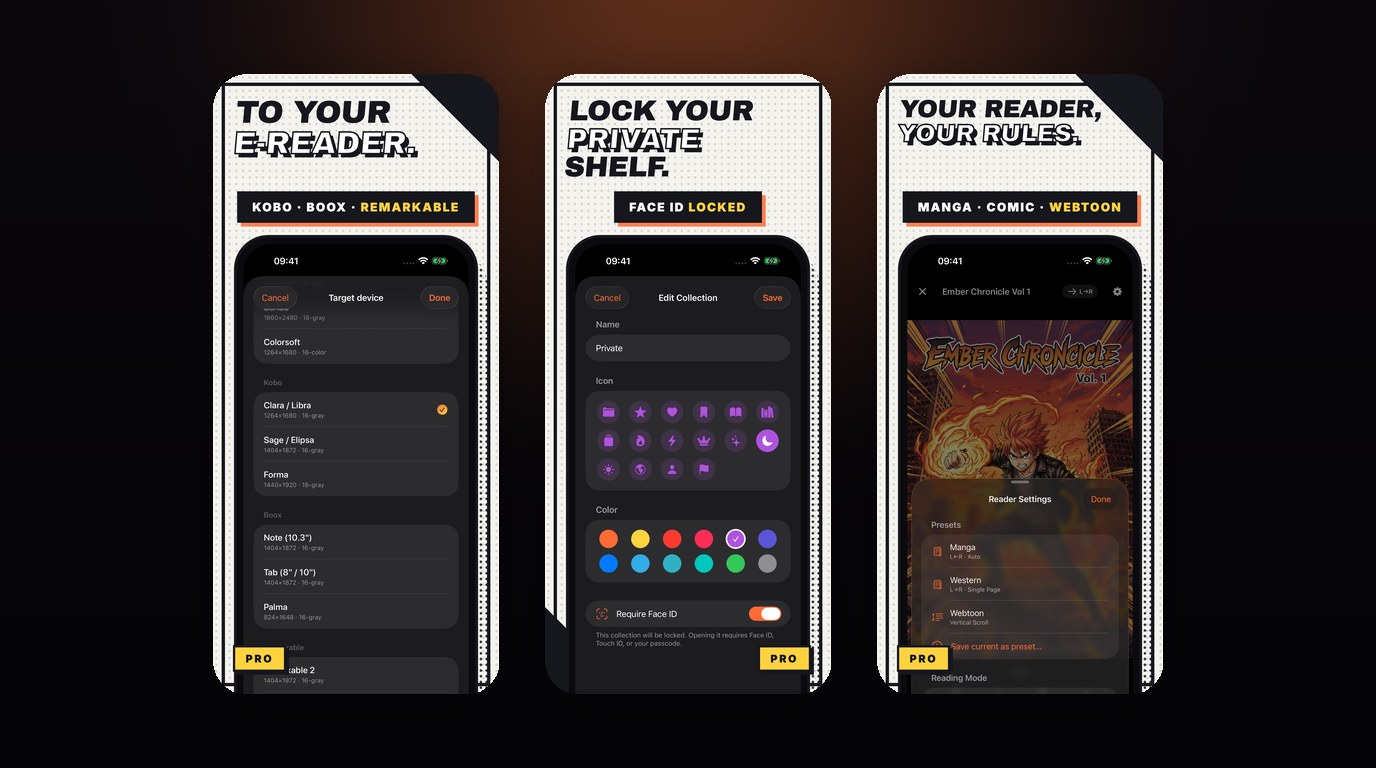
This is the feature I most wanted to build. ComicFlow Pro exports any comic to EPUB tuned for a specific e-reader, with device profiles for Kobo, Boox, reMarkable, and PocketBook. Pick your device and the export matches its screen: the right resolution, grayscale where it helps, and e-ink image optimization so pages look sharp on electronic paper instead of washed out.
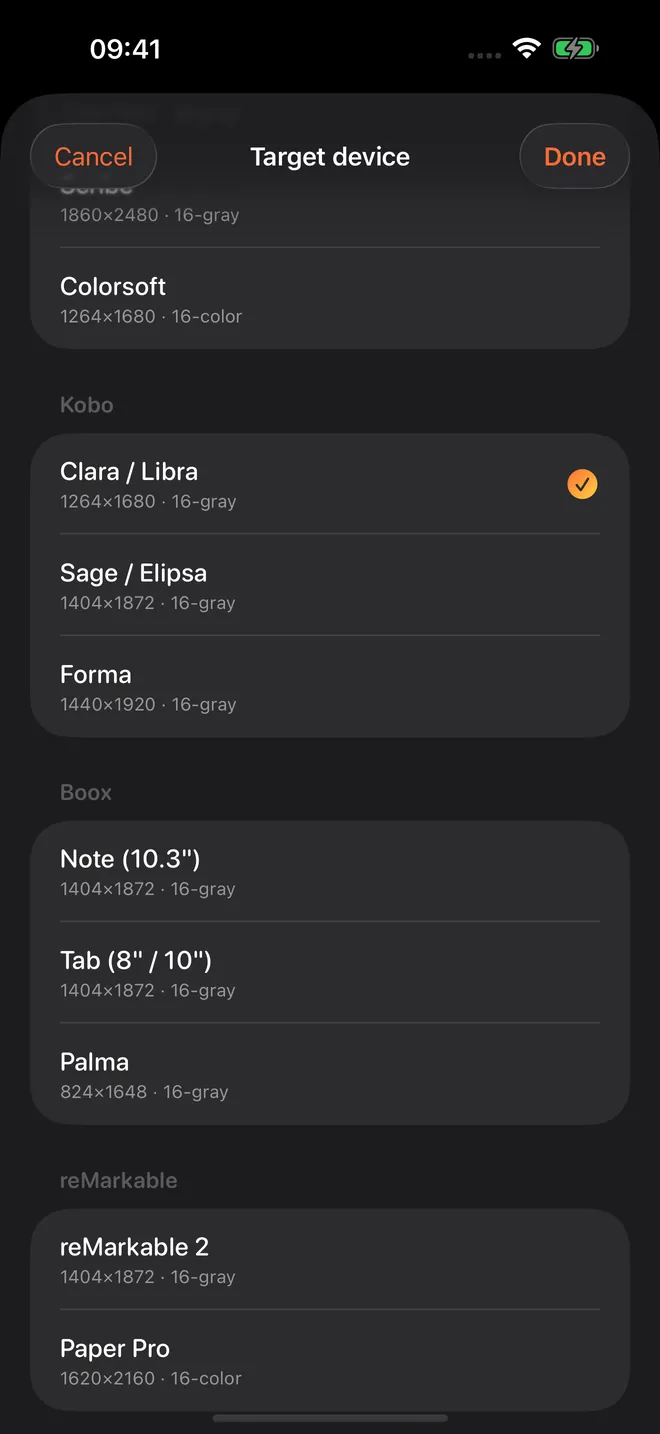
You can browse the device profiles and set up the whole export without Pro. The Pro unlock only applies at the final export step, so you can see exactly what you're getting before deciding.
One honest caveat: Kindle does not read sideloaded EPUB directly. There's no app on iOS that can change that. So for Kindle owners, the app points to the Calibre route (EPUB to AZW3 over USB) rather than pretending it works. If you have a Kobo, Boox, reMarkable, or PocketBook, it's a direct transfer.
Lock private collections behind Face ID #
The second-most-common request. Create a collection, turn on the lock, and it sits behind Face ID, Touch ID, or your device passcode. Hand someone your phone to show them a page and the rest of that shelf stays closed.
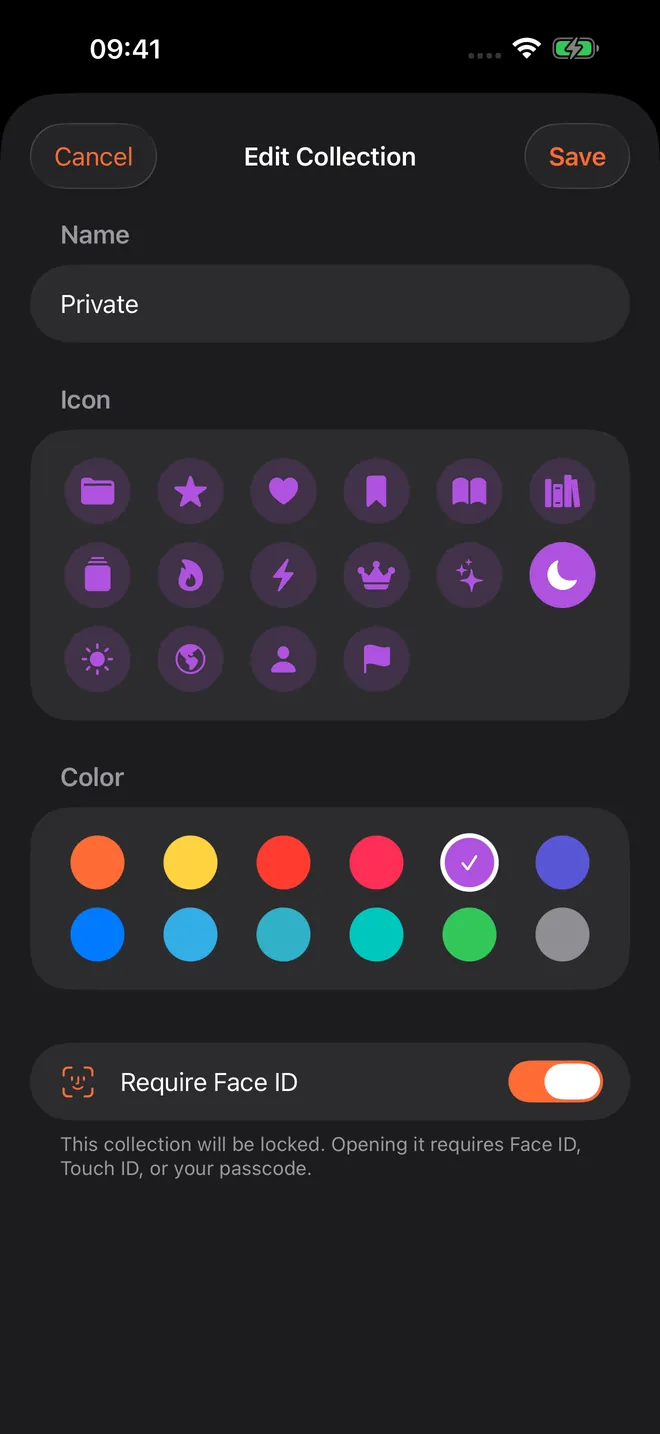
It uses the device's own authentication, so the app never stores or even sees your biometric data. Locked collections re-lock automatically the moment you leave the app, not after some timer, so nothing stays open in the background.
Reader presets #
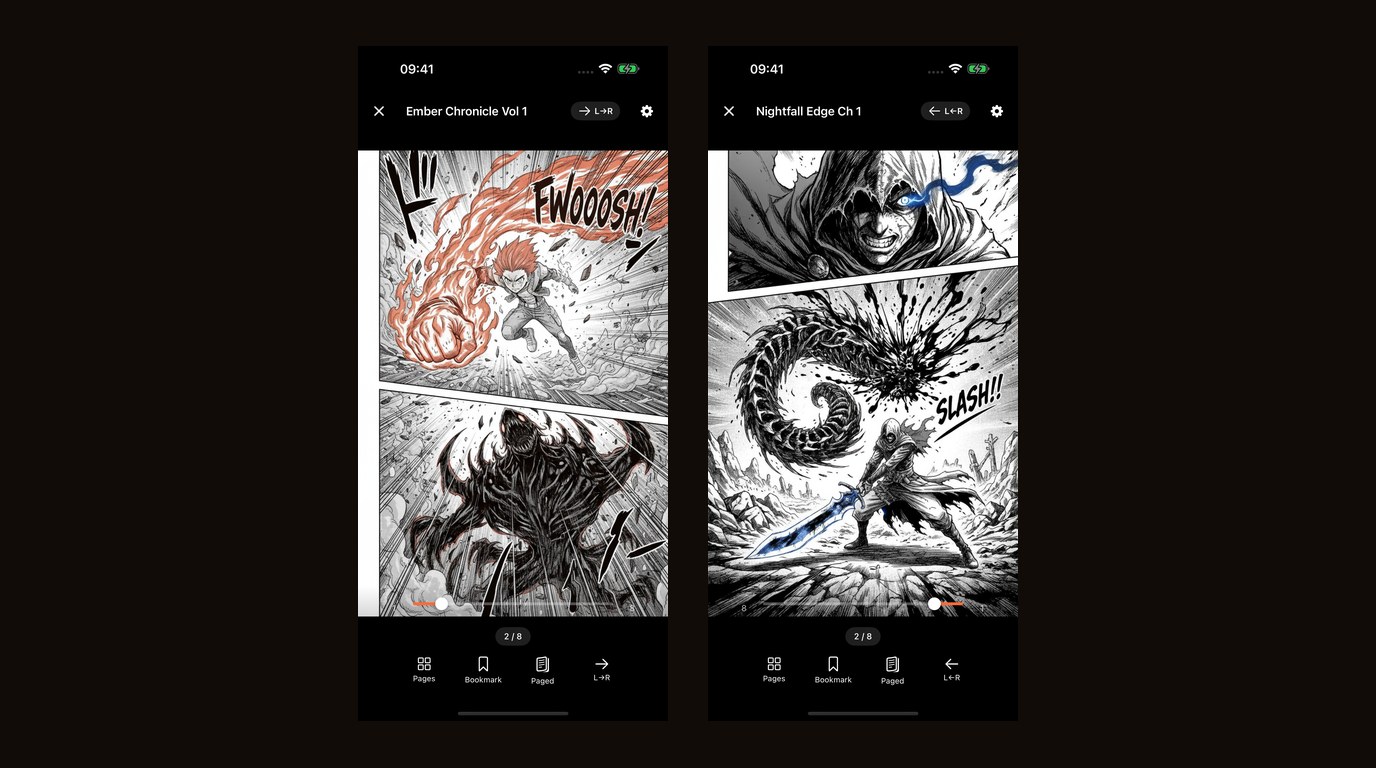
If you read more than one kind of comic, you know the annoyance: manga wants right-to-left and double pages, western comics want left-to-right single pages, webtoons want a vertical scroll that fits the width. Switching all of that by hand every time gets old.
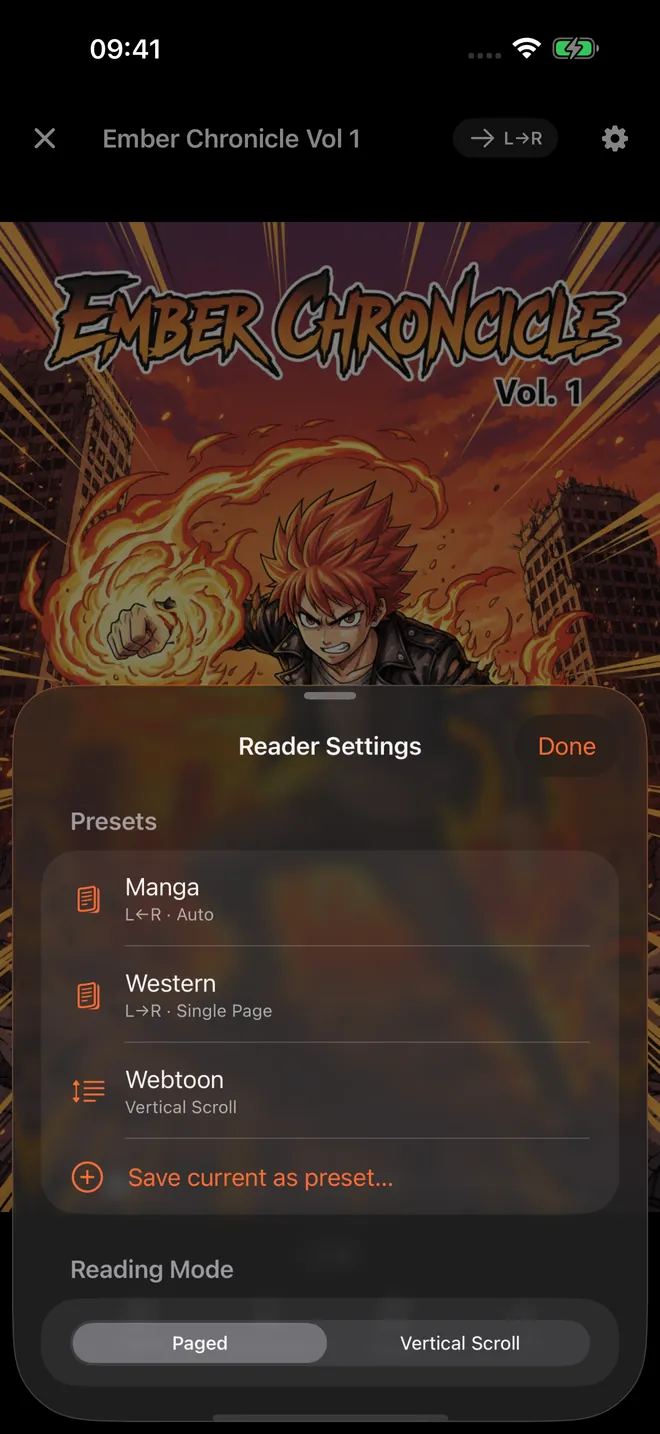
Presets save your reading setup (direction, layout, and fit) and let you switch in one tap. Manga, western, webtoon, ready to go.
Why a Pro unlock, and why it's still not a subscription #
ComicFlow has always been a one-time purchase with no ads or ad tracking. That doesn't change. The base app is still $2.99 and still does everything it did before, plus CBZ export.
The three new features are heavier to build and maintain than the core app, and they serve a narrower group: people with e-readers, people who want a private shelf, people juggling multiple reading styles. Putting them behind an optional one-time $6.99 unlock means the readers who want them fund them, and everyone else pays nothing extra and loses nothing. Buy Pro once and it's yours forever, including future updates. No subscription, because there's nothing recurring about reading a comic.
If you only ever read and convert, the $2.99 app is all you need. If you want to send a series to your Kobo on a Sunday afternoon, Pro is there.
Everything else #
3.0 keeps what the app already did: read CBR, CBZ, and PDF directly with the native reader, convert to PDF, batch conversion, the full library with collections, ratings, tags, notes, and bookmarks, automatic reading progress, eight languages, and optional iCloud sync. It all still works offline.
Related Articles #
- Why I Built ComicFlow: the story behind the app and the decisions that shaped it
- How to Read CBR and CBZ Files on iPhone and iPad: the setup guide for getting started
- How to Build a Manga Library on iPhone: organizing long-running series and the perfect reading setup
- ComicFlow app page: full feature list, screenshots, and App Store link