You hit record, start reading, and the playback shows someone looking just below the camera the whole time. Everyone who watches it can tell you are reading. The fix is mostly about where the words sit and how they move, and you can get most of the way there with the phone you already have.
Disclosure: I'm building Fold Cue, a teleprompter that records you. It has been in App Review since 7 October 2026 and comes out as soon as Apple approves it. It runs on any iPhone with iOS 26. The tips below work with any prompter app, and I point out where Fold Cue does something for you.
Why your eyes give you away #
The front camera sits at the top edge of the phone. Every line you read further down the screen pulls your eyes down with it, and at a normal distance even a few centimetres shows on camera. The viewer doesn't need to know why. They just feel that you are talking to something below them.
So the goal is simple. Keep the words you are reading right under the lens, and keep your eyes moving as little as possible.
Put the line you read right under the camera #
Most prompters scroll text up the whole screen, so you read wherever the line happens to be. Try to read only from the top quarter, as close to the camera as the text can go.
Short lines help more than you'd think. A wide line makes your eyes sweep left and right, and that shows too. Big text with a few words per line keeps your gaze in a small spot under the lens.
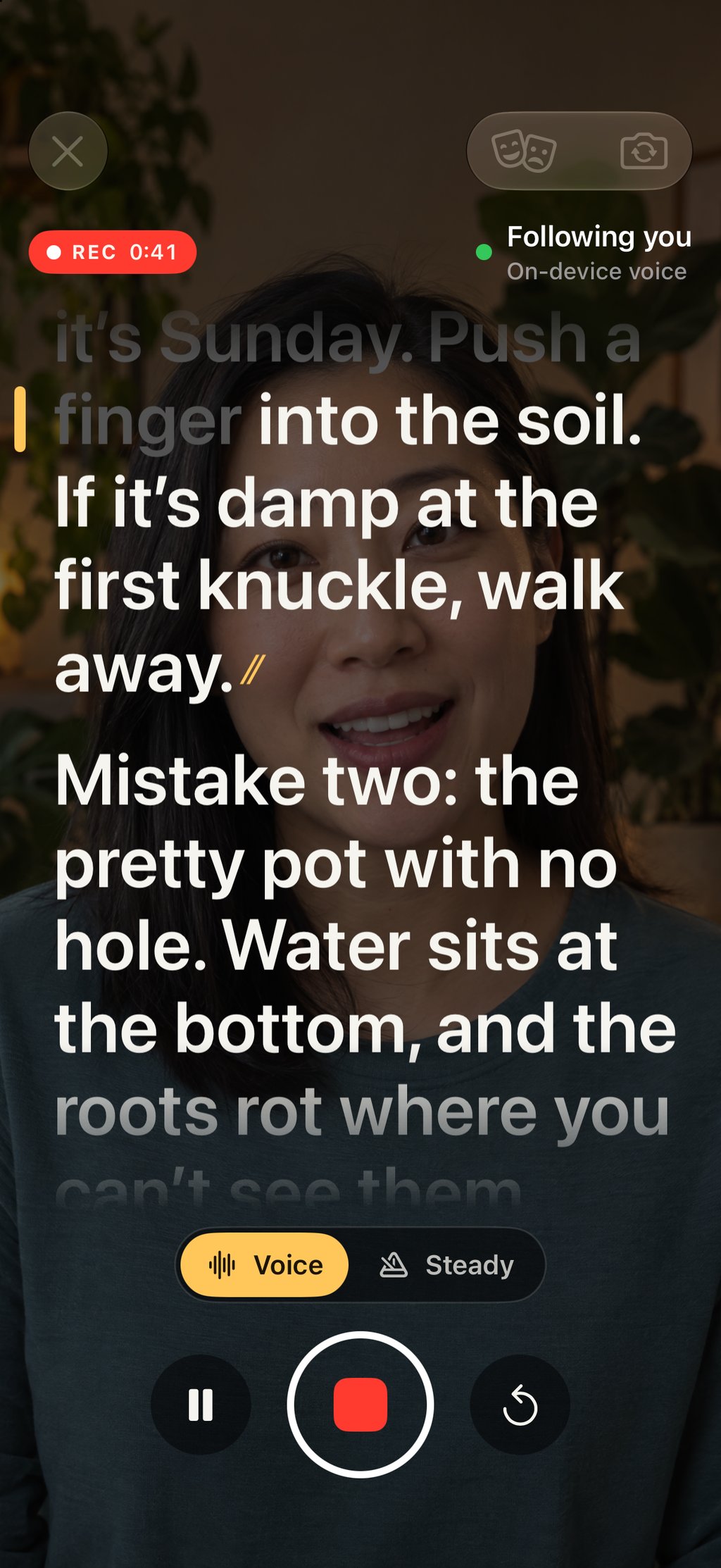
Fold Cue puts its reading line at the top, under the front camera, and moves the script by whole lines, so the line you read stays in the same place. Words you have already said turn grey. (The person in this screenshot is an AI-generated stand-in, because the iPhone simulator has no camera.)
Set the phone at eye level, about an arm's length away #
The further away the phone is, the smaller your eye movement looks on camera. An arm's length is a good start. Any closer and every line change shows.
Put the phone at eye level, on a small tripod or a stack of books. A phone on the desk films you from below, and your eyes look down to read on top of that.
Distance changes the text size you need. Fold Cue estimates how far away your face is and sets the text size before each take. It never changes it during a take, so the words don't jump while you read.
Stop racing the scroll #
A fixed-speed scroll is the main reason scripted videos sound rushed. You either speed up to keep up, or you stall and the text runs away from you.
A prompter that follows your voice turns this around. It scrolls as you speak and waits when you stop. You can pause, take a breath or add a sentence, and the script stays where you are. In Fold Cue the speech is recognised on your iPhone, so no audio or script leaves the phone. A status line always says whether it is following you or has lost its place, and a steady scroll is one tap away if you prefer a fixed pace.
You can also run the take with your voice. Say "cut" to save it, "again" to start over, "keep" to star it and "hold on" to pause the script.
Rehearse once before the real take #
Read the script out loud once without recording. You hear the sentences that are too long to say in one breath, and you find your pace.
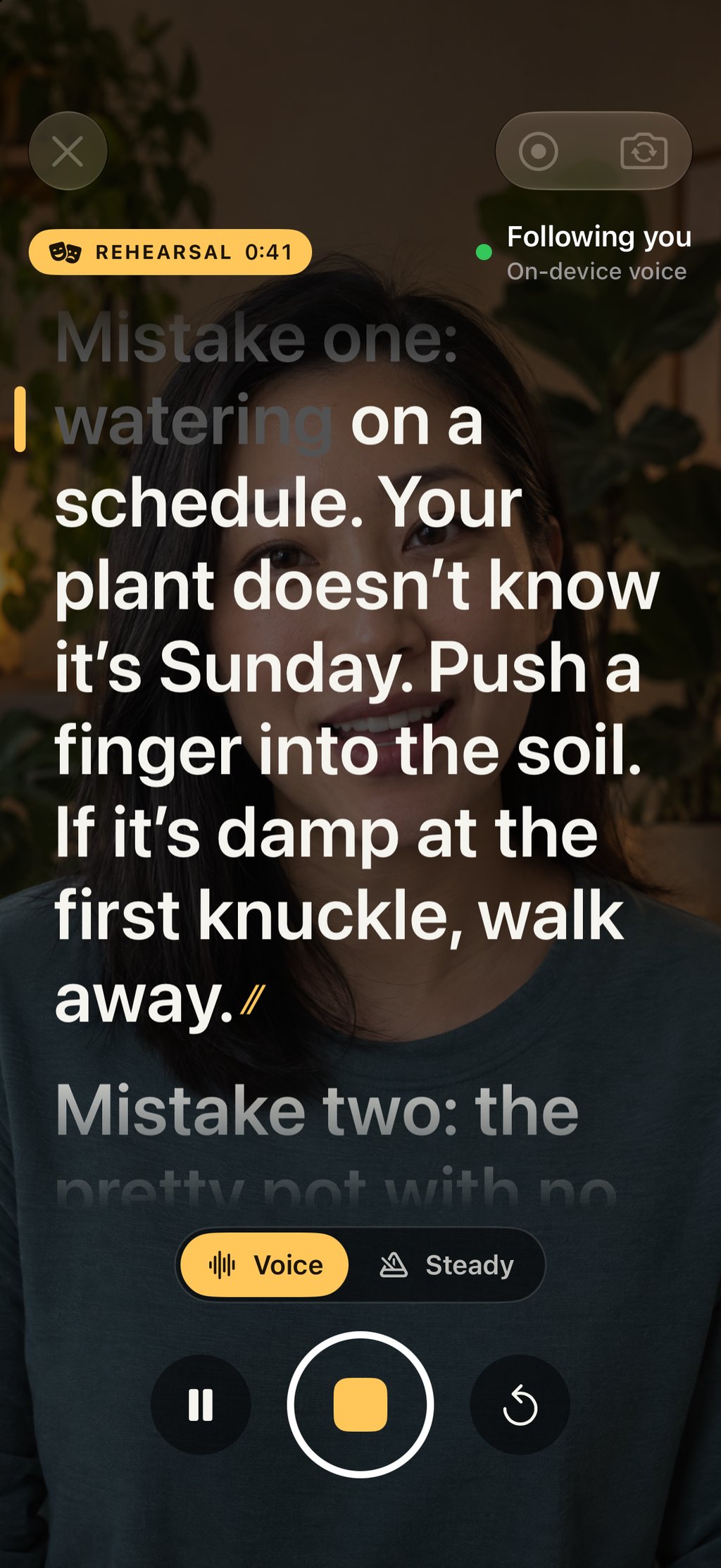
Fold Cue's rehearse mode is amber, not red, and records nothing. At the end it tells you your pace in words a minute. Most people speak somewhere around 130 to 160 words a minute to camera, so a much higher number usually means you are rushing.
Check the mic before you roll #
A muted or wrong microphone ruins a take you can't redo. Before each take Fold Cue waits until it can hear you, and only then starts the countdown. A picker lets you choose the microphone, AirPods and USB-C mics included.
On iPhone Duo, read on the outside and film with the back camera #
iPhone Duo has an outer screen on the same side as the back cameras. That changes the setup. You can stand it up with the backs toward you, read the script on the outer screen right next to the lens, and let the much better back camera film you.
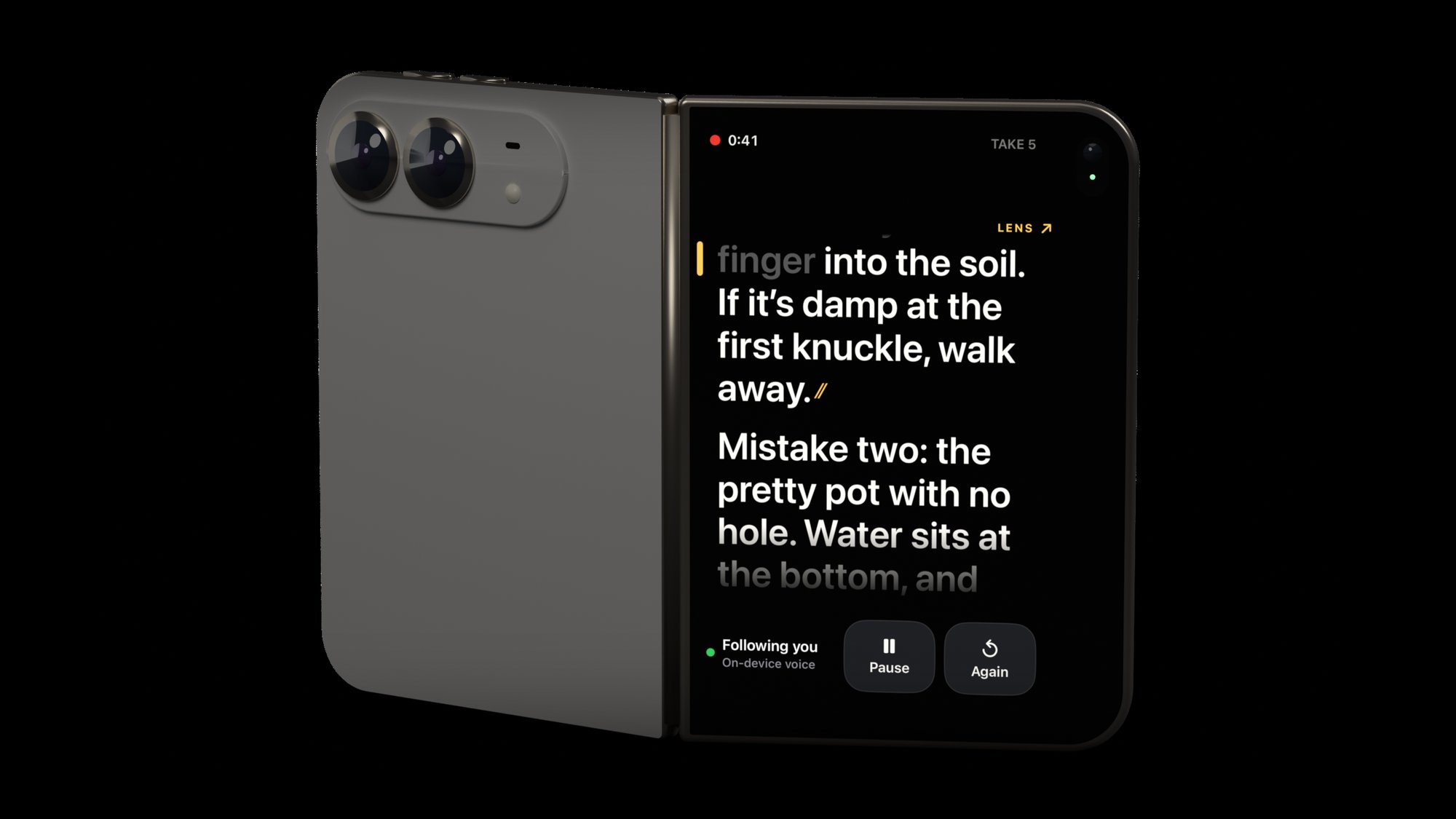
That's what Fold Cue is built to do on iPhone Duo. The script goes to the outer screen while the back camera records, and the inner screen becomes a director's view for whoever holds the phone. If you film yourself with the inner camera instead, the inner screen shows only the script, right under that lens.
To be clear about where this stands, the image above is a render, and everything Fold Cue does on iPhone Duo has only run in Apple's simulator so far. iPhone Duo goes on sale on 23 October, and I'll update this post after I've tested it on a real one.
A short checklist #
- Read from the top of the screen, as close to the lens as possible
- Large text, short lines
- Phone at eye level, about an arm's length away
- A prompter that waits for you, not one you have to chase
- One rehearsal out loud
- Check the mic before the first take
Fold Cue is free to film with. Scripts, voice follow, recording, spoken commands and export to Photos without a watermark are in the free app. One optional Pro purchase, $9.99 until 6 November 2026 and $14.99 after, adds captions, command trimming, take scoring, 4K, iCloud script sync and Final Cut Pro projects. See Fold Cue.