You're on a flight. No wifi, or the airline wants $15 for a connection that barely loads text. You open your comic reader app and... it needs to sync with a server. Your library won't load. The comics you paid for are locked behind an internet connection you don't have.
Cloud-dependent comic platforms work like this. Your comics live on someone else's server, and when you can't reach that server, you can't read. The alternative is simple: keep actual comic files on your device. CBR, CBZ, and PDF files that work whether you're on a plane, in a subway tunnel, or camping in a dead zone. ComicFlow is built around this idea. It's a 100% offline comic reader that stores everything on your iPhone or iPad with no accounts, no syncing, and no internet required.

Why Offline Comics Beat Cloud Libraries
Cloud-based comic services have obvious appeal. Large catalogs, automatic syncing, no storage management. But they come with trade-offs that matter when you're away from a connection:
No access without internet. Most subscription comic services require periodic license checks. If you haven't opened the app recently while connected, your downloads may not be available offline. Some services limit how many issues you can download at all.
Content disappears. Publishers pull titles from platforms regularly. That series you were halfway through? It might be gone next month. If you don't own the file, you don't own the comic.
Platform shutdowns. When ComiXology merged into Amazon's Kindle platform, readers lost features, interface preferences, and in some cases easy access to their libraries. If the platform changes or dies, your reading experience changes with it.
DRM restrictions. Downloaded comics from subscription services are DRM-locked. You can only read them in that specific app. You can't back them up, move them to another device freely, or switch apps.
Offline comic files avoid all of this. A CBZ or PDF on your device works in any compatible reader, with or without internet, forever.
What You Need for an Offline Comic Setup
Setting up a fully offline comic library on iPhone or iPad requires three things:
1. Comic files in compatible formats
The standard digital comic formats are:
| Format | What It Is | Best For |
|---|---|---|
| CBZ | ZIP archive of images | Most common DRM-free format |
| CBR | RAR archive of images | Older collections, torrents |
| Portable Document Format | Publisher downloads, conversions | |
| ZIP | Standard ZIP with images | Same as CBZ, different extension |
| RAR | Standard RAR with images | Same as CBR, different extension |
If you're buying DRM-free comics (from Humble Bundle, Image Comics, DriveThru Comics, or indie creators), you'll typically get CBZ and PDF options. If you have an older collection, you likely have CBR files.
2. A way to get files onto your device
You need to transfer your comic files from wherever they are (computer, cloud storage, downloads) to your iPhone or iPad. More on this below.
3. A reader app that works offline
Not all comic reader apps are truly offline. Some require accounts, some phone home for analytics, some need internet for certain features. You want a reader that works completely without a connection, including importing, organizing, and reading.
ComicFlow runs entirely on-device. You don't need to create an account or connect to the internet. Import a file and it's yours to read anywhere.
How to Get Comic Files on Your iPhone or iPad
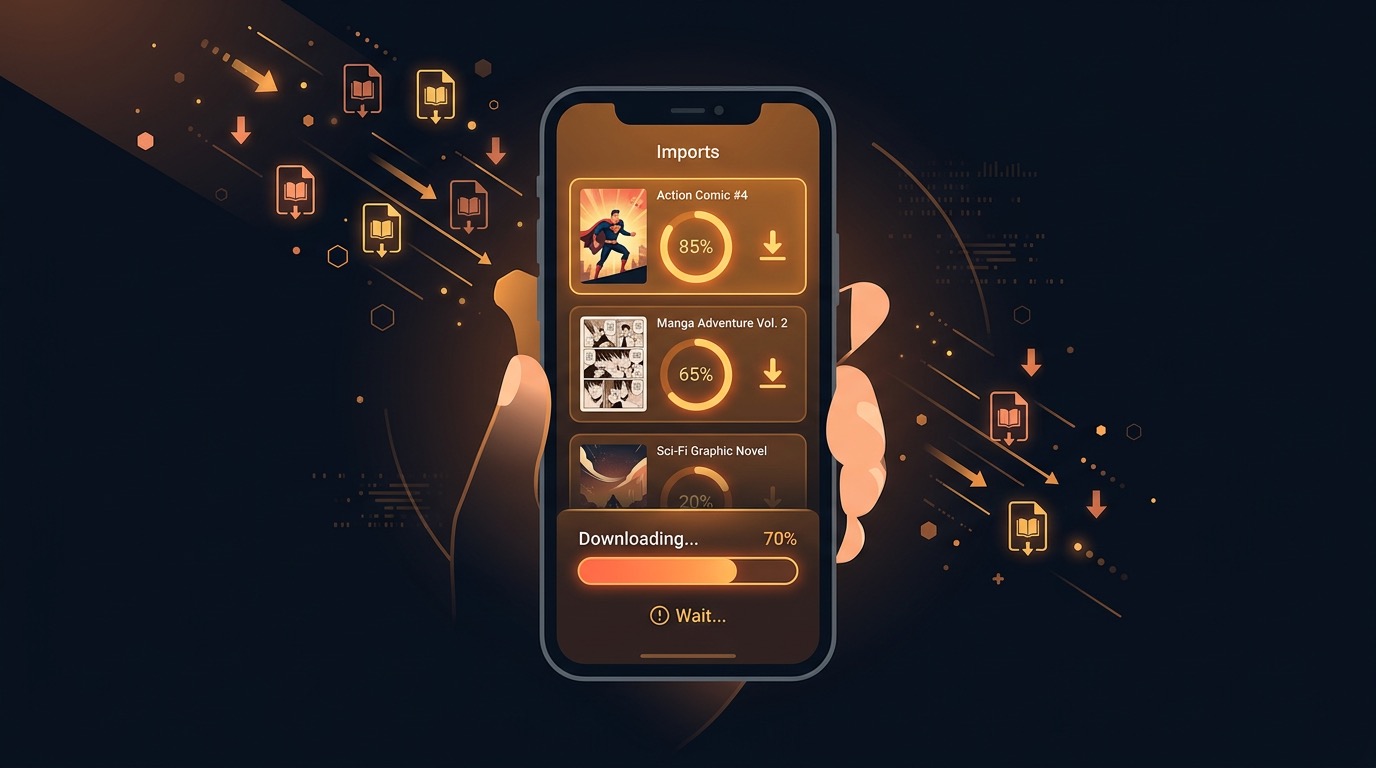
There are several ways to transfer comic files to your device. Do all of these while you have a connection, then read freely offline:
AirDrop (Mac to iPhone/iPad)
The fastest method for transferring from a Mac:
- Select your comic files on Mac
- Right-click → Share → AirDrop
- Choose your iPhone or iPad
- Files arrive in seconds. Open them in ComicFlow
Files App (iCloud, Dropbox, Google Drive)
If your comics are in cloud storage:
- Open the Files app on iPhone/iPad
- Navigate to your cloud storage folder
- Download the files you want (they'll cache locally)
- Open them in ComicFlow, or import directly from the Files app
Pro tip: Download files to your device's local storage (On My iPhone) rather than leaving them in cloud folders. Cloud folders may not stay cached offline indefinitely.
iTunes/Finder File Sharing
For large collections (USB transfer speed, no cloud needed):
- Connect iPhone/iPad to your computer with a cable
- Open Finder (Mac) or iTunes (Windows)
- Select your device → Files tab
- Drag comic files into ComicFlow's document storage
Direct Downloads
If you're buying from sites like Humble Bundle or Image Comics:
- Purchase and download directly in Safari on your iPhone/iPad
- When the download completes, tap to open in ComicFlow
- Files are stored locally, no cloud needed
Organizing Your Offline Library
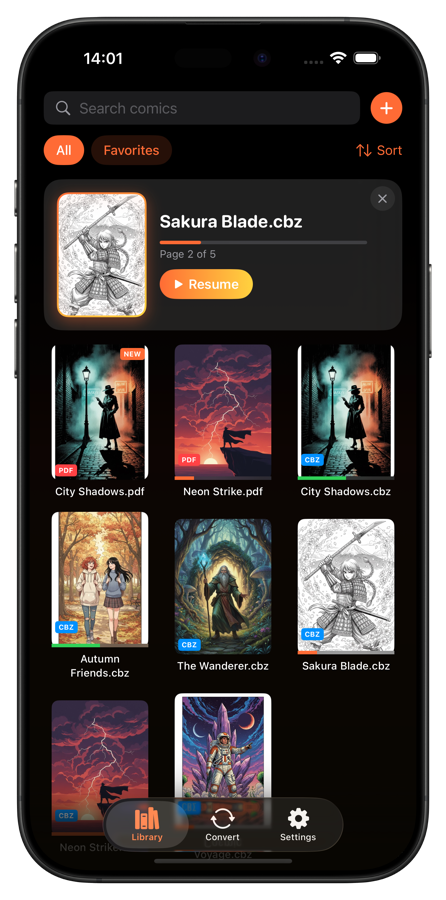
Once your files are imported, organization makes the difference between a usable library and a mess. ComicFlow gives you several tools for this:
Collections. Group comics by series, publisher, genre, or however you think about your library. "Batman," "Image Comics," "Currently Reading," "Favorites."
Ratings. 5-star ratings help you remember what's worth rereading. Rate as you finish each issue.
Reading progress. ComicFlow automatically tracks where you left off in every comic. Open an issue and you're back on the exact page. The "Continue Reading" feature shows your in-progress comics front and center.
Tags and notes. Add personal tags and notes to comics for quick filtering.
All of this organization data is stored locally on your device. No server needed, no sync delays, no risk of losing your organizational structure if a service changes.
Managing Storage for Large Collections
Comic files vary in size, but typical ranges are:
| Content Type | Typical File Size | 64GB iPhone Holds |
|---|---|---|
| Standard comic issue (CBZ) | 30-80 MB | 400-1,000+ issues |
| Manga volume (CBZ) | 100-200 MB | 200-400 volumes |
| High-res graphic novel (PDF) | 200-500 MB | 80-200 books |
| Webtoon chapter (CBZ) | 5-20 MB | 2,000+ chapters |
A 64GB iPhone with ~40GB of free space can hold a substantial comic library. But if you're a serious collector, storage management matters:
Rotate your reading list. You don't need your entire 2,000-issue collection on your phone. Keep your currently-reading series and a backlog queue. Archive the rest on your computer or external drive.
Convert high-res files. If you have oversized CBR/CBZ files (200MB+ per issue), converting them to PDF at medium quality can cut file sizes significantly while maintaining perfectly readable quality on a phone screen. ComicFlow's built-in converter handles this.
Use CBZ over CBR when possible. CBZ files (ZIP-based) decompress faster and more efficiently than CBR files (RAR-based), leading to slightly better performance and sometimes smaller file sizes.
Clean up finished series. Once you've read and rated a completed series, consider whether you need it on your device. Keep favorites, archive the rest.
Optimizing the Reading Experience Offline
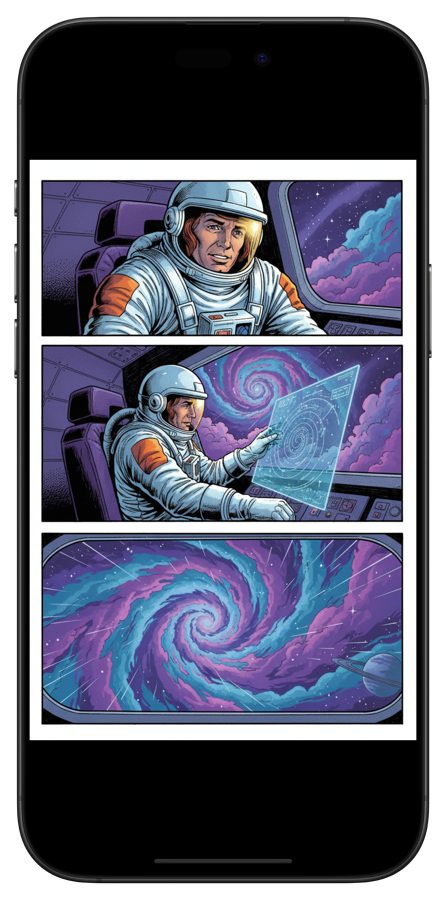
Once your library is set up, a few settings make offline reading better:
Choose the right reading mode. ComicFlow offers 5 modes: single page, double spread (landscape), vertical scroll, right-to-left manga, and continuous scroll for webtoons. Match the mode to what you're reading.
Night mode for dark environments. Reading on a red-eye flight or in bed? Night mode reduces eye strain. Adjust brightness within the app independently of your device brightness.
Page preloading. A good offline reader preloads upcoming pages so you never wait for the next page to render. ComicFlow's 60fps reader handles this natively. Pages are ready before you swipe.
Bookmarks for key pages. Mark splash pages, key plot moments, or reference pages you want to find again.
The Pre-Trip Checklist
Going somewhere without reliable internet? Here's a quick checklist for preparing your offline comic library:
A few days before:
- [ ] Download any new comics you want to read
- [ ] Transfer files to your device via AirDrop, Files, or cable
- [ ] Import everything into ComicFlow
- [ ] Verify all files open correctly (catch corrupted downloads now, not at 30,000 feet)
Before you leave:
- [ ] Check available storage. Make sure you have breathing room
- [ ] Note your "Continue Reading" list. You'll pick up right where you left off
- [ ] Download a few extras. You'll read faster than you think
On the plane/train/wherever:
- [ ] Open ComicFlow. Everything works, no internet needed
- [ ] Enjoy your comics
Offline Reading Is Ownership
The shift from physical to digital comics doesn't have to mean giving up ownership. When you buy DRM-free files and read them in an offline-first app, you get the convenience of digital with the permanence of physical.
Your comics don't disappear when a service shuts down. They don't lock you out when you're offline or require a monthly subscription to access what you already bought. They're just files on your device, like music or documents.
ComicFlow is designed around this philosophy. Everything runs on your iPhone or iPad, nothing touches a server, and your library is yours. On a 14-hour flight, a subway commute, or just sitting on your couch with the wifi off, your comics are there.