Getting a tattoo starts long before you sit in the chair. The design phase is where most people spend weeks or months, scrolling Pinterest boards, saving Instagram posts, and trying to turn a vague idea into something concrete. Tattoo design apps can speed that up dramatically, but there are a lot of them on the App Store and they all promise different things.
Some generate designs with AI. Some use AR to preview ink on your skin. Some are full drawing studios. Some connect you with artists. The right app depends on where you are in the process and what you actually need help with.
I tested all of these on an iPhone 15 Pro in early 2026. Here's how they stack up.
Quick Comparison
| App | Type | Price | AI Generation | AR Preview | Drawing Tools | Offline |
|---|---|---|---|---|---|---|
| Negink | AI generator + AR | Free + subscription | Yes (10 styles) | Yes | No | Partial |
| InkHunter | AR preview | Free | No | Yes | No | Yes |
| Tattoodo | Marketplace + social | Free | No | No | No | No |
| INKHUNTER PRO | AR preview | $4.99 | No | Yes | No | Yes |
| Tattoo Maker | Sticker placement | Free + IAP | No | Photo overlay | No | Yes |
| Adobe Fresco | Drawing app | Free + subscription | No | No | Yes | Yes |
| Procreate | Drawing app (iPad) | $12.99 | No | No | Yes | Yes |
1. Negink
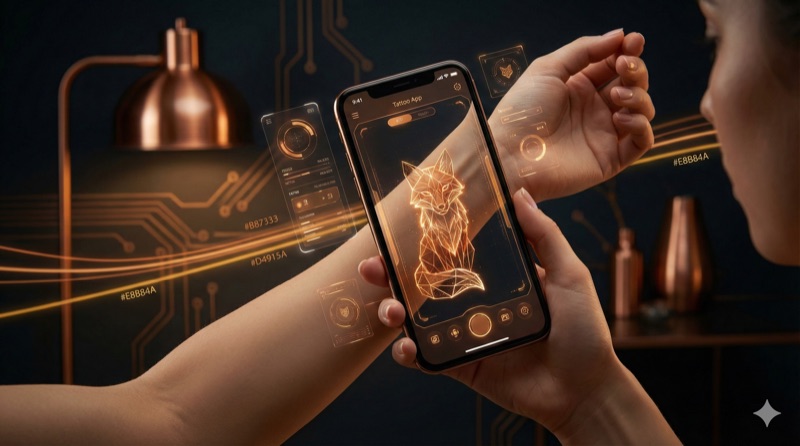
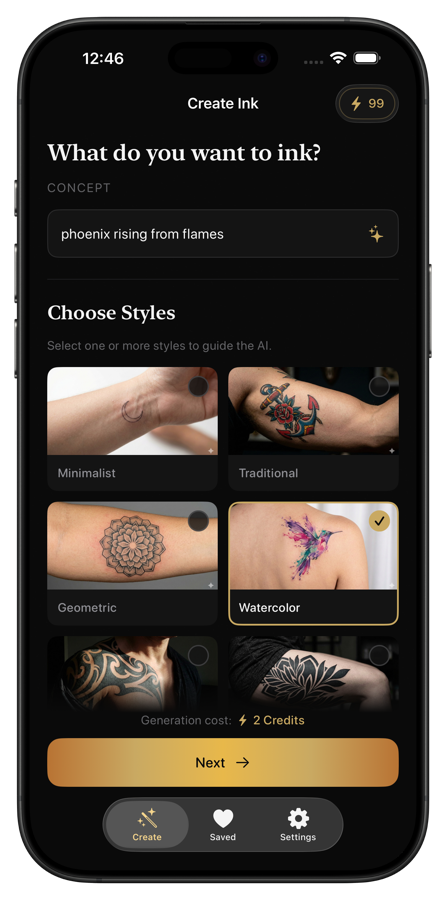
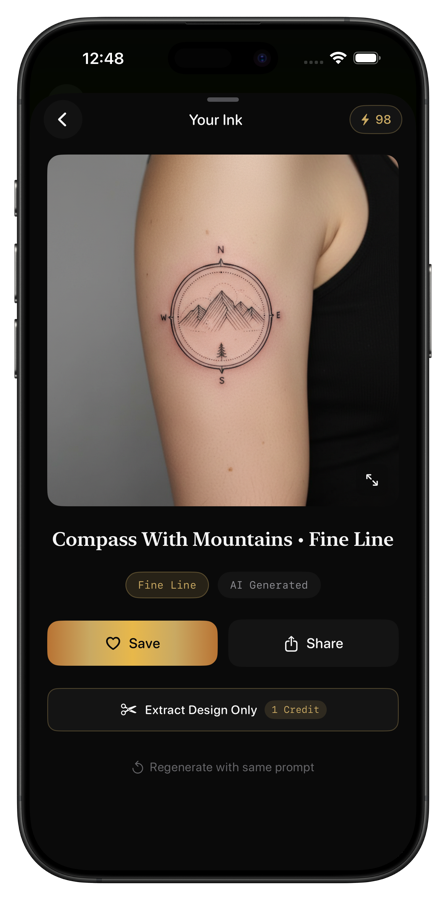
What it does: Negink is an AI tattoo design generator. You type a description of what you want, pick a style, and it creates a custom design in 5-15 seconds. It also includes an AR body preview feature so you can see the design on your skin before committing to anything.
Key features:
- 10 authentic tattoo styles: Minimalist, Traditional, Japanese, Geometric, Watercolor, Neo-Traditional, Blackwork, Tribal, Fine Line, Dotwork
- AI generates original designs from text descriptions
- AR body preview to test placement and sizing
- Designs saved locally on your device
Pricing: Free to download with 3 free lifetime credits. Subscription for more: $7.99/week or $44.99/year (100 credits/month).
Best for: People who have a concept in their head but can't draw it, and want to explore multiple style variations quickly.
Pros:
- Fastest way to go from "vague idea" to "actual design" on your phone
- The style variety is genuinely useful for figuring out which aesthetic you prefer
- AR preview works well for checking placement on arms, legs, and chest
- No account required to get started
Cons:
- Subscription pricing adds up if you're generating a lot of designs
- AI results sometimes need refinement by a human artist for final tattoo-ready quality
- AR tracking can struggle with very curved body areas like ribs or ankles
- Limited to AI-generated designs (no freehand drawing tools)

2. InkHunter
What it does: InkHunter uses augmented reality to show what a tattoo would look like on your body. You draw a simple smiley face on your skin with a pen (as a tracking marker), point your camera at it, and the app overlays a tattoo design in real time.
Key features:
- Real-time AR overlay on your skin using a drawn marker
- Upload your own designs or choose from a gallery
- Works on any body part you can draw a marker on
- Adjust size and rotation of the design
Pricing: Free.
Best for: Quick AR previews when you already have a finished design and want to see how it looks on your body.
Pros:
- Completely free with no subscription
- The marker-based tracking is actually clever and works reasonably well
- Upload any image as a tattoo design
- Good for showing friends and family what you're planning
Cons:
- You need to draw a marker on your skin every time, which is a bit awkward in public
- No design creation tools at all. You need a finished design before the app is useful
- The design gallery is limited and somewhat outdated
- AR tracking can drift, especially with movement
- The app hasn't been updated frequently
3. Tattoodo
What it does: Tattoodo is part social network, part artist marketplace. It's a massive database of tattoo designs and artist portfolios. You can browse by style, save designs you like, and connect directly with artists to book appointments.
Key features:
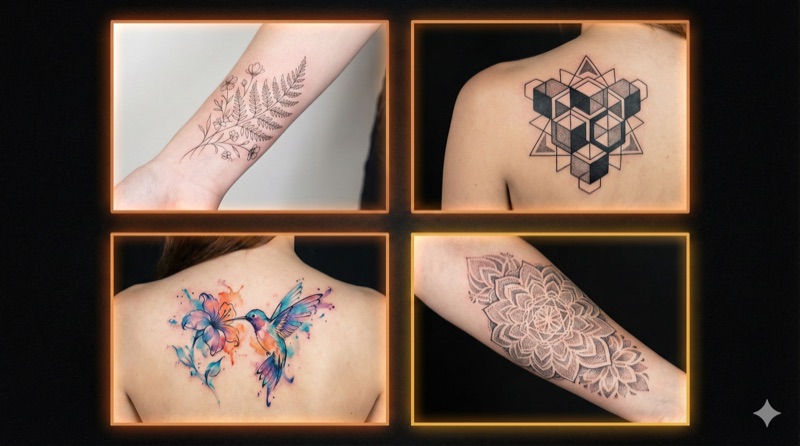
- Huge library of real tattoo photos organized by style and body placement
- Artist finder based on location, style, and availability
- Save and organize favorite designs into collections
- Direct booking and messaging with artists
Pricing: Free.
Best for: People in the inspiration and artist-finding phase who want to browse real tattoos and connect with professional artists.
Pros:
- The largest collection of real tattoo photos you'll find in one app
- Finding artists by style and location is genuinely useful
- Free to use with no paywalls on browsing
- Good for understanding what different styles look like on real skin
Cons:
- No design creation or generation tools
- No AR preview feature
- It's more of a discovery/booking platform than a design tool
- Some artists on the platform are slow to respond to inquiries
- Can feel overwhelming with the sheer volume of content
4. INKHUNTER PRO
What it does: The premium version of InkHunter with improved AR tracking, a larger design gallery, and better image quality. Same core concept (marker-based AR preview) but with upgrades across the board.
Key features:
- Enhanced AR tracking with better stability
- Larger and more curated design gallery
- Higher resolution preview rendering
- Save and share preview photos
Pricing: $4.99 one-time purchase.
Best for: People who liked InkHunter's approach but want better tracking quality and a bigger design library.
Pros:
- One-time purchase instead of subscription
- Noticeably better AR stability compared to the free version
- Expanded design gallery with more modern styles
- Clean interface without ads
Cons:
- Still requires the drawn marker on your skin
- Still no design creation or AI generation
- You're paying for a better version of a limited concept
- Design library, while larger, still can't compare to what AI generators produce
5. Tattoo Maker
What it does: Tattoo Maker takes a simpler approach. You pick from a library of tattoo-style stickers and place them on photos of your body. It's more of a photo editor than an AR tool, but it's easy to use and doesn't require any markers.
Key features:
- Large library of pre-made tattoo designs organized by category
- Place designs on photos with pinch-to-resize and rotate
- Adjust opacity and blend mode for realistic skin overlay
- Save and share edited photos
Pricing: Free with ads. In-app purchases to unlock premium design packs.
Best for: Casual exploration. If you're just curious about what a tattoo might look like and don't want to fuss with markers or AI prompts.
Pros:
- Dead simple to use. Pick a design, place it, done
- No markers, no AR setup, no prompts to write
- Wide variety of pre-made designs across many styles
- Works on any photo in your library
Cons:
- Pre-made stickers, not custom designs. Everyone using the app has access to the same library
- Placement looks flat on photos since it doesn't account for body curvature
- Many of the best design packs are locked behind in-app purchases
- Ads in the free version
- Results look more like a photo edit than a realistic tattoo preview
6. Adobe Fresco

What it does: Adobe Fresco is a professional drawing and painting app. It's not built specifically for tattoo design, but its vector brushes, live brushes, and layer system make it a solid tool for creating tattoo artwork from scratch.
Key features:
- Vector brushes that create perfectly smooth lines at any scale
- Live brushes that simulate real watercolor and oil paint
- Layer system for building up complex designs
- Syncs with Adobe Creative Cloud
- Apple Pencil support with pressure sensitivity
Pricing: Free with limited brushes. Full access requires a Creative Cloud subscription ($9.99/month for the single-app plan, $54.99/month for All Apps).
Best for: Artists and illustrators who want to draw tattoo designs from scratch on iPad or iPhone.
Pros:
- Professional-grade drawing tools that rival desktop software
- Vector brushes are perfect for clean linework that tattoo designs need
- Free tier is actually usable for basic designs
- Files sync across devices if you have Creative Cloud
- Excellent Apple Pencil responsiveness
Cons:
- Steep learning curve if you're not already an artist
- Full features require an expensive Creative Cloud subscription
- No tattoo-specific features (no body preview, no style presets)
- Better on iPad than iPhone due to screen size
- Overkill if you just want to preview an existing design
7. Procreate
What it does: Procreate is the most popular drawing app on iPad, and for good reason. Many professional tattoo artists use it daily to design custom pieces. The brush engine is incredibly responsive, and the community has created thousands of tattoo-specific brush packs.
Key features:
- Hundreds of built-in brushes, plus thousands of downloadable tattoo-specific brush packs
- Advanced layer system with blend modes and masks
- Time-lapse recording of your drawing process
- Full Apple Pencil support with tilt and pressure sensitivity
- Animation tools for showing design variations
Pricing: $12.99 one-time purchase (iPad only). Procreate Pocket for iPhone is $6.99.
Best for: Tattoo artists and skilled illustrators who want the best digital drawing tool for creating custom tattoo art.
Pros:
- One-time purchase with no subscription
- The brush engine is the best on any mobile platform
- Tattoo-specific brush packs from the community are excellent (stencil brushes, dot shading, linework)
- Time-lapse is great for sharing your design process with clients
- Used by thousands of professional tattoo artists worldwide
Cons:
- Requires drawing skills. This is a blank canvas, not an AI generator
- No tattoo-specific features built in (no AR preview, no body mockups)
- The best version is iPad-only. Procreate Pocket (iPhone) is more limited
- Takes real time investment to learn the interface
- Brush packs for tattoo styles often cost extra ($5-15 each)
Which App Should You Pick?
The answer depends on what part of the tattoo process you're stuck on.
"I don't know what I want yet." Start with Negink. Describe some ideas, try different styles, and generate a bunch of options. AI is the fastest way to explore when you're still in the brainstorming phase. Once you find something that clicks, you can refine it with an artist.
"I have a design but want to see it on my body." Use InkHunter or INKHUNTER PRO. They're purpose-built for AR preview and work well for that specific task. If you're using Negink, its built-in AR preview handles this too.
"I want to find an artist and get inspired by real tattoos." Open Tattoodo. It's the best platform for browsing real tattoo work organized by style and finding artists in your area.
"I want to draw my own tattoo designs." If you're on iPad, Procreate is the clear winner. If you're on iPhone or already in the Adobe ecosystem, Adobe Fresco works too. Both require actual drawing ability.
"I just want to play around and see what a tattoo might look like." Tattoo Maker is the lowest-friction option. Pick a sticker, slap it on a photo, see if the general vibe works.
Most people going through the tattoo planning process will end up using 2-3 of these apps at different stages. Start with AI or browsing to nail down what you want, move to AR preview to confirm placement, and finish with an artist consultation before booking your appointment.
Start Designing
If you're at the beginning of the process and want to see your ideas take shape fast, Negink is the quickest path from concept to custom design. Generate your first 3 designs for free and see which tattoo style fits your vision.
The best tattoo starts with the right design. These apps just make finding it a lot easier.