<?xml version="1.0" encoding="utf-8"?>
<feed xmlns="http://www.w3.org/2005/Atom" xml:lang="zh-Hans">
    <title>Applestan 博客 (简体中文)</title>
    <subtitle>在 iPhone 和 iPad 上阅读漫画、CBR、CBZ 和漫画书的指南与对比,来自 Applestan。</subtitle>
    <link href="https://applestan.com/zh-hans/feed.xml" rel="self" type="application/atom+xml"/>
    <link href="https://applestan.com/zh-hans/blog/" rel="alternate" type="text/html" hreflang="zh-Hans"/>
    <updated>2026-10-10T00:00:00.000Z</updated>
    <id>https://applestan.com/zh-hans/blog/</id>
    <author>
        <name>Navid Gooran</name>
        <email>gooran@gmail.com</email>
    </author>
    <entry>
        <title>在 iPhone 上阅读 CBR 和 CBZ 文件：真正好用的 2 款 App（2026）</title>
        <link href="https://applestan.com/zh-hans/blog/posts/iphone-yuedu-cbr-cbz-wenjian/" rel="alternate" type="text/html" hreflang="zh-Hans"/>
        <id>https://applestan.com/zh-hans/blog/posts/iphone-yuedu-cbr-cbz-wenjian/</id>
        <published>2026-10-10T00:00:00.000Z</published>
        <updated>2026-10-10T00:00:00.000Z</updated>
        <summary>如何在 iPhone 或 iPad 上打开 CBR 和 CBZ 漫画文件。值得考虑的两款阅读器、坦率的优缺点，以及那些看似可行其实行不通的办法。</summary>
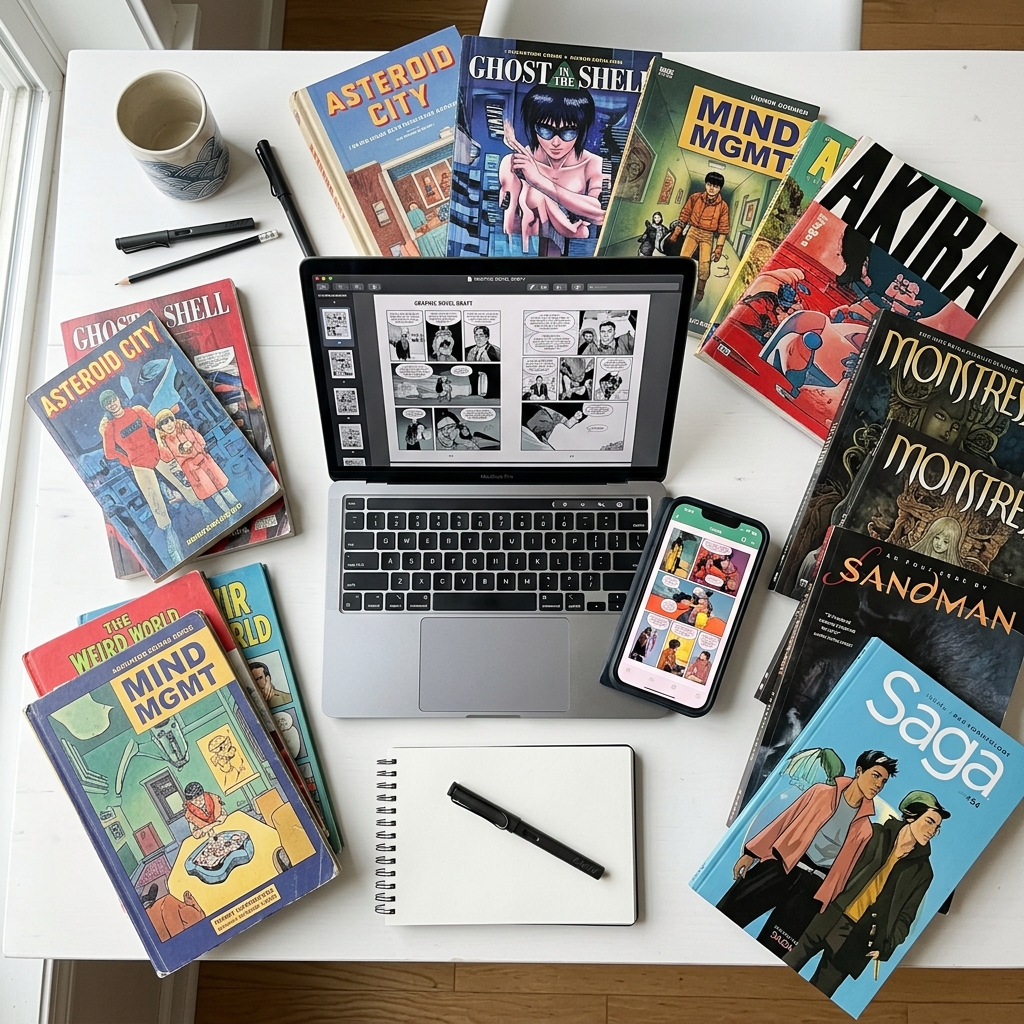
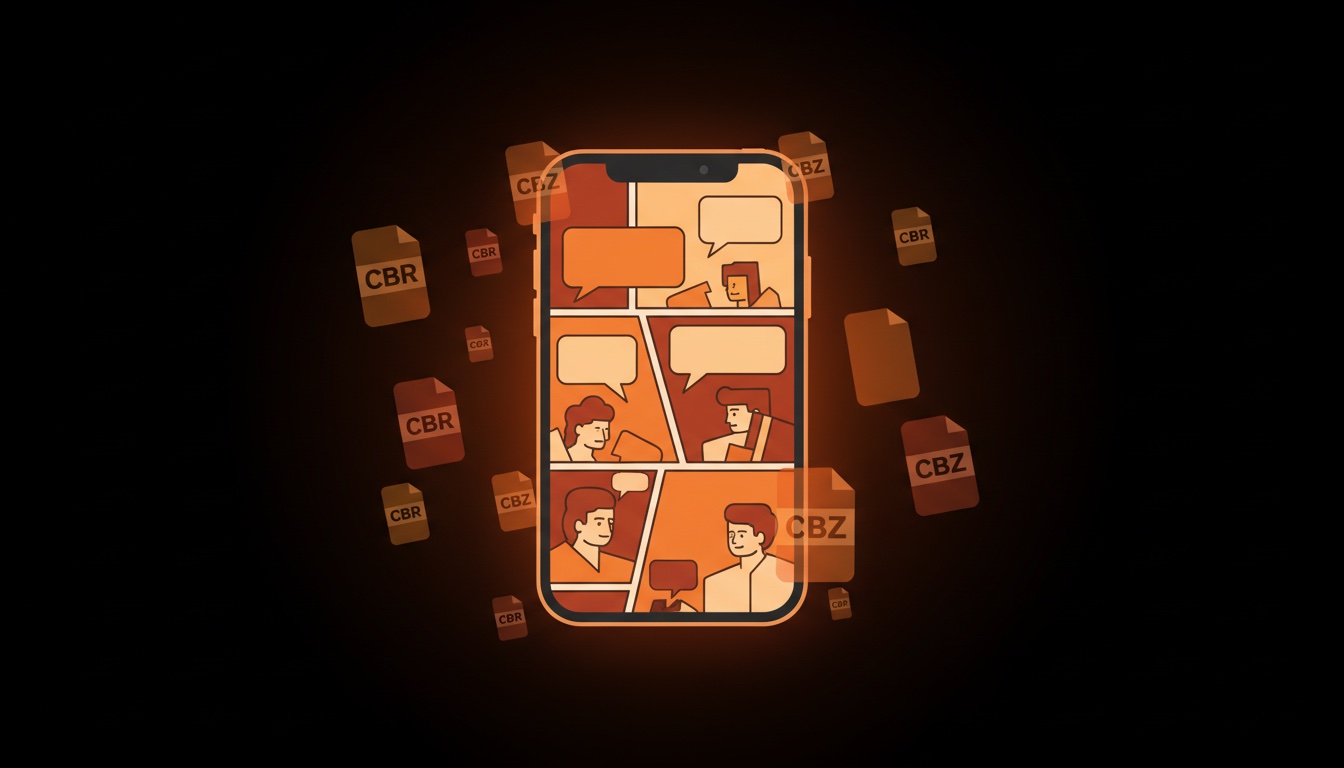
        <content type="html"><![CDATA[<p><img src="/blog/posts/images/read-cbr-cbz-hero.jpg" alt="用 ComicFlow 在 iPhone 上阅读 CBR 和 CBZ 漫画文件"></p>
<p>iPhone 没有内置的方式来打开 CBR 或 CBZ 文件。在“文件”里点一下没有任何反应，Apple 图书也会拒绝。要阅读它们，需要一个专门的漫画阅读器 App。下面介绍值得考虑的两款、各自擅长的地方、那些看似可行其实行不通的办法，以及怎么选。</p>
<blockquote>
<p><strong>声明：</strong> 我是 <a href="https://apps.apple.com/cn/app/comicflow-cbr-cbz-to-pdf/id6757245069">ComicFlow</a> 的开发者，它是本文推荐的两款 App 之一。我尽量做到公平比较，Panels 更合适的地方我会直接说明。</p>
</blockquote>
<div class="blog-app-cta"><a href="https://apps.apple.com/cn/app/comicflow-cbr-cbz-to-pdf/id6757245069"><img src="/assets/images/appstore_badge_white.svg" alt="在 App Store 下载 ComicFlow" width="120" height="40"></a></div>
<hr>
<h2 id="section">简短版 <a class="heading-anchor" href="#section" aria-label="Link to this section">#</a></h2>
<ul>
<li><strong>iPhone 自己打不开 CBR 和 CBZ。</strong> 它们是装着图片的 RAR 和 ZIP 压缩包，iOS 不会把它们当作可阅读的漫画</li>
<li><strong>你需要一款阅读器 App。</strong> 2026 年值得考虑的有两款：ComicFlow 和 Panels</li>
<li><strong>对大多数人：</strong> 装一个阅读器，在“文件”里点按文件，选择“用 [App] 打开”就行。日常阅读不需要转换</li>
<li><strong>只在需要时才转成 PDF：</strong> 分享、用 Apple 图书阅读或打印</li>
</ul>
<hr>
<h2 id="iphone-cbr-cbz">为什么 iPhone 打不开 CBR 和 CBZ <a class="heading-anchor" href="#iphone-cbr-cbz" aria-label="Link to this section">#</a></h2>
<p>技术原因一段话讲清。<code>.cbz</code> 文件就是普通的 ZIP 压缩包，里面是图片文件（通常是 JPEG 或 PNG，每页一张，按顺序编号）。<code>.cbr</code> 文件是装着同样内容的普通 RAR 压缩包。iOS 从 iOS 13 起能解压 ZIP，但没有任何内置的 RAR 支持，因为 Apple 从未获得这个格式的授权。就算是 iOS 能当 ZIP 打开的 CBZ，系统也不知道这些图片是要按顺序当漫画来读的。你得到的是一个零散图片的文件夹，而不是阅读体验。</p>
<hr>
<h2 id="section-1">看似可行其实行不通的办法 <a class="heading-anchor" href="#section-1" aria-label="Link to this section">#</a></h2>
<p><strong>把 <code>.cbz</code> 改名为 <code>.zip</code>，在“文件”里打开。</strong> 压缩包会被解开，你得到 <code>page_001.jpg</code>、<code>page_002.jpg</code> 等一堆图片。要“阅读”就得在“照片”里一张张滑动：不能适应页面，没有双页，不记住进度，也没有漫画用的从右到左模式。12 页还能忍，200 页就是折磨。</p>
<p><strong>用 Apple 图书打开。</strong> 图书只接受 PDF 和 EPUB，不接受 CBR 和 CBZ。这是大多数人最先尝试的办法，所以下面单独讲。</p>
<p><strong>iCloud 云盘预览。</strong> 有时能显示第一页，但没法翻页。</p>
<p><strong>快捷指令 App。</strong> 把 CBZ 解压后用“照片”幻灯片打开图片的快捷指令，处理很小的文件还行，超过约 30 MB 就吃力，也不支持从右到左。</p>
<p><strong>网页转换器。</strong> CloudConvert 或 Zamzar 能把 CBR 转成 PDF，但你得把文件上传给第三方、等待、再下载 PDF。偶尔一次可以，整个书库就不合适了。而且多数网站的上传上限在 100 MB 左右，很多漫画比这大。</p>
<hr>
<h2 id="apple-cbz-cbr">Apple 图书能读 CBZ 或 CBR 吗？ <a class="heading-anchor" href="#apple-cbz-cbr" aria-label="Link to this section">#</a></h2>
<p><strong>不能。</strong> Apple 图书只读 EPUB 和 PDF。<code>.cbz</code> 或 <code>.cbr</code> 会提示不支持的文件类型，即使某些老教程说可以。</p>
<p>现实中有两个选择。</p>
<p><strong>1. 用能直接打开文件的阅读器。</strong> 如果目的是在 iPhone 上看漫画，既不需要 Apple 图书，也不需要转换。下面两款阅读器都能原样打开 CBZ 或 CBR。对大多数人来说，这才是正确答案。</p>
<p><strong>2. 转成 PDF 再用图书阅读。</strong> 这确实可行，也有合理的理由，但代价不小：</p>
<ul>
<li><strong>从右到左的顺序没了。</strong> 图书里的 PDF 没有 RTL 开关。漫画会往错误的方向翻，事后也没法修复。这是最大的问题。如果你看日漫，转到图书这条路是错的。</li>
<li><strong>每一页都被重新编码。</strong> 你要选一个画质等级，这是实打实的取舍：高画质保留细节但文件很大，低画质文件小但扫描页里的小字会变糊。PDF 是原件的第二代拷贝。</li>
<li><strong>你要维护两个文件。</strong> CBZ 和 PDF。删错一个，要么丢了存档，要么丢了阅读副本。</li>
<li><strong>跨页变得别扭。</strong> CBZ 里的跨页是一张宽图。变成 PDF 页面后仍然是一张宽页，竖屏下显得很小。iPad 上还行，手机上就局促了。</li>
</ul>
<p>图书会记住 PDF 的阅读位置，这一点没问题。</p>
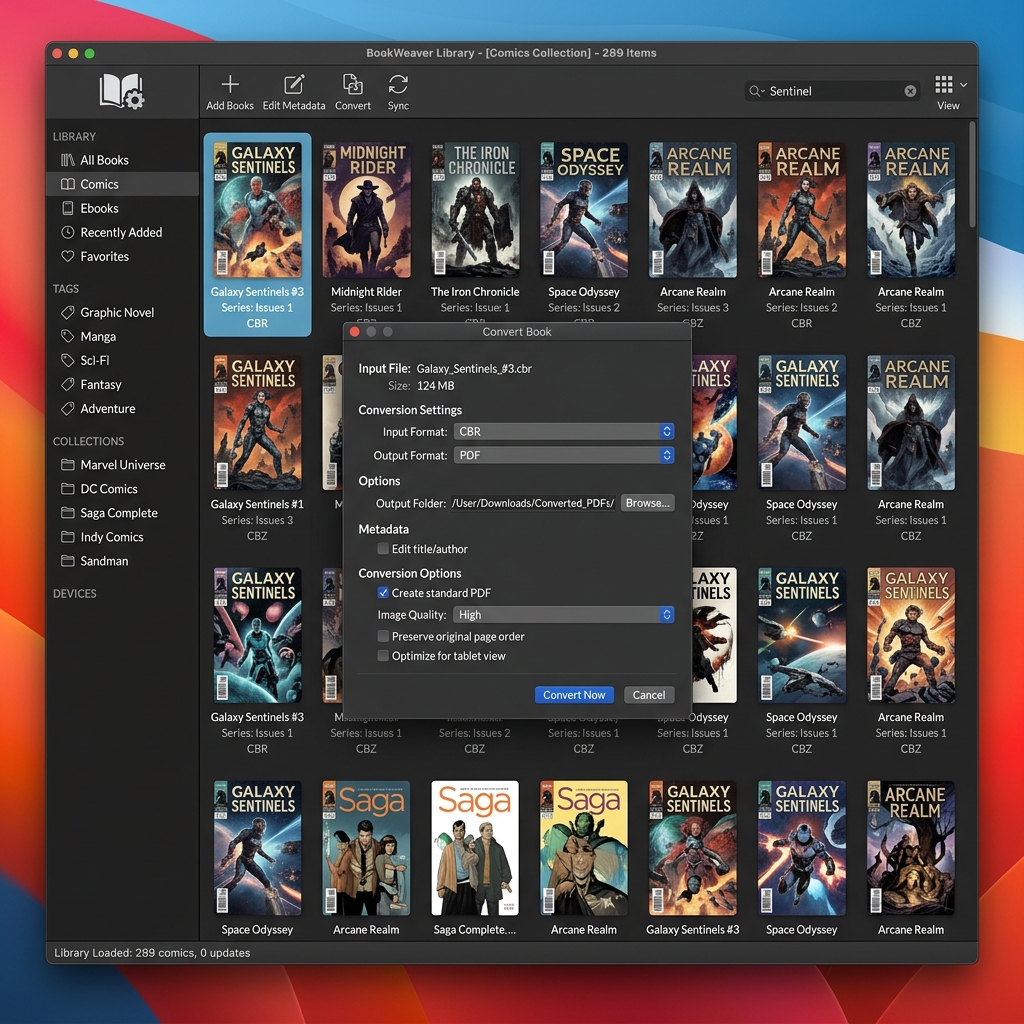
<p><strong>转换真正合适的情况：</strong> 你的书库都在图书里，想让漫画和电子书放一起；你在 Mac 上阅读；想把文件给没有漫画阅读器的人；或者想做批注、打印。这时 ComicFlow 在设备上转换，不用上传。选高/中/低，PDF 就会出现在“文件”里，可以直接在图书中打开。如果要一次转几百个文件，Mac 或电脑上免费的 <a href="https://calibre-ebook.com/">Calibre</a> 更合适。完整步骤见 <a href="/blog/posts/convert-cbr-cbz-to-pdf-iphone/">如何在 iPhone 上把 CBR 和 CBZ 转成 PDF</a>（英文）。</p>
<p>对于真正的书，以及在 Apple 设备之间同步混合书库，Apple 图书比任何漫画阅读器都强。它只是不是漫画阅读器，而为了让它变成漫画阅读器去转换漫画，代价比多数人预想的高。</p>
<hr>
<h2 id="section-2">值得考虑的两款阅读器 <a class="heading-anchor" href="#section-2" aria-label="Link to this section">#</a></h2>
<h3 id="panels">Panels <a class="heading-anchor" href="#panels" aria-label="Link to this section">#</a></h3>
<p>界面漂亮，云同步是这一类里最强的（Dropbox、Google Drive、OPDS）。支持 CBR、CBZ 和 PDF。价格是 $10 买断，云功能另收每年 $30。如果你有成千上万期漫画分散在多个云服务里，或者自建了 Komga、Kavita 服务器并想用 OPDS，选 Panels。缺点是它为重度收藏者而做，价格也反映了这一点。</p>
<p><a href="https://apps.apple.com/us/app/panels-comic-reader/id1236567663">App Store 上的 Panels</a></p>
<h3 id="comicflow">ComicFlow <a class="heading-anchor" href="#comicflow" aria-label="Link to this section">#</a></h3>
<p>最适合“点开文件，读，完事”。$2.99 一次性购买，没有订阅，没有广告，没有追踪。可打开 CBR、CBZ、RAR、ZIP 和 PDF，需要时还内置 CBR/CBZ 转 PDF。<strong>它刻意没有的功能：</strong> 云端书库同步、OPDS、按文件名自动匹配系列、服务器串流。需要这些的话，Panels 更合适。ComicFlow 面向的是普通用户，也就是 iCloud 里有几百个文件、只想读的人。</p>
<p><a href="https://apps.apple.com/cn/app/comicflow-cbr-cbz-to-pdf/id6757245069">App Store 上的 ComicFlow</a></p>
<h3 id="section-3">怎么选 <a class="heading-anchor" href="#section-3" aria-label="Link to this section">#</a></h3>
<ul>
<li><strong>5000 期以上、多个云服务、OPDS 服务器</strong> → Panels</li>
<li><strong>iCloud 或本地文件、一次性买断、不想订阅</strong> → ComicFlow</li>
</ul>
<p>两款都好用。真正选错的是干脆不看自己的漫画。</p>
<div class="blog-phone-screenshot">
  <a href="https://apps.apple.com/cn/app/comicflow-cbr-cbz-to-pdf/id6757245069">
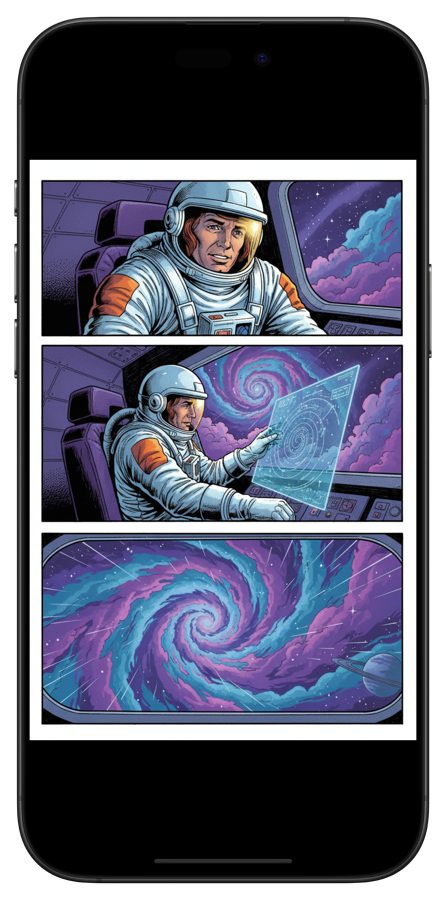
    <img src="/blog/posts/images/comicflow-reader.png" alt="ComicFlow 漫画阅读器在 iPhone 上显示一本科幻漫画">
  </a>
</div>
<hr>
<h2 id="cbr-cbz">有了阅读器之后怎么打开 CBR/CBZ <a class="heading-anchor" href="#cbr-cbz" aria-label="Link to this section">#</a></h2>
<p>两款 App 的流程相同：</p>
<ol>
<li><strong>从“文件”：</strong> 打开“文件”，找到漫画文件，点按并选择“用 [App] 打开”</li>
<li><strong>从 Safari：</strong> 点按下载好的文件，分享并选择你的阅读器</li>
<li><strong>从邮件：</strong> 点按附件并分享给阅读器</li>
<li><strong>从隔空投送：</strong> 从 Mac 隔空投送，选择阅读器作为目的地</li>
<li><strong>从 Dropbox/Google Drive：</strong> 在云盘 App 中打开文件，分享并选择阅读器</li>
</ol>
<p>导入后，漫画会保留在 App 的书库里，可离线阅读，坐飞机时很方便。所有传输方式见 <a href="/blog/posts/transfer-comics-to-iphone/">如何把漫画从电脑或 Mac 传到 iPhone</a>（英文）。</p>
<hr>
<h2 id="5">5 种支持格式速查 <a class="heading-anchor" href="#5" aria-label="Link to this section">#</a></h2>
<table>
<thead>
<tr>
<th>格式</th>
<th>扩展名</th>
<th>是什么</th>
<th>能在 iPhone 上读吗</th>
<th>能转成 PDF 吗</th>
</tr>
</thead>
<tbody>
<tr>
<td>Comic Book RAR</td>
<td><code>.cbr</code></td>
<td>装着图片的 RAR 压缩包</td>
<td>能（需要阅读器 App）</td>
<td>能</td>
</tr>
<tr>
<td>Comic Book ZIP</td>
<td><code>.cbz</code></td>
<td>装着图片的 ZIP 压缩包</td>
<td>能（需要阅读器 App）</td>
<td>能</td>
</tr>
<tr>
<td>RAR</td>
<td><code>.rar</code></td>
<td>与 CBR 相同，扩展名不同</td>
<td>能（需要阅读器 App）</td>
<td>能</td>
</tr>
<tr>
<td>ZIP</td>
<td><code>.zip</code></td>
<td>与 CBZ 相同，扩展名不同</td>
<td>能（需要阅读器 App）</td>
<td>能</td>
</tr>
<tr>
<td>PDF</td>
<td><code>.pdf</code></td>
<td>标准文档格式</td>
<td>能（图书或任何 PDF 阅读器）</td>
<td>无需转换</td>
</tr>
</tbody>
</table>
<p><code>.cb7</code>（7-Zip 压缩包）很少见，大多数阅读器打不开，ComicFlow 也一样。需要先在 Mac 上用 Calibre 之类的工具转换。</p>
<hr>
<h2 id="ios">iOS 上的文件大小 <a class="heading-anchor" href="#ios" aria-label="Link to this section">#</a></h2>
<p>导入大型 CBR 文件前，要知道文件大小差别很大。扫描的合集卷可能有 300 MB，高分辨率重新扫描的存档 CBZ 可能超过 1 GB。要有两点心理准备：</p>
<ul>
<li><strong>iOS 对每个 App 有内存限制。</strong> 特别大的 CBR 文件（超过 500 MB）第一次解压时可能会卡顿。读过一次之后会被缓存，速度就快了。</li>
<li><strong>iCloud 按需同步文件。</strong> 点按一个还没读过的 CBR，视网络情况可能要等几秒下载。</li>
</ul>
<hr>
<h2 id="section-4">试一试 <a class="heading-anchor" href="#section-4" aria-label="Link to this section">#</a></h2>
<ol>
<li>安装 <a href="https://apps.apple.com/cn/app/comicflow-cbr-cbz-to-pdf/id6757245069">ComicFlow</a>（$2.99 买断）或 <a href="https://apps.apple.com/us/app/panels-comic-reader/id1236567663">Panels</a>（$10 加每年 $30）</li>
<li>点按第一个文件，选择“用 [App] 打开”</li>
<li>开始阅读</li>
</ol>
<p>两款都能离线使用，也都不需要账号。按书库规模和预算来选，而不是看哪个最便宜。</p>
<div class="blog-app-cta"><a href="https://apps.apple.com/cn/app/comicflow-cbr-cbz-to-pdf/id6757245069"><img src="/assets/images/appstore_badge_white.svg" alt="在 App Store 下载 ComicFlow" width="120" height="40"></a></div>
<hr>
<h2 id="section-5">相关文章 <a class="heading-anchor" href="#section-5" aria-label="Link to this section">#</a></h2>
<ul>
<li><a href="/zh-hans/blog/posts/cbr-zhuan-pdf-gongju-tuijian/">最好用的 CBR 转 PDF 工具</a></li>
<li><a href="/blog/posts/best-comic-reader-apps-iphone/">2026 年 iPhone 上最好的漫画阅读器 App（英文）</a></li>
<li><a href="/blog/posts/comic-book-file-formats-explained/">漫画文件格式详解：CBR、CBZ 与 PDF（英文）</a></li>
<li><a href="/blog/posts/transfer-comics-to-iphone/">如何把漫画从电脑或 Mac 传到 iPhone（英文）</a></li>
</ul>
]]></content>
        <author>
            <name>Navid Gooran</name>
        </author>
        <category term="comics"/>
        <category term="comicflow"/>
        <category term="guide"/>
    </entry>
    <entry>
        <title>CBR 转 PDF 工具推荐：iPhone、Mac、电脑和在线方案对比（2026）</title>
        <link href="https://applestan.com/zh-hans/blog/posts/cbr-zhuan-pdf-gongju-tuijian/" rel="alternate" type="text/html" hreflang="zh-Hans"/>
        <id>https://applestan.com/zh-hans/blog/posts/cbr-zhuan-pdf-gongju-tuijian/</id>
        <published>2026-10-10T00:00:00.000Z</published>
        <updated>2026-10-10T00:00:00.000Z</updated>
        <summary>实测五款 CBR 转 PDF 工具，覆盖 iPhone、Mac、电脑和在线转换。从速度、画质控制、隐私和价格逐项对比，帮你选到合适的工具。</summary>
        <content type="html"><![CDATA[<p><img src="/blog/posts/images/best-cbr-pdf-converters-hero.jpg" alt="在 iPhone、Mac、电脑和在线对比 CBR 转 PDF 工具"></p>
<p>手里有 CBR 或 CBZ 格式的漫画文件，却需要 PDF。也许是想用 Apple 图书阅读，发给别人，打印出来，或者单纯因为 PDF 在哪都能打开。该选哪款 CBR 转 PDF 工具，取决于你用的设备和文件数量。</p>
<hr>
<h2 id="section">快速对比 <a class="heading-anchor" href="#section" aria-label="Link to this section">#</a></h2>
<table>
<thead>
<tr>
<th>工具</th>
<th>平台</th>
<th>支持格式</th>
<th>画质控制</th>
<th>离线使用</th>
<th>价格</th>
</tr>
</thead>
<tbody>
<tr>
<td><strong>ComicFlow</strong></td>
<td>iPhone、iPad</td>
<td>CBR、CBZ、RAR、ZIP</td>
<td>3 档预设（高/中/低）</td>
<td>可以</td>
<td>$2.99 买断</td>
</tr>
<tr>
<td><strong>Calibre</strong></td>
<td>Mac、Windows、Linux</td>
<td>CBR、CBZ、CB7 等</td>
<td>手动设置</td>
<td>可以</td>
<td>免费</td>
</tr>
<tr>
<td><strong>CloudConvert</strong></td>
<td>浏览器（任何设备）</td>
<td>CBR、CBZ</td>
<td>可自定义尺寸</td>
<td>不可以</td>
<td>免费（每月 750 次）</td>
</tr>
<tr>
<td><strong>Zamzar</strong></td>
<td>浏览器（任何设备）</td>
<td>CBR、CBZ</td>
<td>无</td>
<td>不可以</td>
<td>免费（有限制）</td>
</tr>
<tr>
<td><strong>FreeConvert</strong></td>
<td>浏览器（任何设备）</td>
<td>CBR、CBZ</td>
<td>基础</td>
<td>不可以</td>
<td>免费（有限制）</td>
</tr>
</tbody>
</table>
<hr>
<h2 id="iphone-ipad-comicflow">iPhone 和 iPad 首选：ComicFlow <a class="heading-anchor" href="#iphone-ipad-comicflow" aria-label="Link to this section">#</a></h2>
<div class="blog-app-icon">
    <img src="/blog/posts/images/icon-comicflow.png" alt="ComicFlow 应用图标" width="64" height="64">
    <div class="blog-app-icon-info">
        <span class="blog-app-icon-name">ComicFlow</span>
        <span class="blog-app-icon-dev">Applestan</span>
    </div>
</div>
<p>用 iPhone 或 iPad 的话，有 <a href="https://apps.apple.com/cn/app/comicflow-cbr-cbz-to-pdf/id6757245069">ComicFlow</a> 就够了。它支持 CBR、CBZ、RAR 和 ZIP 文件，直接在设备上转成 PDF。</p>
<p><strong>使用方法：</strong></p>
<ol>
<li>导入漫画文件（从“文件”App、Safari、隔空投送或邮件）</li>
<li>点按“转换”标签</li>
<li>选择画质预设：<strong>高</strong>（细节最多）、<strong>中</strong>（均衡）或<strong>低</strong>（文件最小）</li>
<li>点按转换，几秒钟就完成</li>
</ol>
<p>预设的差别很明显。一本 50 MB 的漫画，高画质约生成 45 MB 的 PDF，中画质约 20 MB，低画质约 8 MB。多数情况下选中画质就够用。</p>
<p><strong>ComicFlow 的特点：</strong></p>
<ul>
<li>转换完全在设备上进行，文件不会上传到任何地方</li>
<li>本身就是完整的漫画阅读器，读和转在同一个 App 里完成</li>
<li>支持五种常见格式（CBR、CBZ、RAR、ZIP、PDF）</li>
<li>转换后一键分享（隔空投送、信息、邮件、云盘）</li>
<li>不需要联网，飞机上、地铁里都能用</li>
</ul>
<p><strong>价格：</strong> $2.99，一次性购买。没有订阅，没有广告。</p>
<p>在 iOS 上，想直接在设备里把 CBR 转成 PDF，几乎没有别的真正选择。在线转换器能在 Safari 里用，但要把文件上传到服务器，也没法控制画质。</p>
<div class="blog-phone-screenshot">
  <a href="https://apps.apple.com/cn/app/comicflow-cbr-cbz-to-pdf/id6757245069">
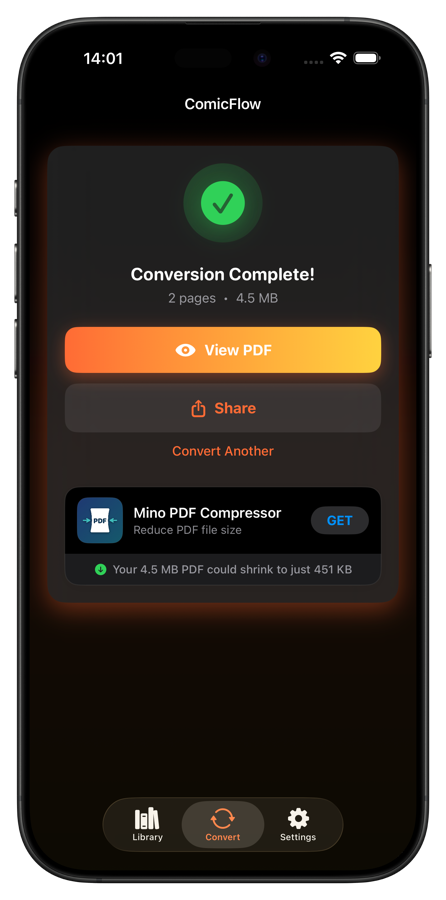
    <img src="/blog/posts/images/comicflow-conversion.png" alt="ComicFlow 转换完成界面，带有“查看 PDF”和“分享”选项">
  </a>
</div>
<div class="blog-app-cta"><a href="https://apps.apple.com/cn/app/comicflow-cbr-cbz-to-pdf/id6757245069"><img src="/assets/images/appstore_badge_white.svg" alt="在 App Store 下载 ComicFlow" width="120" height="40"></a></div>
<p>想看分步说明，请阅读<a href="/blog/posts/convert-cbr-cbz-to-pdf-iphone/">CBR 转 PDF 完整指南</a>（英文）。</p>
<hr>
<h2 id="mac-calibre">Mac 和电脑首选：Calibre <a class="heading-anchor" href="#mac-calibre" aria-label="Link to this section">#</a></h2>
<p><img src="/blog/posts/images/best-cbr-pdf-converters-calibre.jpg" alt="Calibre 电子书管理软件正在把 CBR 转成 PDF"></p>
<p><a href="https://calibre-ebook.com/">Calibre</a> 是免费开源的电子书管理软件，支持 Mac、Windows 和 Linux。它并不是专为漫画做的，但只要设置对了，CBR 转 PDF 的效果不错。</p>
<p><strong>转换步骤：</strong></p>
<ol>
<li>从 <a href="https://calibre-ebook.com/">calibre-ebook.com</a> 下载并安装 Calibre</li>
<li>点击 <strong>Add books</strong>，选择 CBR 或 CBZ 文件</li>
<li>在书库中选中文件，点击 <strong>Convert books</strong></li>
<li>把 <strong>Output format</strong> 设为 PDF</li>
<li>在左侧栏进入 <strong>Comic Input</strong>，勾选 <strong>“Disable comic processing”</strong></li>
<li>点击 OK，等待转换完成</li>
</ol>
<p><strong>重要：</strong> 第 5 步很关键。漏掉“Disable comic processing”这个选项，Calibre 会把彩色漫画转成黑白。很多人在这里踩坑。</p>
<p><strong>优点：</strong></p>
<ul>
<li>完全免费，文件数量和大小都不限</li>
<li>支持 Mac、Windows 和 Linux</li>
<li>支持 CBR、CBZ、CB7 等几十种格式</li>
<li>可批量转换大型收藏</li>
<li>输出设置非常丰富</li>
</ul>
<p><strong>缺点：</strong></p>
<ul>
<li>界面杂乱，需要时间适应</li>
<li>“Disable comic processing”这个坑，每个人至少踩一次</li>
<li>只想快速转一个文件的话有点大材小用</li>
<li>没有手机版</li>
</ul>
<p>在电脑上，Calibre 是目前最好的选择，没有之一。要转换一大批收藏，别的工具都比不上。</p>
<hr>
<h2 id="section-1">在线转换器 <a class="heading-anchor" href="#section-1" aria-label="Link to this section">#</a></h2>
<p>如果不想安装任何东西，浏览器里的转换器能应急。不过你要把文件上传到别人的服务器，涉及敏感内容时请多掂量。</p>
<h3 id="cloudconvert">CloudConvert <a class="heading-anchor" href="#cloudconvert" aria-label="Link to this section">#</a></h3>
<p><a href="https://cloudconvert.com/cbr-to-pdf">CloudConvert</a> 是最可靠的在线选择。它自 2012 年就在运营，并通过了 ISO 27001 认证。免费版每月 750 次转换，单文件上限 100 MB。可以从电脑、Google Drive、Dropbox 或链接上传，还能自定义输出尺寸和自动缩放。要用在线转换器的话，就选它。</p>
<h3 id="zamzar">Zamzar <a class="heading-anchor" href="#zamzar" aria-label="Link to this section">#</a></h3>
<p><a href="https://www.zamzar.com/convert/cbr-to-pdf/">Zamzar</a> 把所有选项都去掉了。上传 CBR，选 PDF，下载结果。免费版每天 2 个文件，每个最大 50 MB，完全没有画质控制。适合只想转一个文件、不在意细节的情况。</p>
<h3 id="freeconvert">FreeConvert <a class="heading-anchor" href="#freeconvert" aria-label="Link to this section">#</a></h3>
<p><a href="https://www.freeconvert.com/cbr-to-pdf">FreeConvert</a> 介于前两者之间。支持批量转换（一次多个文件），免费版可上传最大 1 GB 的文件，每天 25 次转换，也有基础的压缩设置。文件不多又不想装软件的话，它最合适。</p>
<hr>
<h2 id="cbr-pdf">在线 CBR 转 PDF 工具的问题 <a class="heading-anchor" href="#cbr-pdf" aria-label="Link to this section">#</a></h2>
<p>在线工具适合临时用一次，但代价也是实实在在的。</p>
<p>最大的问题是隐私。你把漫画文件上传到了别人的服务器。多数服务声称转换后会删除文件，但你只能选择相信。</p>
<p>其次是速度。上传、服务器处理再加下载，时间加起来不短。在 iPhone 上本地 3 秒就能转完的文件，走浏览器可能要一分钟以上。</p>
<p>免费版还限制文件大小，从 50 MB 到 1 GB 不等。听上去不小，直到你要转一卷高分辨率的漫画。而且多数在线工具无法控制输出画质，ComicFlow 和 Calibre 则都能调压缩。</p>
<p>只转一个小文件的话，在线转换器没问题。其他情况下，本地工具更省时间，文件也更隐私。</p>
<hr>
<h2 id="cbr-pdf-1">该选哪款 CBR 转 PDF 工具？ <a class="heading-anchor" href="#cbr-pdf-1" aria-label="Link to this section">#</a></h2>
<p>简单说：用 iPhone 或 iPad，<a href="https://apps.apple.com/cn/app/comicflow-cbr-cbz-to-pdf/id6757245069">ComicFlow</a> 在本地转换并能控制画质，同时还是完整的漫画阅读器。用 Mac 或电脑，Calibre 免费搞定一切，包括几百个文件的批量任务，只要记得关掉漫画处理，否则颜色会丢。不想安装任何东西的话，CloudConvert 的免费额度最宽松，在浏览器类工具里口碑也最好。</p>
<div class="blog-app-cta"><a href="https://apps.apple.com/cn/app/comicflow-cbr-cbz-to-pdf/id6757245069"><img src="/assets/images/appstore_badge_white.svg" alt="在 App Store 下载 ComicFlow" width="120" height="40"></a></div>
<hr>
<h2 id="section-2">相关文章 <a class="heading-anchor" href="#section-2" aria-label="Link to this section">#</a></h2>
<ul>
<li><a href="/zh-hans/blog/posts/iphone-yuedu-cbr-cbz-wenjian/">在 iPhone 上阅读 CBR 和 CBZ 文件</a></li>
<li><a href="/blog/posts/convert-cbr-cbz-to-pdf-iphone/">如何在 iPhone 上把 CBR 和 CBZ 转成 PDF（英文）</a></li>
<li><a href="/blog/posts/comic-book-file-formats-explained/">漫画文件格式详解：CBR、CBZ 与 PDF（英文）</a></li>
<li><a href="/blog/posts/best-comic-reader-apps-iphone/">iPhone 和 iPad 上最好的漫画阅读器 App（英文）</a></li>
</ul>
]]></content>
        <author>
            <name>Navid Gooran</name>
        </author>
        <category term="comics"/>
        <category term="comicflow"/>
        <category term="guide"/>
    </entry>
</feed>